
Windows · Sound & Video
Best Linux alternatives to iMovie
iMovie is Apple's simple, template-driven video editor for Mac and iOS, focused on ease of use for beginners.
Updated
Quick answer
The best Linux alternative to iMovie is Kdenlive. Other strong options: Shotcut, OpenShot, PiTiVi.
6 Linux alternatives to iMovie
-

Kdenlive is a free, feature‑rich non‑linear video editor built on the MLT framework.
Kdenlive is a strong replacement for iMovie if you are willing to trade simplicity for power. It handles all core editing tasks: trimming, transitions, titles, and color correction. However, it lacks iMovie's rigid, template-driven workflow. If you want a guided, 'click-and-go' experience, Kdenlive…
Feature parity85% -

Shotcut is a free, open-source video editor for Linux with support for a wide range of formats via FFmpeg.
Shotcut is a capable replacement for iMovie on Linux, but it is not a direct swap. It offers professional-grade non-linear editing, which is more powerful than iMovie's template-driven simplicity. For beginners, the learning curve is steeper because Shotcut lacks iMovie's automated templates and…
Feature parity75% -

OpenShot is a free, open-source, non-linear video editor for Linux and other platforms, built with Python and MLT.
OpenShot is a solid replacement for iMovie if you are moving to Linux and need a free, open-source editor. It covers the core needs: drag-and-drop timeline, basic effects, and standard codec support. However, it lacks iMovie’s polished, template-driven simplicity. The interface is more complex, and…
Feature parity75% -
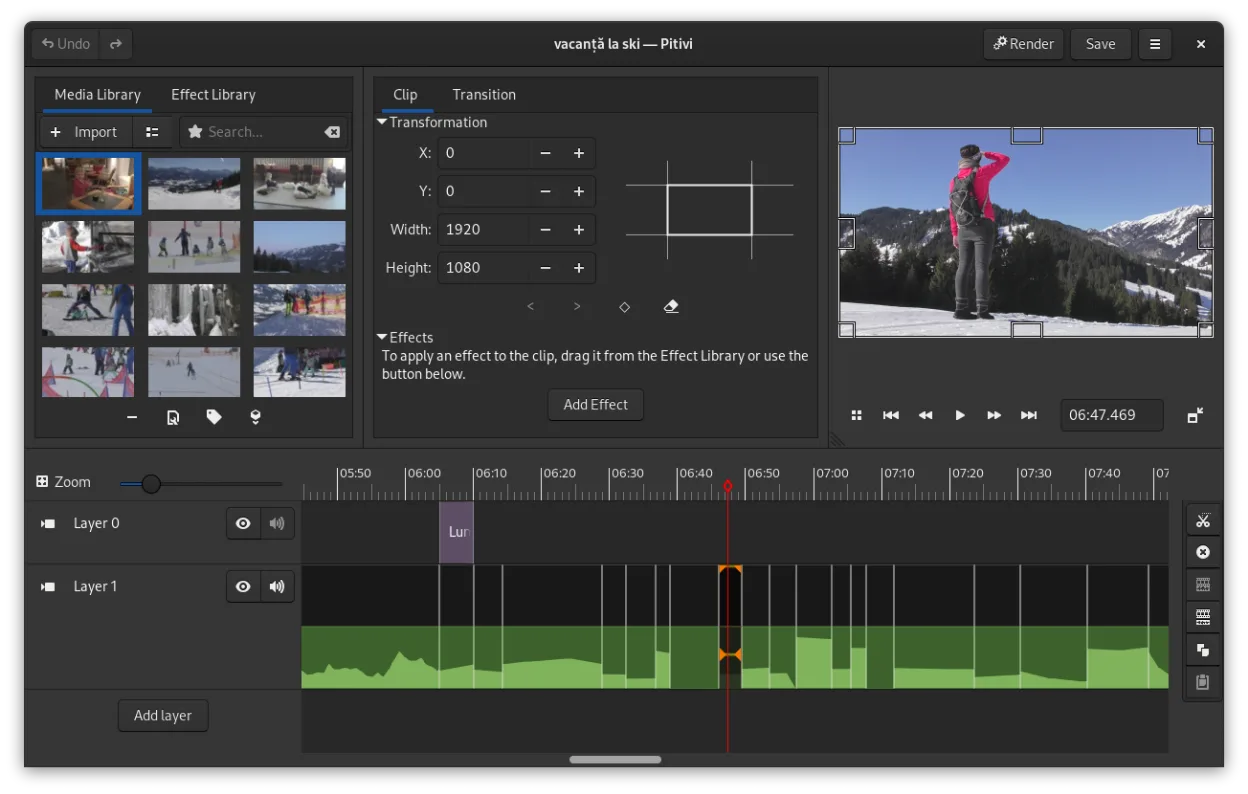
PiTiVi is a free, open-source, non-linear video editor for Linux built on GStreamer with a clean GNOME-integrated interface.
PiTiVi is a solid, free replacement for iMovie if you are moving from Mac to Linux and want a native, non-linear editor. It covers the core needs: drag-and-drop timeline, transitions, and basic effects. However, it lacks iMovie's polished, template-driven simplicity and built-in music library. It…
Feature parity75% -

Blender is a free, open-source 3D suite for modeling, animation, rendering, and video editing.
Blender is a valid but heavy replacement for iMovie. It covers the core editing needs—cutting, color, audio, and export—completely, but it is not a direct drop-in for beginners. If you enjoy learning new tools and want free, professional-grade software, Blender is excellent. However, if you just…
Feature parity60% -
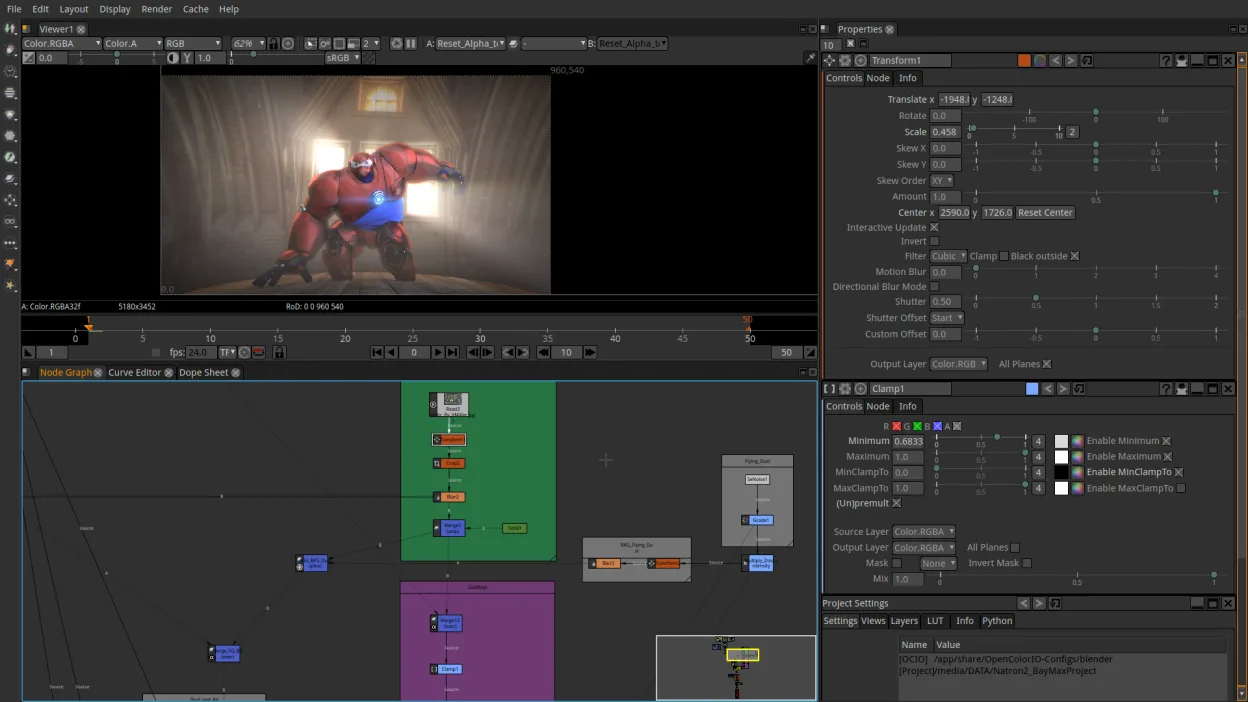
Natron is a free, open‑source node‑based video compositing tool for creating VFX and motion graphics.
Natron is not a good replacement for most iMovie users. While both are video tools, Natron is a node-based compositing engine for VFX, whereas iMovie is a linear, template-driven editor for beginners. If you are a casual user wanting to trim clips and add titles, Natron will feel overwhelming and…
Feature parity20%


What is iMovie?
iMovie serves as the entry-level video editor for the Apple ecosystem, targeting casual creators, students, and hobbyists. It simplifies the editing process through drag-and-drop interfaces, pre-made templates, and automated tools like background removal and stabilization. Users typically rely on it for quick social media clips, family videos, or basic presentations without needing deep technical knowledge of color grading or multi-track audio mixing.
The software is distributed as freeware, meaning it is free to download and use without a subscription or one-time purchase. It is tightly integrated with iCloud, allowing projects to sync between Macs, iPhones, and iPads. While the app itself costs nothing, it requires an Apple ID and access to Apple hardware, which creates a closed ecosystem that limits its availability to non-Apple users.
People seek Linux alternatives primarily because they have switched to open-source operating systems or prefer hardware that does not run macOS. Since iMovie is not available on Linux, users need a replacement that offers similar simplicity without the steep learning curve of professional suites like DaVinci Resolve. They want a tool that handles basic cuts, transitions, and text overlays efficiently, preserving the low-friction workflow they are used to on Apple devices.
What a replacement for iMovie must do
- Intuitive drag-and-drop timeline interface
- Built-in title and transition templates
- Basic color correction and stabilization
- Support for common video codecs (MP4, MOV)
- Audio mixing and background music libraries
- Export options for social media platforms
- Low resource usage for older hardware
Can you run iMovie on Linux?
There is no native Linux version of iMovie. It does not work with Wine, Proton, or Bottles because it relies heavily on macOS-specific frameworks and hardware acceleration that are not replicable on Linux. There is no official web version either. If you are using an Apple device, you must stay within the Apple ecosystem to use iMovie; otherwise, you must switch to a native Linux application.
Which alternative should you choose?
For users who want a balance of simplicity and power, Kdenlive is the best choice; it has a friendly interface but offers deep control when needed. Shotcut is ideal for those who prefer a straightforward, no-nonsense editor with a single timeline view. OpenShot is the most beginner-friendly option, closely mirroring the simplicity of iMovie with its drag-and-drop nature. PiTiVi is another lightweight option, though it is less actively maintained. If you need to do motion graphics or 3D work alongside editing, Blender is the only option, but it has a steep learning curve. Natron is a compositor, not a general editor, so it is only useful if you specifically need node-based compositing.
Moving your iMovie files and habits
You cannot directly import iMovie projects into Linux editors. You must export your final video from iMovie as a high-quality intermediate format, such as ProRes or DNxHR, before moving to Linux. If you only need to reuse raw footage, export the original clips from your iPhone or Mac and import them into your Linux editor. Note that iMovie’s specific effects and transitions are proprietary and will not transfer; you will need to recreate them using the new software’s tools. Keep your media files organized in a folder structure that is easy to navigate in the new environment.
Side-by-side comparison
iMovie: frequently asked questions
Can I use iMovie on Linux with Wine?
No. iMovie relies on macOS-specific system libraries and hardware integration that Wine cannot emulate. It will not install or run correctly on Linux.
Which Linux editor is closest to iMovie in simplicity?
OpenShot and Kdenlive are the closest matches. OpenShot is simpler and more template-driven, while Kdenlive offers a bit more power while remaining user-friendly.
Will my iMovie project files work in Kdenlive or Shotcut?
No. iMovie uses a proprietary project format (.imovielibrary) that Linux editors cannot read. You must export the video or raw assets separately.
Is there a cloud version of iMovie for Linux?
No. iMovie is a desktop and mobile app. While iCloud syncs projects between Apple devices, there is no web-based editor accessible from a Linux browser.
How important is iMovie to you?
Know a better alternative? Suggest an alternative