
 JamiLinux
vs
Google MeetWindows
JamiLinux
vs
Google MeetWindows
Jami as a Linux alternative to Google Meet
Updated
Our verdict
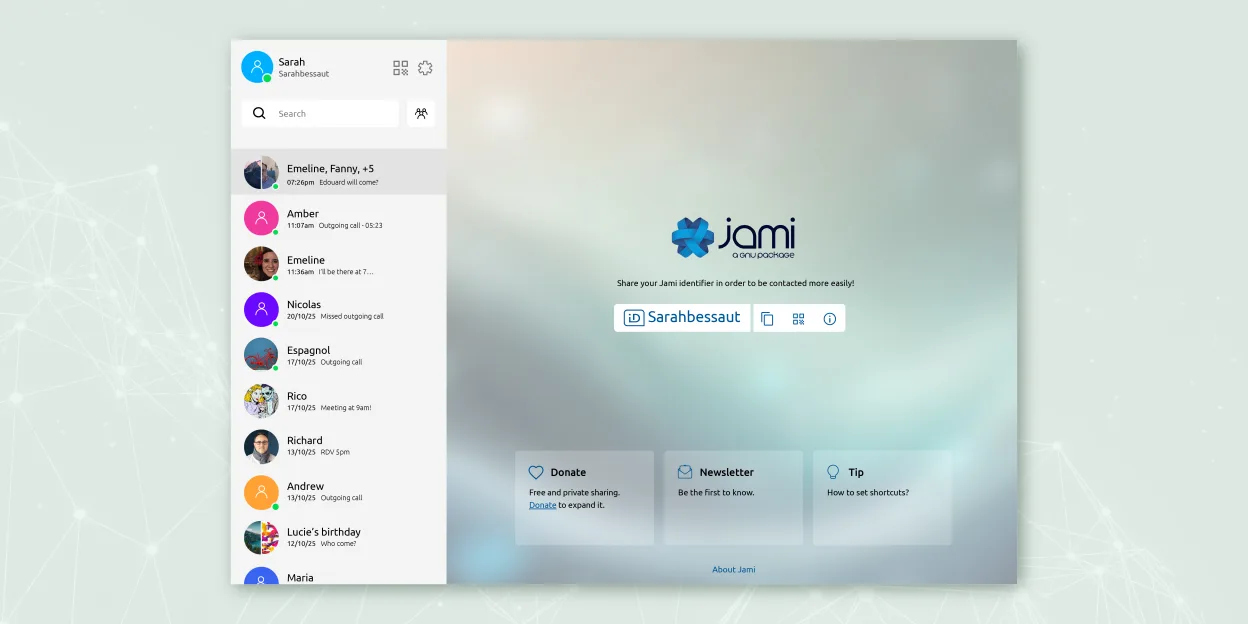
Jami is a good replacement for Google Meet if privacy and decentralization are top priorities, but not for users who rely on calendar integration or easy guest access via browser links. It supports group calls, screen sharing, and encryption by default, which matches core communication needs. However, it lacks Google Calendar sync and web client access, making it less convenient for casual or enterprise-heavy workflows. It works well for small teams or individuals who value control over their communication infrastructure and are comfortable installing a dedicated app.
- License
- GPL-3.0+
- Price
- Free
- Latest version
- 20260917.0 (September 17, 2026)
- Rating
- —
What works the same
- Supports multi-participant audio and video calls
- Includes screen sharing during calls
- Offers end-to-end encryption for all communications
- Available on multiple platforms including Linux, Windows, and mobile
- Allows file transfers between users
What is different
- Jami has no web browser client—users must install the app
- No integration with Google Calendar or email systems
- No built-in support for joining meetings via simple URL links
- Peer-to-peer architecture can cause connectivity issues behind NATs
- Missing automated meeting reminders and calendar scheduling
Opening your Google Meet files
Jami does not interact with Google Meet's ecosystem, so recordings or chat logs from Google Meet cannot be imported directly. Jami stores call recordings locally in standard media formats (e.g., MP4, WAV), which can be played on any system, but there is no tool to convert or migrate Google Meet meeting data. Users must manually save and transfer any relevant files. Interoperability between the two platforms is non-existent due to differing architectures and protocols.
Switching from Google Meet to Jami, step by step
- Install Jami from Flathub or official repository on all devices
- Create accounts for team members, optionally set up JAMS for centralized management
- Share Jami usernames or QR codes to establish contacts
- Test group calls and screen sharing with team members
- Set up call recording and enable desired extensions like Whisper Transcript
Key features of Jami
- End‑to‑end encrypted messaging and calls
- Direct peer‑to‑peer audio/video without central servers
- Group chats, file transfer, screen sharing, location sharing
- SIP client support and JAMS integration for enterprises
- Cross‑platform availability (Linux, Windows, macOS, Android, iOS)
- Extensions such as audio filters, auto‑answer, green screen
- Call recording and voice‑to‑text transcription
How to install Jami on Linux
flatpak install flathub net.jami.Jamisudo apt install jamiFrequently asked questions
Can people join Jami calls without installing software?
No, all participants must install the Jami app. There is no browser-based client.
Is Jami compatible with Google Meet links or calendar invites?
No, Jami cannot open Google Meet links or sync with Google Calendar events.
How are meetings scheduled in Jami?
Meetings are coordinated manually—users must agree on time and initiate calls directly through the app.
3 other alternatives to Google Meet
 Jitsi MeetJitsi Meet is an open-source video conferencing client that connects to any Jitsi server for secure…Open sourceFreeFlatpakJitsi Meet vs Google Meet
 ElementElement is an open‑source, matrix‑based chat and video‑conference client for Linux.Open sourceFreeFlatpakElement vs Google Meet
 ZoomZoom is a proprietary video conferencing app for online meetings, webinars, and screen sharing with broad…FlatpakZoom vs Google Meet