
Windows · Internet
Best Linux alternatives to Google Meet
Google Meet is a web-based video conferencing tool by Google, widely used for remote meetings and online classes.
Updated
Quick answer
The best Linux alternative to Google Meet is Jitsi Meet. Other strong options: Element, Zoom, Jami.
4 Linux alternatives to Google Meet
-

Jitsi Meet is an open-source video conferencing client that connects to any Jitsi server for secure, account-free calls.
Jitsi Meet is a solid replacement for Google Meet, especially for users who value privacy, open-source software, and flexibility. It supports browser-based meetings without accounts, offers strong encryption, and allows self-hosting—ideal for organizations or individuals avoiding cloud dependency…
Feature parity85% -

Element is an open‑source, matrix‑based chat and video‑conference client for Linux.
Element is a solid replacement for Google Meet if you prioritize privacy, self-hosting, and persistent communication spaces. It supports reliable WebRTC video calls, screen sharing, and works well on Linux, especially via Flatpak with PipeWire. However, it’s not ideal for users who need quick…
Feature parity70% -
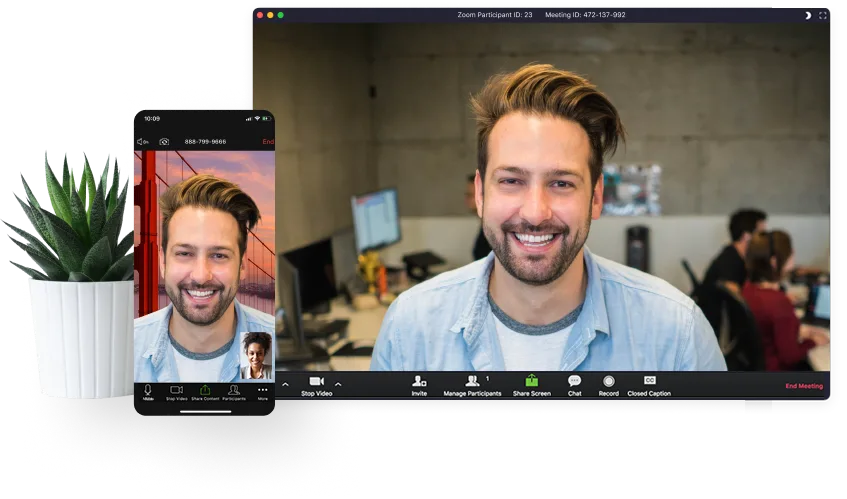
Zoom is a proprietary video conferencing app for online meetings, webinars, and screen sharing with broad Linux support.
Zoom is a solid replacement for Google Meet on Linux, especially for users who host or frequently join structured meetings. It offers strong audio/video performance, reliable screen sharing, and calendar integration. While it requires an account for full features, joining without one is still…
Feature parity90% -
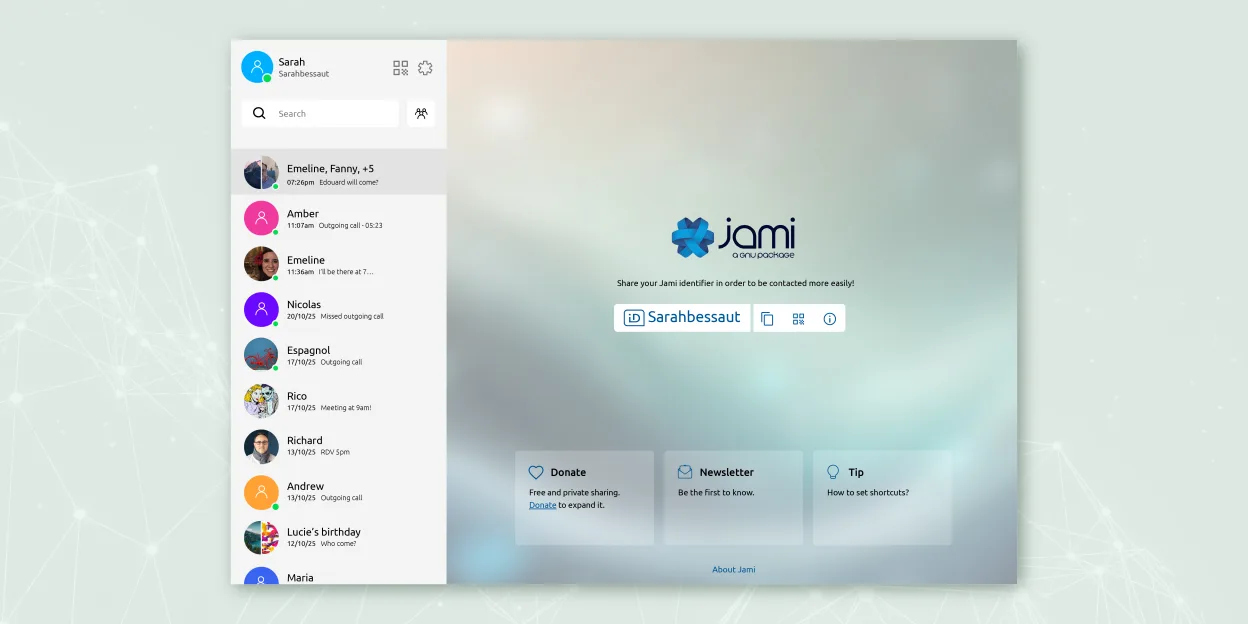
Jami is a free, peer‑to‑peer chat and video‑call client that works without central servers.
Jami is a good replacement for Google Meet if privacy and decentralization are top priorities, but not for users who rely on calendar integration or easy guest access via browser links. It supports group calls, screen sharing, and encryption by default, which matches core communication needs…
Feature parity65%




What is Google Meet?
Google Meet is a video conferencing service designed for businesses, educators, and individuals needing to host or join online meetings. It integrates tightly with Google Workspace, making it popular in schools and organizations already using Gmail, Calendar, and Drive. Meetings can be scheduled or started instantly, supporting screen sharing, chat, and recording in some plans.
The service operates on a freemium model. Basic features are free for anyone with a Google account, including 60-minute meeting limits for group calls. Paid tiers under Google Workspace unlock longer meetings, admin controls, and enhanced security. There's no charge for joining meetings, which helps adoption across teams and classrooms.
People seek Linux alternatives because Google does not offer a native Linux desktop app. While Meet works in browsers like Chrome or Firefox, some users want standalone apps with better integration, offline access, or independence from Google's ecosystem. Others prefer open-source tools they can self-host or audit for privacy and security.
What a replacement for Google Meet must do
- Join and host video calls with multiple participants
- Screen sharing and presentation support
- Works in a web browser on Linux
- Reliable audio and video with low latency
- No mandatory account to join meetings
- End-to-end encryption or strong privacy controls
- Integration with calendar and email systems
Can you run Google Meet on Linux?
Google Meet has no native Linux desktop client. However, it works well in modern Linux web browsers like Chrome, Chromium, and Firefox. Users can access all core features—video, audio, screen sharing—through the web interface. It does not require Wine, Proton, or Bottles since it runs in the browser. Browser permissions and hardware access (camera, mic) must be correctly configured. Performance is generally reliable on systems with decent internet and hardware.
Which alternative should you choose?
For users wanting a self-hostable, open-source option with no account needed, Jitsi Meet is ideal. Element suits those already using Matrix for chat and seeking integrated video calls. Zoom is best for compatibility with external partners who use it widely, despite being proprietary. Jami works for decentralized, peer-to-peer calls without servers, though it has a steeper learning curve and less polish.
Moving your Google Meet files and habits
Migrating from Google Meet doesn’t require data export since meetings are ephemeral and don’t store chat logs or recordings locally by default. Calendar invites with Meet links can be replaced with links from Jitsi or Element. Recordings must be manually saved before switching. File sharing happens in real time and isn’t portable, but documents used in meetings can be exported from Google Drive. Compatibility with external participants depends on adopting a widely supported tool like Zoom or a public Jitsi instance.
Side-by-side comparison
| App | License | Flatpak | Latest version | Feature parity | Rating |
|---|---|---|---|---|---|
| Jitsi Meet | Apache-2.0 | ✓ | 2026.8.0 | 85% | — |
| Element | AGPL-3.0-only OR… | ✓ | 1.12.32 | 70% | — |
| Zoom | LicenseRef-proprietary | ✓ | 7.2.1.5760 | 90% | — |
| Jami | GPL-3.0+ | ✓ | 20260917.0 | 65% | — |
Google Meet: frequently asked questions
Can I use Google Meet on Linux without Chrome?
Yes, Google Meet works in Firefox and other Chromium-based browsers on Linux, though Chrome offers the most consistent experience.
Do I need a Google account to join a Meet call?
No, participants can join as guests in most cases, though the meeting organizer must have a Google account.
Is screen sharing supported on Linux?
Yes, screen sharing works in Chrome and Firefox on Linux, but you may need to install additional components like xdg-desktop-portal.
Can I record Google Meet calls on Linux?
Only admins or users on paid Google Workspace plans can record meetings, and recordings are saved to Google Drive, not locally.
How important is Google Meet to you?
Know a better alternative? Suggest an alternative