
 KDevelopLinux
vs
Visual Studio 2022Windows
KDevelop as a Linux alternative to Visual Studio 2022
Updated
Our verdict
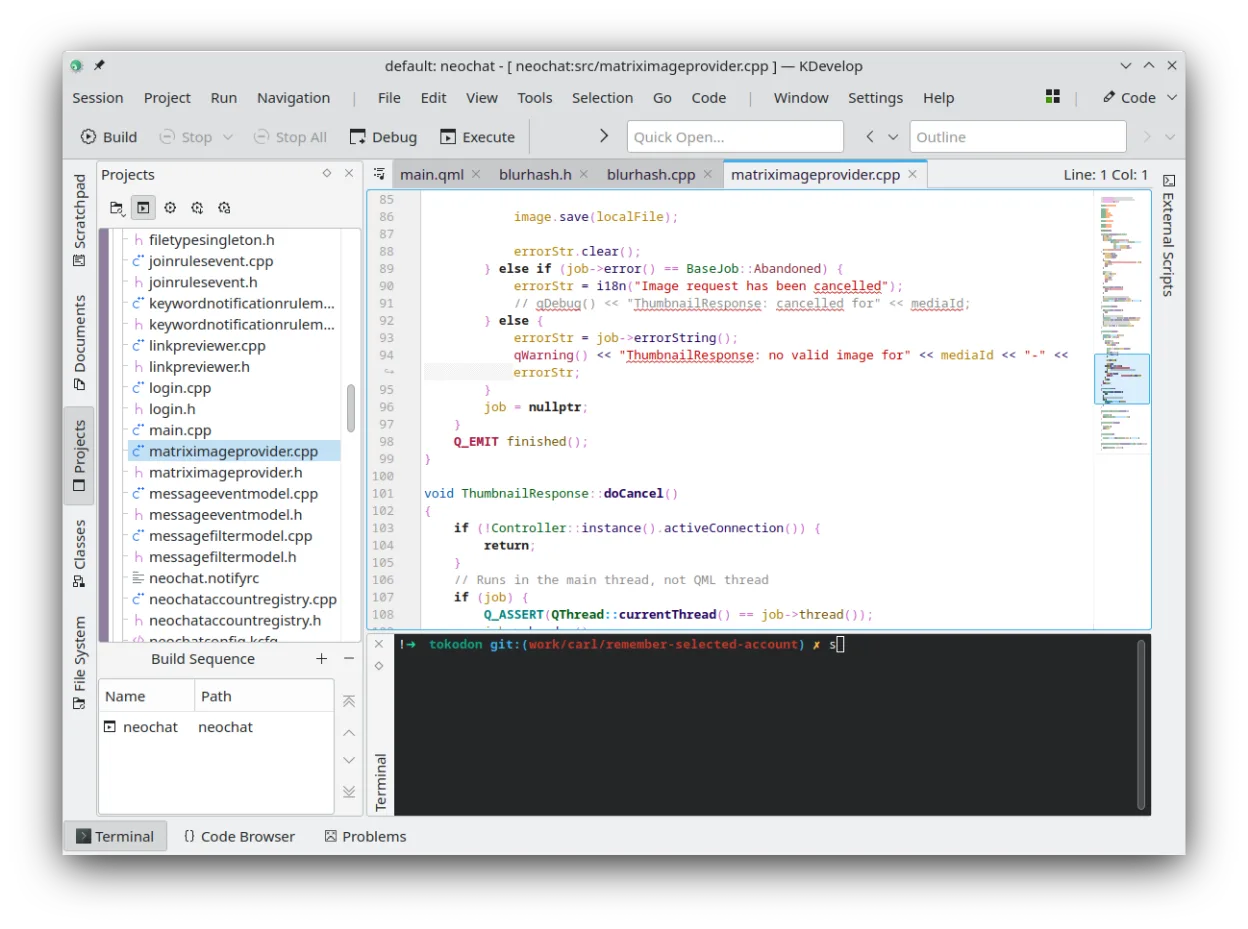
KDevelop is a solid choice for C++ development on Linux and can replace Visual Studio 2022 for users focused on C/C++ with GCC or Clang toolchains. It offers strong code navigation, refactoring, and debugging via GDB. However, it lacks native C# support and .NET tooling, making it unsuitable for .NET developers. The interface is less polished and extension ecosystem smaller. If you're a C++ developer moving from Windows to Linux and don’t rely on .NET or MSBuild, KDevelop is a capable, lightweight alternative with good project and Git integration.
- License
- GPL-2.0-or-later
- Price
- Free
- Latest version
- 6.6.260803 (November 5, 2026)
- Rating
- —
What works the same
- Strong C++ editing with syntax highlighting, code completion, and refactoring
- Integrated debugger using GDB for C/C++
- Built-in Git and SVN version control support
- Project management with support for CMake, Make, and other build systems
- Plugin-based architecture for extending functionality
What is different
- No native C# or .NET support — cannot compile or debug C# projects
- Does not use MSBuild or .sln files; incompatible with Visual Studio solution formats
- Smaller extension library compared to Visual Studio’s rich marketplace
- Less advanced IntelliSense and AI-assisted coding features
- UI is KDE/Qt-based and less feature-dense than Visual Studio’s
Opening your Visual Studio 2022 files
KDevelop cannot open Visual Studio .sln solution files or MSBuild project files directly. It supports CMake, Makefile, and QMake-based projects, so migration requires converting or recreating the build system. If your project uses CMake, KDevelop can import it with minimal effort. For pure C++ code files (.cpp, .h), the source is portable, but project structure and build configuration must be adapted manually.
Switching from Visual Studio 2022 to KDevelop, step by step
- Export or convert your project to CMake if it uses MSBuild
- Open the CMakeLists.txt in KDevelop using 'Open Project'
- Set up build configurations to match your toolchain (GCC/Clang)
- Configure Git integration through the Version Control panel
- Install additional plugins for languages like Python or PHP if needed
Key features of KDevelop
- Integrated debugger for C/C++ and other languages
- Plugin system for adding language support
- Built-in version control integration (Git, SVN)
- Project management for multiple build systems
- Syntax highlighting and code completion
- Refactoring tools for C/C++
How to install KDevelop on Linux
flatpak install flathub org.kde.kdevelopsudo apt install kdevelopsudo apt install kdevelopsudo dnf install kdevelopsudo pacman -S kdevelopsudo zypper install kdevelopFrequently asked questions
Can KDevelop compile and debug C# applications?
No, KDevelop does not support C# or .NET development. Use Visual Studio Code with Mono or JetBrains Rider on Linux for C# instead.
Does KDevelop support IntelliSense-like features for C++?
Yes, it provides semantic code completion and navigation for C++ using its built-in parser, though it’s not as fast or deep as Visual Studio’s IntelliSense.
Can I use KDevelop on non-KDE desktop environments?
Yes, KDevelop runs on any Linux desktop (GNOME, XFCE, etc.), but it depends on Qt libraries and may feel out of place visually.
3 other alternatives to Visual Studio 2022
 Visual Studio CodeA lightweight, extensible code editor that supports debugging, Git, and many languages.FreeFlatpakVisual Studio Code vs Visual Studio 2022
 Code::BlocksCode::Blocks is a free, cross‑platform IDE focused on C, C++ and Fortran development.Open sourceFreeFlatpakCode::Blocks vs Visual Studio 2022GNOME BuilderGNOME Builder is a lightweight, integrated development environment focused on C, C++, and Python, built on…Open sourceFreeGNOME Builder vs Visual Studio 2022