

Linux · Accessories
FSearch
FSearch is a fast, graphical file and folder search tool for Linux.
- License
- GPL-2.0-or-later
- Latest version
- 0.3.2 (September 20, 2026)
- Developer
- Christian Boxdörfer
- Installs
- 2,598 (Flathub, 30 days)
What is FSearch?
FSearch is a GTK‑based utility that mimics the instant‑search feel of the Windows program Everything. First released several years ago, it has reached a stable 0.3.x series and is packaged in major distros like Arch and Debian, showing solid community support. Its development continues under the GPL‑2.0‑or‑later license, so you can expect updates and bug fixes.
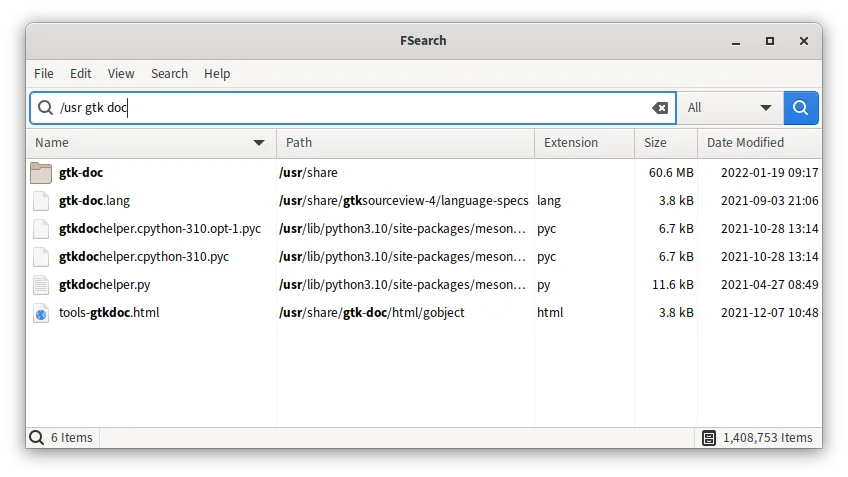
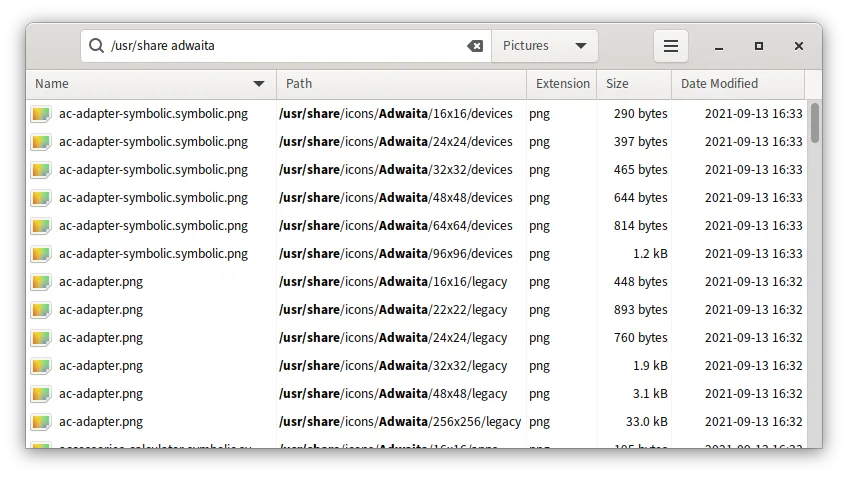
The program is aimed at users who need to locate files quickly without opening a terminal. It works well for both power users who rely on regular expressions and casual users who just type a few letters. The interface is minimal: a single window with a search bar and a live‑updating result list.
Compared with Everything, FSearch lacks deep system integration due to Flatpak sandboxing, meaning it may miss files outside its allowed scope. Still, its responsiveness and filtering options make it a practical replacement for most desktop workflows, especially on GNOME or other GTK environments.
Best for: Users who want an Everything‑like instant search on Linux without paying for proprietary software.
Key features of FSearch
- Instant search results as you type
- Case‑insensitive matching
- Regular expression support
- Wildcard and filter options (e.g., audio only)
- Exclude specific folders or patterns
- Sortable columns: name, path, size, date, extension
- GTK‑based UI with dark/light themes
Pros
- Very fast on indexed directories
- Simple, clutter‑free interface
- Rich filtering and regex capabilities
- Available in native packages for Arch and Debian
Cons
- Flatpak version cannot search system‑wide due to sandboxing
- No built‑in indexing; performance depends on directory size
- Limited integration with file managers compared to native tools
Windows programs FSearch replaces
How to install FSearch on Linux
flatpak install flathub io.github.cboxdoerfer.FSearchsudo apt install fsearchsudo pacman -S fsearchTips for Windows users
When moving from Everything, remember that FSearch does not index the whole filesystem by default; you may need to add folders to its search path manually. Keyboard shortcuts are similar – start typing in the main window to begin searching, and use Enter to open the selected file. If you use the Flatpak, adjust its permissions (e.g., via Flatseal) to grant access to the directories you need to search.
Recent releases
- 0.3.2 —
- Fix crash when the filesystem monitor received events for unknown watches (e.g. after aborted scans or removed folders) - Fix possible crash and removal of unrelated entries when folders are removed from the database - Fix implicit AND placement in search…
- 0.3.1 —
- Fix blocking UI when loading icons - Fix option 'action after file open' not getting saved - Remove duplicate language to fix build on newer gettext versions
- 0.3 —
- DB rewrite - DB: Add support for filesystem monitoring - DB: Allow files and folders to be excluded based on fixed patterns, wildcards or regular expressions - DB: Allow included folders to be scheduled and scanned after launch independently - DB: Make…
- 0.2 —
- New search engine - Greatly improved highlighting of search terms - Custom filters - Improved sort performance - Improved scroll performance - Remember file selection after a database update - Automatically scroll the result list in rubberband selection…
FSearch: frequently asked questions
Can FSearch search hidden files?
Yes, hidden files are included in the results if the folder they reside in is part of the search scope.
How do I enable regular expression search?
Toggle the regex option in the toolbar or press Ctrl+R to switch between plain text and regex mode.
Why doesn't FSearch find files on my entire system?
When installed as a Flatpak, sandbox restrictions limit its view; install the native package for full system access.
Is there a way to save common search filters?
FSearch does not currently support saved filter presets; you need to re‑enter them each session.
Updated