

Linux · Graphics
Inkscape
Inkscape is a free, open‑source vector graphics editor that rivals Adobe Illustrator and CorelDRAW.
- License
- GPL-2.0-or-later
- Latest version
- 1.4.4 (May 6, 2026)
- Developer
- The Inkscape Community
- Installs
- 22,722 (Flathub, 30 days)


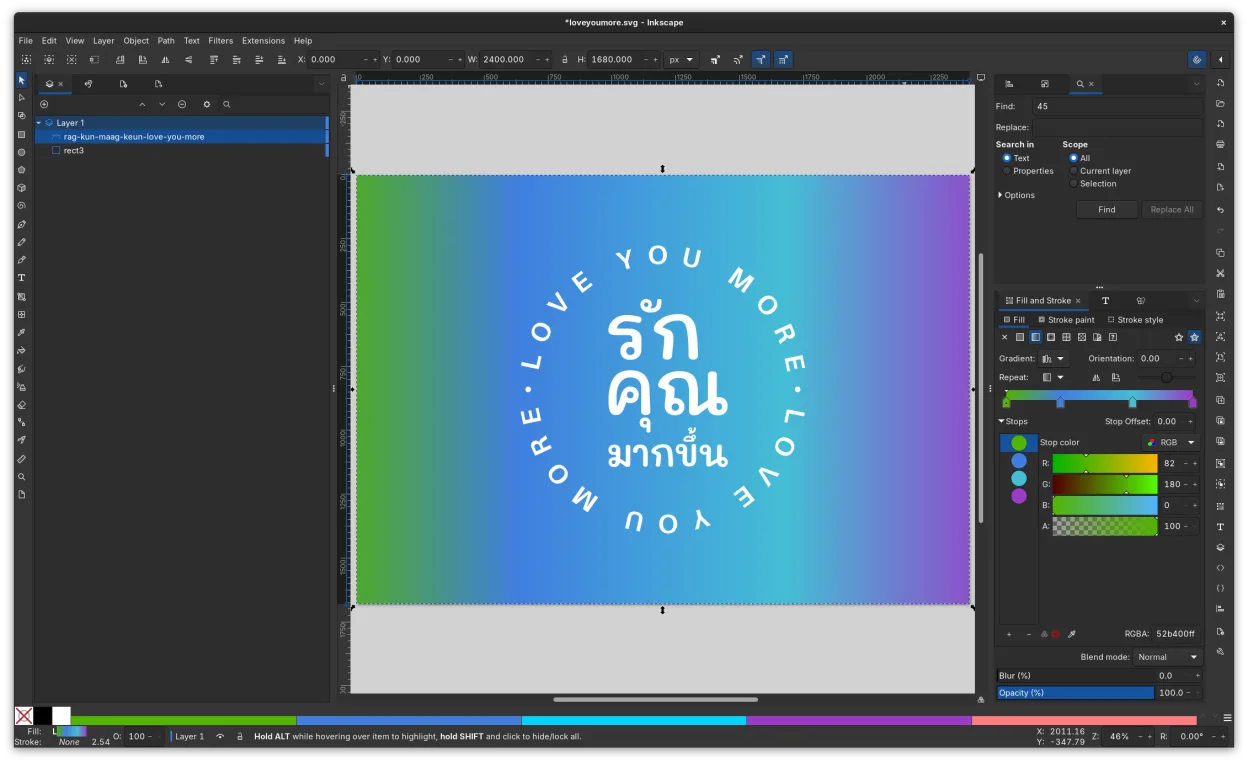
What is Inkscape?
Inkscape began in 2003 as a fork of the Xfig vector drawing program and has grown into a mature, community‑driven project. It runs on Linux, Windows, macOS, and many BSDs, and its 1.4.4 release (May 2026) adds refined node editing and improved performance.
The tool is aimed at designers, illustrators, and technical diagrammers who need scalable graphics. It supports the SVG standard, allowing files to be opened in browsers, Inkscape, and other editors.
Compared with Illustrator or CorelDRAW, Inkscape feels more lightweight and scriptable. Its interface is simpler, with fewer panels, but it offers comparable path operations, cloning, and filters, making it a solid choice for Linux users who want full vector control without a subscription.
Best for: Creating logos, illustrations, and technical diagrams that require scalable, high‑resolution output.
Key features of Inkscape
- SVG‑native file format
- Node editing and path operations
- Cloning and marker support
- Bitmap tracing
- Alpha blending and filters
- Extensible via extensions
- Cross‑platform
- Community‑maintained
Pros
- Free and open source
- Unlimited resolution output
- Extensible with extensions
- Active community support
- Regular releases
Cons
- Learning curve for advanced features
- Fewer native plugins than commercial suites
- Occasional rendering glitches on complex paths
- Limited 3D support
Windows programs Inkscape replaces
 CorelDRAW
 Adobe Illustrator
How to install Inkscape on Linux
flatpak install flathub org.inkscape.Inkscapesudo apt install inkscapesudo apt install inkscapesudo dnf install inkscapesudo pacman -S inkscapesudo zypper install inkscapeTips for Windows users
When moving from Illustrator or CorelDRAW, export your files as SVG or PDF to preserve layers and paths. Inkscape’s shortcuts differ: use Ctrl+Z for undo, Ctrl+Shift+Z for redo, and Ctrl+Shift+N to create a new node. Workflow shifts from layer‑heavy to path‑centric editing; learn the node tool and path operations to get the most out of Inkscape.
Recent releases
- 1.4.4 —
Inkscape 1.4.4 - Many crash fixes - New format for multipage documents - Translation updates
- 1.4.3 —
Inkscape 1.4.3 - Many crash fixes - Fixed a few UI issues with handles - Translation updates
- 1.4.2 —
Inkscape 1.4.2 - Bugfix release following 1.4.1 issues
- 1.4.1 —
Inkscape 1.4.1 - Many bugfixes! - Many improvements to affinity file importer - Splash screen on load
Inkscape: frequently asked questions
Can I open Illustrator files in Inkscape?
Inkscape can import AI files if they are saved as PDF or SVG. Complex effects may not translate perfectly, so check the result after import.
Does Inkscape support CMYK printing?
Inkscape works in RGB; for CMYK you need to export to PDF and use a dedicated CMYK workflow in a printer or a plugin.
How do I trace a bitmap image?
Use the Trace Bitmap tool (Path → Trace Bitmap). Adjust threshold and smoothing options to get a clean vector outline.
Is Inkscape available on all Linux distros?
Yes, it is packaged for Arch, Debian, Fedora, openSUSE, Ubuntu, and can be installed via Flathub or Snap.
Updated