

Linux · Graphics
Shotwell
Shotwell is a GNOME photo manager for importing, organizing, and lightly editing images.
- License
- LGPL-2.1+
- Latest version
- 33.0 (September 13, 2026)
- Developer
- The Shotwell developers
- Installs
- 3,910 (Flathub, 30 days)
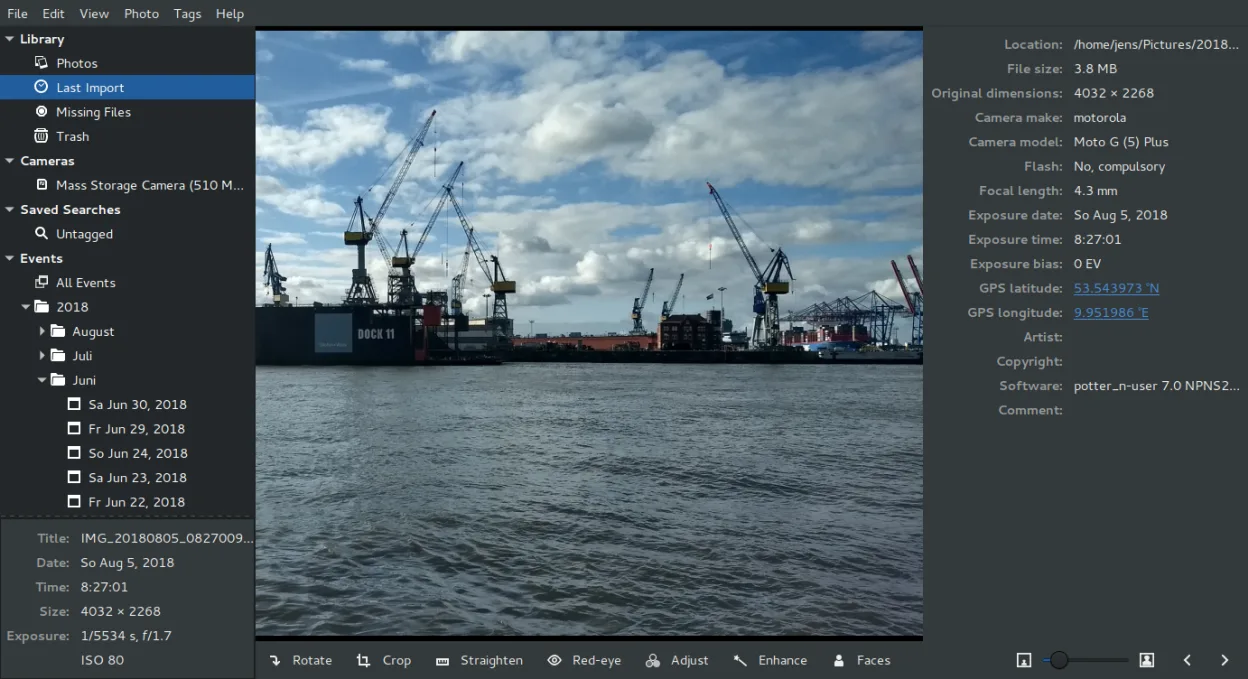


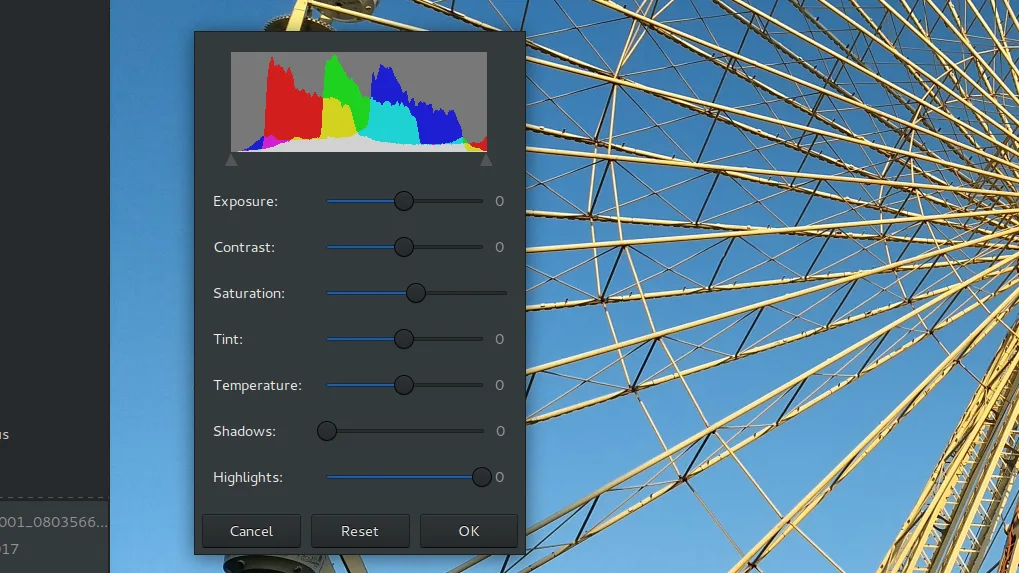
What is Shotwell?
Shotwell is the default photo organizer in many GNOME‑based distributions. It first appeared in 2010, replacing F‑Spot, and has been shipped with Fedora since version 13 and Ubuntu since 10.10. The project is actively maintained; the latest release is 33.0 (2026‑09‑13).
The tool is aimed at everyday users who want a simple way to keep their photos sorted by date, tags, or ratings. It supports JPEG, PNG, TIFF, and most RAW formats, and its non‑destructive editor lets you experiment without risking the original.
Compared with Windows tools like Picasa, Shotwell feels more lightweight and integrated with the GNOME desktop. It lacks some advanced editing features, but its import workflow and web‑upload options are comparable and free of the bundled adware that sometimes accompanies Windows packages.
Best for: Users who need a straightforward, free photo organizer that works well with GNOME and supports basic editing.
Key features of Shotwell
- Import photos from camera or disk
- Organize by date, tags, ratings
- Non‑destructive crop, red‑eye, color, straighten
- Support for RAW, JPEG, PNG, TIFF
- Upload to Flickr, Google Photos, etc.
- Fast, lightweight UI
- Integrated with GNOME file manager
Pros
- Free and open source
- Active development
- Non‑destructive editing
- Good RAW support
- Web service integration
Cons
- Limited advanced editing tools
- No RAW RAW‑only processing like Lightroom
- Occasional bugs with very large libraries
- No built‑in slideshow editor
Windows programs Shotwell replaces
 Picasa
How to install Shotwell on Linux
flatpak install flathub org.gnome.Shotwellsudo apt install shotwellsudo apt install shotwellsudo dnf install shotwellsudo pacman -S shotwellsudo zypper install shotwellTips for Windows users
If you’re coming from Picasa, the import dialog is similar: choose a folder or camera and click Import. Shotwell keeps originals intact, so you can crop or adjust without overwriting. Keyboard shortcuts differ: Ctrl+I for import, Ctrl+E for edit, and Ctrl+S to save a copy. The rating system uses stars; right‑click a photo to set a rating. When you’re ready to share, use the Share button to upload to Flickr or Google Photos. File formats are the same (JPEG, PNG, TIFF, RAW), so your existing photos will open without conversion.
Recent releases
- 33.0 —
This release moves Shotwell to GTK4 for better compatiblity with Wayland and future-proofing.
Shotwell: frequently asked questions
Does Shotwell edit photos in place?
No, Shotwell uses non‑destructive editing. Changes are stored as a separate set of instructions and do not alter the original file.
Can I use Shotwell on KDE?
Shotwell runs on any desktop that supports GTK, so it works on KDE, Xfce, or others, but it looks best on GNOME.
How do I backup my Shotwell database?
The database is a SQLite file located at ~/.local/share/shotwell/shotwell.db. Copy that file along with the photo folder to back up your library.
Is there a way to sync Shotwell with Google Photos?
Yes, use the Share feature; it will upload to Google Photos if you have a Google account signed in. No separate sync tool is needed.
Updated