

Linux · Sound & Video
VLC
VLC is a free, open‑source multimedia player that handles virtually any audio or video format.
- License
- GPL-2.0+
- Latest version
- 3.0.23 (January 1, 2026)
- Developer
- VideoLAN et al.
- Installs
- 107,904 (Flathub, 30 days)

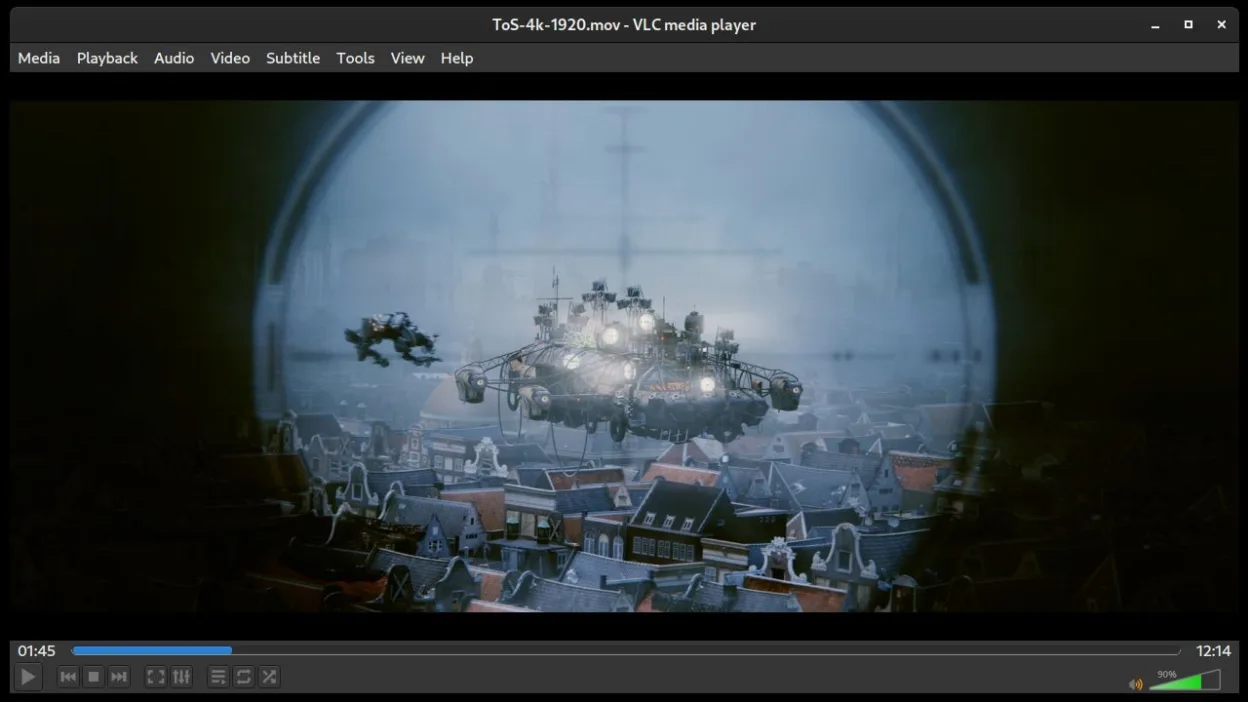
What is VLC?
VLC media player, maintained by VideoLAN since 2001, is a cross‑platform player that can open local files, DVDs, audio CDs and network streams. Its code base is mature, regularly updated (latest 3.0.23 in early 2026), and packaged for all major Linux distributions, making it a reliable choice for everyday media consumption.
The program is aimed at anyone who needs a simple, no‑frills way to play media without hunting for codecs. Whether you are a casual user who just wants to watch movies, a music lover with a large library, or a power user who streams from the internet, VLC works out of the box.
Compared with Windows‑only tools like Spotify, VLC lacks a built‑in music catalogue and recommendation engine, but it makes up for that with universal format support and a lightweight interface. It feels more like a classic desktop player than a streaming service, so you’ll manage your own playlists and files.
Best for: Anyone who wants a dependable, all‑purpose media player without subscription hassles.
Key features of VLC
- Plays virtually any audio or video codec
- Supports DVDs, Audio CDs, VCDs and Blu‑ray (with optional libraries)
- Streams from HTTP, RTSP, RTP, MMS and other protocols
- Built‑in subtitles handling and conversion
- Simple drag‑and‑drop UI with customizable skins
- Command‑line interface for scripting
- Media conversion and basic editing tools
- Network browsing and playlist import
Pros
- Runs on almost every Linux distro without extra codecs
- No ads, no registration required
- Lightweight and fast start‑up
- Extensive format support eliminates the need for separate players
Cons
- Interface is utilitarian, not as polished as some commercial apps
- No integrated music library or recommendation system
- Occasional UI glitches with hardware‑accelerated video on some drivers
Windows programs VLC replaces
How to install VLC on Linux
flatpak install flathub org.videolan.VLCsudo apt install vlcsudo apt install vlcsudo dnf install vlcsudo pacman -S vlc-plugin-alsasudo zypper install vlcTips for Windows users
VLC accepts the same file formats you used in Spotify (MP3, OGG, FLAC) and many more, so you can simply open your existing music folder. Keyboard shortcuts like Space to play/pause, N/P for next/previous track, and Ctrl+F for full‑screen work similarly to most Windows players. If you relied on Spotify playlists, export them to a standard M3U file and open it in VLC to keep the same order.
Recent releases
- 3.0.23 —
VLC: frequently asked questions
How do I install VLC on Ubuntu?
Use the command sudo apt install vlc or install it from the Ubuntu Software Center.
Can VLC play protected DVDs?
Yes, but you may need to install libdvdcss2 from your distribution’s repository.
Is there a way to stream my local music library to other devices?
VLC can act as an HTTP or UPnP server; enable the streaming wizard under Media → Stream.
Why does VLC sometimes show a black screen on video playback?
Try disabling hardware acceleration in Tools → Preferences → Input / Codecs, or update your graphics driver.
Updated