

Linux · Others
LibreCAD
LibreCAD is a free, open‑source 2D CAD program for creating precise drawings on Linux.
- License
- GPL-2.0
- Latest version
- 2.2.1.6 (October 17, 2026)
- Developer
- LibreCAD Developers
- Installs
- 3,561 (Flathub, 30 days)
What is LibreCAD?
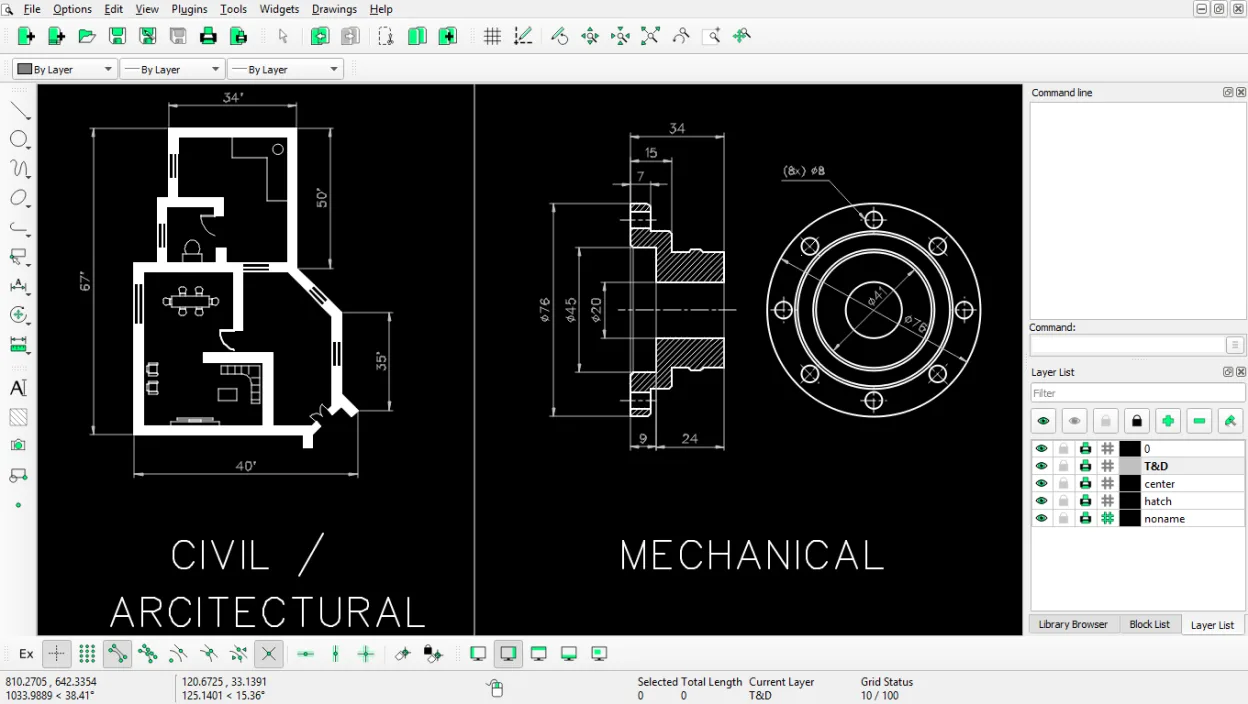
LibreCAD originated as a fork of QCAD's community edition and has been maintained for over a decade, reaching version 2.2.1.6 in 2026. It focuses solely on 2D drafting, offering a stable set of tools for floorplans, mechanical parts, and schematics. The project is backed by the LibreCAD Developers and is packaged for all major distributions, so you’ll find it in Ubuntu, Arch, Debian, Fedora and openSUSE repositories.
The application targets hobbyists, students, and professionals who need reliable 2D drafting without the cost of commercial packages. Its interface resembles classic Windows CAD tools, with a familiar toolbar, command line, and layer manager, making the transition relatively painless. Because it’s purely 2D, it runs quickly on modest hardware and avoids the complexity of full‑blown 3D suites.
Compared with Autodesk Fusion 360, LibreCAD lacks 3D modeling, cloud collaboration, and advanced simulation features. However, for pure 2D work it feels lighter and more straightforward, and you won’t be tied to a subscription model. If you only need to produce accurate 2D drawings, LibreCAD is a practical Linux alternative.
Best for: Users who need a reliable, free 2D drafting tool for engineering or architectural sketches.
Key features of LibreCAD
- Layer management with unlimited layers
- Extensive line, arc, circle and spline tools
- DXF import and export (AutoCAD compatible)
- Measurement and dimensioning utilities
- Customizable keyboard shortcuts
- Print preview and PDF export
- Command line for precise coordinate entry
- Multi‑platform support (Linux, Windows, macOS)
Pros
- Completely free and open source
- Runs on virtually any Linux distribution
- Lightweight and fast for 2D drafting
- Good DXF compatibility for exchanging files
Cons
- No 3D modeling or rendering capabilities
- Limited UI polish compared to commercial CAD suites
- Occasional bugs with complex DXF imports
How to install LibreCAD on Linux
flatpak install flathub org.librecad.librecadsudo apt install librecadsudo apt install librecadsudo dnf install librecadsudo pacman -S librecadsudo zypper install librecadTips for Windows users
LibreCAD reads and writes DXF files, so you can open most Fusion 360 2D exports directly. Keyboard shortcuts are similar but can be customized in the Preferences dialog. Expect a more manual workflow: there’s no cloud storage or built‑in version control, so keep backups of your .dxf projects and use a separate VCS if needed.
Recent releases
- 2.2.1.6 —
- 2.2.1.5 —
- 2.2.1.3 —
- 2.2.1.2 —
LibreCAD: frequently asked questions
Can LibreCAD open Fusion 360 files?
Fusion 360 can export 2D drawings as DXF, which LibreCAD can import without issues.
Is there a way to automate repetitive tasks?
LibreCAD supports scripting via its command line and you can assign macros to custom shortcuts.
How do I install LibreCAD on Ubuntu?
Run sudo apt install librecad or install the Flathub version with flatpak install flathub org.librecad.Librecad.
Does LibreCAD support printing to PDF?
Yes, use the Print dialog to export your drawing as a PDF directly.
Updated