

Linux · Others
Nextcloud Desktop Client
Syncs files between your Linux desktop and a Nextcloud server, keeping documents and photos up to date across devices.
- License
- GPL-2.0+
- Latest version
- 35.0.0 (October 12, 2026)
- Developer
- Nextcloud GmbH
- Installs
- 9,662 (Flathub, 30 days)
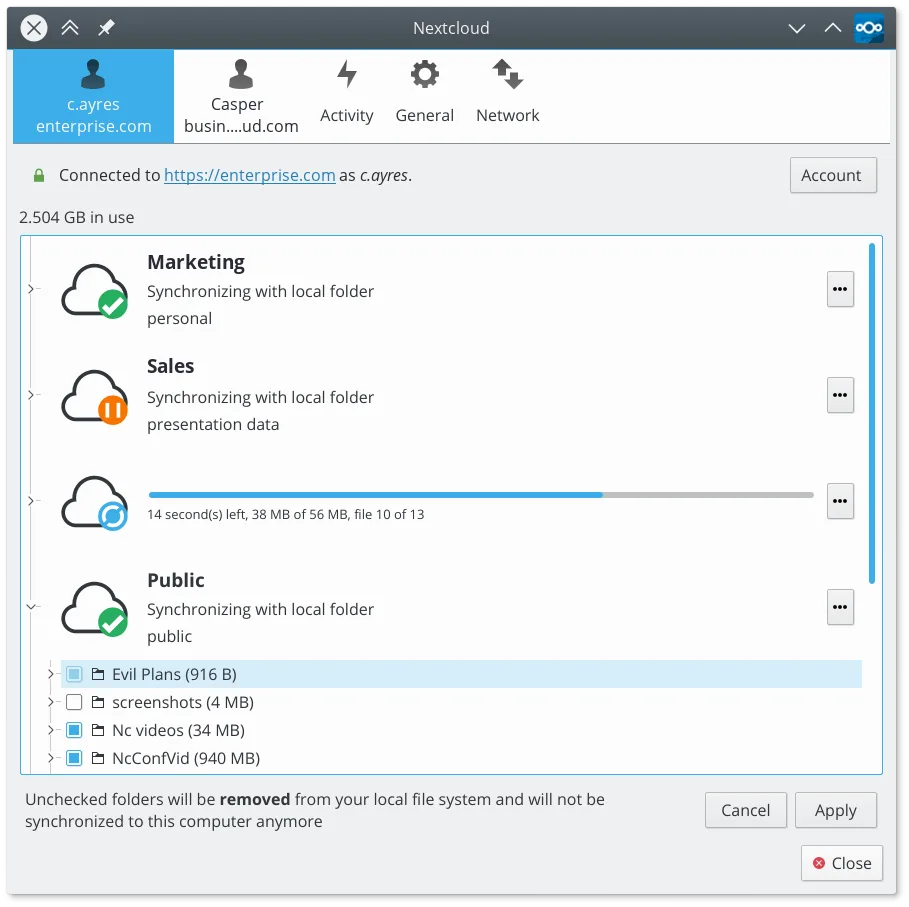
What is Nextcloud Desktop Client?
The Nextcloud Desktop Client is a mature, open-source synchronization tool that mirrors selected local folders to a Nextcloud server. It has been developed by Nextcloud GmbH for years, evolving from its predecessor, ownCloud. The client handles file additions, modifications, and deletions, ensuring your local workspace matches the server state. It is packaged in major distributions like Fedora, Ubuntu, and Arch, indicating strong community and vendor support.
This tool is ideal for users who need a self-hosted or privacy-focused alternative to cloud storage services like OneDrive or Dropbox. It suits both individual users wanting backup and sync capabilities and small teams requiring file collaboration without relying on proprietary US-based cloud infrastructure. If you already run a Nextcloud server, this client is the standard way to access it from a Linux machine.
Compared to OneDrive, the experience is similar but requires you to manage or have access to a Nextcloud server. OneDrive is often pre-installed and tied to a Microsoft account, while Nextcloud gives you control over the backend. The Linux client feels native and responsive, though initial setup is slightly more involved than the 'just works' nature of pre-configured Windows cloud clients.
Best for: Users seeking a private, self-hosted alternative to OneDrive for syncing and sharing files on Linux.
Key features of Nextcloud Desktop Client
- Two-way file synchronization between local folders and the server
- Support for file versioning and recovery of deleted files
- Integration with Nextcloud server for sharing and collaboration
- Available as a Flatpak and native packages for major distros
- Works with any Nextcloud-compatible backend, including self-hosted instances
- Background operation with minimal resource usage
- Support for large files and high-volume sync operations
Pros
- Fully open source and free to use
- No vendor lock-in; works with self-hosted servers
- Broad distribution support including Arch, Debian, and Fedora
- Mature codebase with a long history of stable releases
Cons
- Requires a running Nextcloud server to function
- Initial setup can be complex for users unfamiliar with self-hosting
- Lack of built-in online file editing; relies on server-side apps
Windows programs Nextcloud Desktop Client replaces
How to install Nextcloud Desktop Client on Linux
flatpak install flathub com.nextcloud.desktopclient.nextcloudsudo apt install nextcloud-desktopsudo apt install nextcloud-desktopsudo dnf install nextcloud-clientsudo pacman -S nextcloud-clientsudo zypper install nextcloud-desktopTips for Windows users
If you are moving from OneDrive, you will need a Nextcloud server account. Create a local folder on your Linux file system and select it for sync in the client settings. Unlike OneDrive, which often syncs the entire 'Documents' folder, Nextcloud lets you choose specific directories. Note that file sharing links work differently; you share via the web interface or the client's share dialog, not via a universal cloud URL. Ensure your firewall allows outbound HTTPS traffic for the sync to work.
Recent releases
- 35.0.0 —
- 34.0.5 —
- 34.0.4 —
- 34.0.3 —
Nextcloud Desktop Client: frequently asked questions
Does Nextcloud Desktop work with Dropbox?
No, it only works with Nextcloud servers. If you use Dropbox, you need the Dropbox client or a bridge like rclone.
Can I use it without my own server?
Yes, but you need an account on a public Nextcloud instance, such as nextcloud.com, or a service provider that offers Nextcloud hosting.
Is the Flatpak version better than the native package?
The Flatpak is often more up-to-date and isolated, which can be beneficial. Native packages are fine if your distro keeps them current.
Does it sync offline changes?
Yes, changes made while offline are queued and synchronized automatically once you reconnect to the internet.
Updated