
Linux · Office
QOwnNotes
QOwnNotes is a plain‑text Markdown editor with todo list support that can sync with ownCloud or Nextcloud.
- License
- GPL-2.0+
- Latest version
- 26.10.12 (October 25, 2026)
- Developer
- Patrizio Bekerle
- Installs
- 1,225 (Flathub, 30 days)
What is QOwnNotes?
QOwnNotes started as a simple open‑source notepad written by Patrizio Bekerle. Over the years it added Markdown rendering, tagging, and a todo list, becoming a lightweight alternative to heavier note‑taking apps. It is maintained actively, with the latest release 26.10.9 in October 2026.
The app targets users who prefer plain‑text files over proprietary formats. It works well for developers, writers, and anyone who wants a local, syncable note system without a web interface.
Compared to OneNote, QOwnNotes feels more minimal. There is no ribbon or cloud‑first UI; instead you edit Markdown directly and optionally sync via Nextcloud. The learning curve is short if you are already comfortable with Markdown.
Best for: Users who need a simple, local Markdown editor that can sync with Nextcloud or ownCloud.
Key features of QOwnNotes
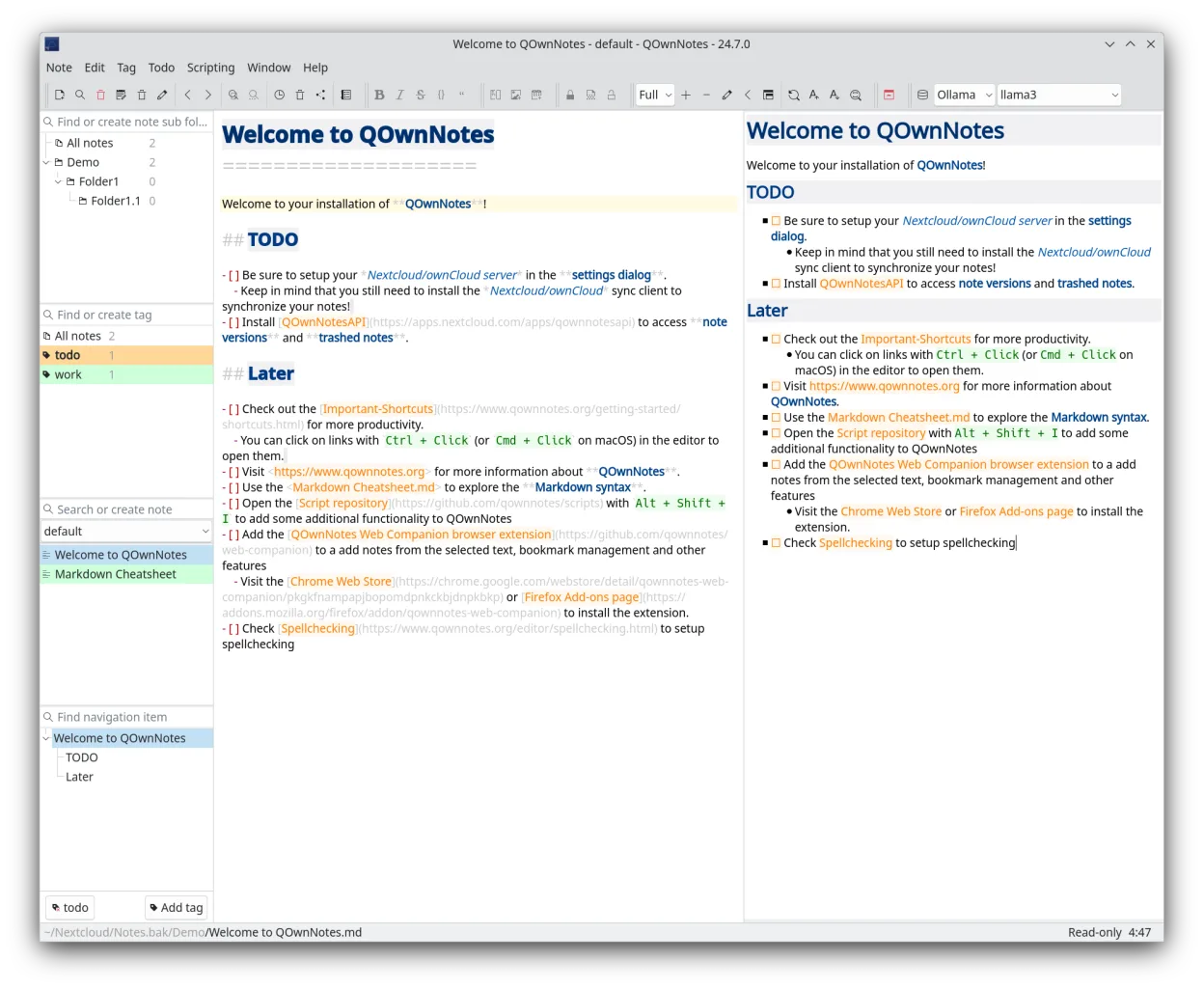
- Markdown editing with live preview
- Todo list manager
- Tagging and search
- Sync with ownCloud/Nextcloud
- Cross‑platform (Linux, macOS, Windows)
- Customizable keyboard shortcuts
- Lightweight and fast
- Open‑source GPL-2.0+
Pros
- Free and open source
- No proprietary dependencies
- Works offline and online
- Extensible via plugins
- Consistent across OSes
Cons
- No native rich‑text editing
- Limited collaboration features
- No built‑in cloud storage
- Learning curve for Markdown
Windows programs QOwnNotes replaces
How to install QOwnNotes on Linux
flatpak install flathub org.qownnotes.QOwnNotessudo dnf install qownnotesTips for Windows users
If you come from OneNote, expect to work with .md files instead of .one. Use the built‑in export/import to convert notes. Keyboard shortcuts differ: QOwnNotes uses standard Vim‑style shortcuts for navigation and editing. Workflow shifts from a visual notebook to a file‑based system; you’ll manage folders in the file manager or via the app’s sidebar.
Recent releases
- 26.10.12 —
- 26.10.9 —
- 26.10.8 —
- 26.10.7 —
QOwnNotes: frequently asked questions
Can I sync QOwnNotes with Nextcloud?
Yes, enable the Nextcloud integration in the settings and provide your server URL and credentials.
Does QOwnNotes support encrypted notes?
Encryption is handled by Nextcloud; QOwnNotes itself does not encrypt files locally.
Is there a mobile version?
No official mobile app, but you can sync notes to a mobile Nextcloud client.
How do I install QOwnNotes on Fedora?
Use dnf install qownnotes or install the Flathub flatpak.
Updated