

Linux · Internet
Tor Browser Launcher
A helper tool to download, verify, update, and launch Tor Browser securely on Linux.
- License
- MIT
- Latest version
- 0.3.9 (October 1, 2025)
- Developer
- Tor Project
- Installs
- 30,486 (Flathub, 30 days)
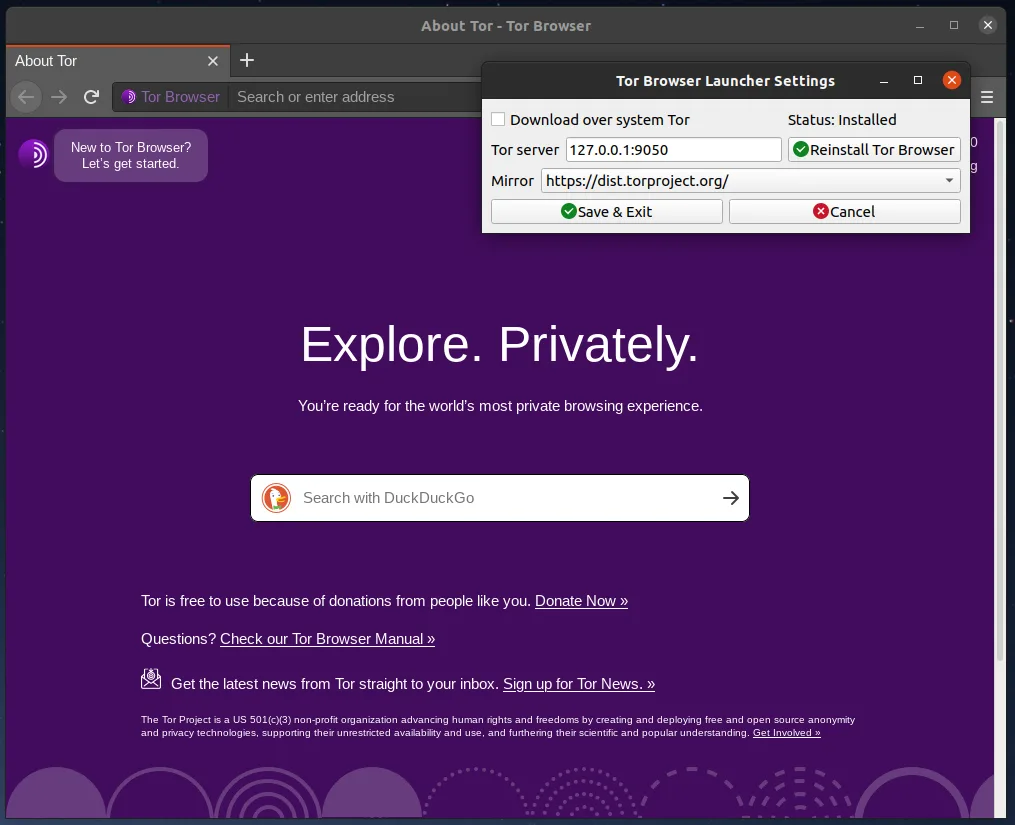
What is Tor Browser Launcher?
Tor Browser Launcher simplifies using Tor Browser on Linux by automating download, signature verification, and updates. It's been around since the early 2010s and remains actively maintained. Rather than bundling Tor Browser, it fetches the official release from torproject.org, preserving trust and security while making the process seamless for desktop users.
It's for Linux users who want private browsing with minimal maintenance. That includes journalists, activists, and privacy-conscious individuals. If you rely on Tor Browser regularly but don’t want to manually check for updates or verify signatures, this tool removes that burden.
Compared to using Microsoft Edge with built-in tracking, Tor Browser Launcher sets up a hardened Firefox-based browser focused on anonymity. It doesn’t replace general browsing but serves a different purpose: avoiding surveillance. The experience is more deliberate and slower by design, not a drop-in replacement for casual web use.
Best for: Users who want a secure, automated way to run and update Tor Browser on Linux.
Key features of Tor Browser Launcher
- Downloads official Tor Browser directly from torproject.org
- Automatically verifies GPG signatures
- Keeps Tor Browser updated without losing settings
- Preserves bookmarks and preferences across updates
- Adds desktop menu entry for easy access
- Supports setting Tor Browser as default browser
- Includes AppArmor profiles on supported systems
- Available via package managers and Flatpak
Pros
- Simplifies secure updates — no manual verification needed
- Integrates well with desktop environments
- Maintains official Tor Browser integrity
- Lightweight and focused on one job
- Open source with clear development goals
Cons
- Only useful if you actually use Tor Browser
- Not all distros include up-to-date AppArmor profiles
- Slight delay when launching due to update checks
Windows programs Tor Browser Launcher replaces
How to install Tor Browser Launcher on Linux
flatpak install flathub org.torproject.torbrowser-launcherTips for Windows users
If you're used to Edge, know that Tor Browser isn't for everyday browsing. It's slower, blocks more content, and isn't compatible with many sites. Bookmarks and passwords don’t transfer — you’ll need to export them manually if possible. Use it only for privacy-sensitive tasks, not as a general replacement.
Recent releases
- 0.3.9 —
- 0.3.8 —
- 0.3.7 —
- 0.3.6 —
Tor Browser Launcher: frequently asked questions
Does torbrowser-launcher modify Tor Browser?
No. It downloads the unmodified Tor Browser from torproject.org and verifies its signature. It doesn’t alter the binaries or add tracking.
Can I use it with any Linux distribution?
Yes, most major distributions package it. You can also install it via Flatpak from Flathub on many systems.
Does it run in the background?
No. It only runs when you launch Tor Browser or check for updates. It doesn’t consume resources when idle.
Why do I need this instead of downloading Tor Browser manually?
It automates updates and signature checks, reducing user error. It also integrates with your desktop menu and default browser settings.
Updated