

Linux · Internet
Vesktop
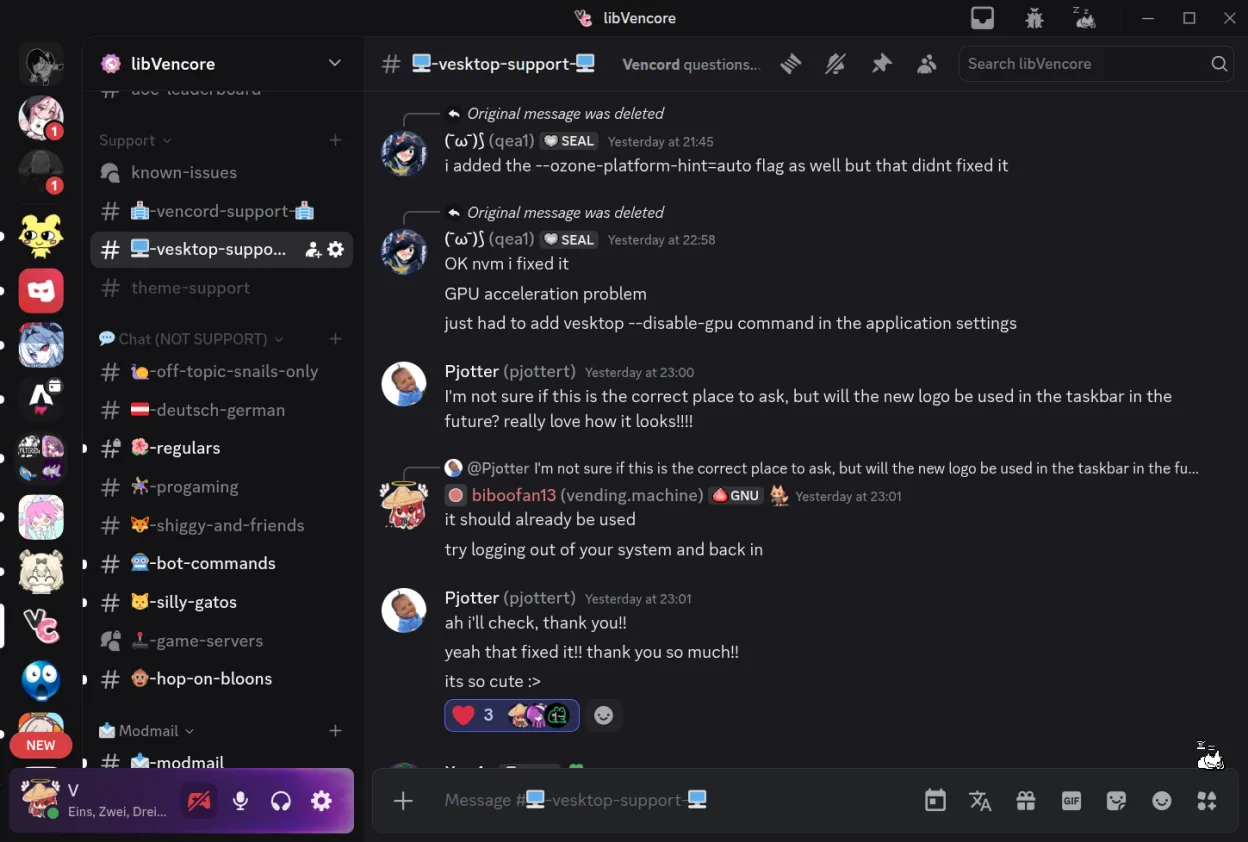
Vesktop is a customizable, privacy‑friendly Discord desktop client built for Linux.
- License
- GPL-3.0-or-later
- Latest version
- 1.6.8 (October 22, 2026)
- Developer
- Vencord Contributors
- Installs
- 33,914 (Flathub, 30 days)
What is Vesktop?
Vesktop was created by the Vencord community to give Linux users a Discord experience that feels native and respects privacy. It bundles the Venmic library for audio screenshare, a feature that many other Linux wrappers miss. The project has been active for several years, with the latest release 1.6.8 in October 2026.
The app is aimed at users who want a Discord client that runs on Linux without the need for Wine or a web wrapper. It supports the same chat, voice, and screen‑share features as the official Windows client, but with a lighter footprint and better integration with desktop notifications.
Compared to the Windows Discord app, Vesktop feels more “Linux‑ish” – it uses native window decorations, respects system dark mode, and can be launched from the terminal. The interface is almost identical to Discord’s, so the learning curve is minimal for existing users.
Best for: Linux users who want a Discord client that feels native and respects privacy.
Key features of Vesktop
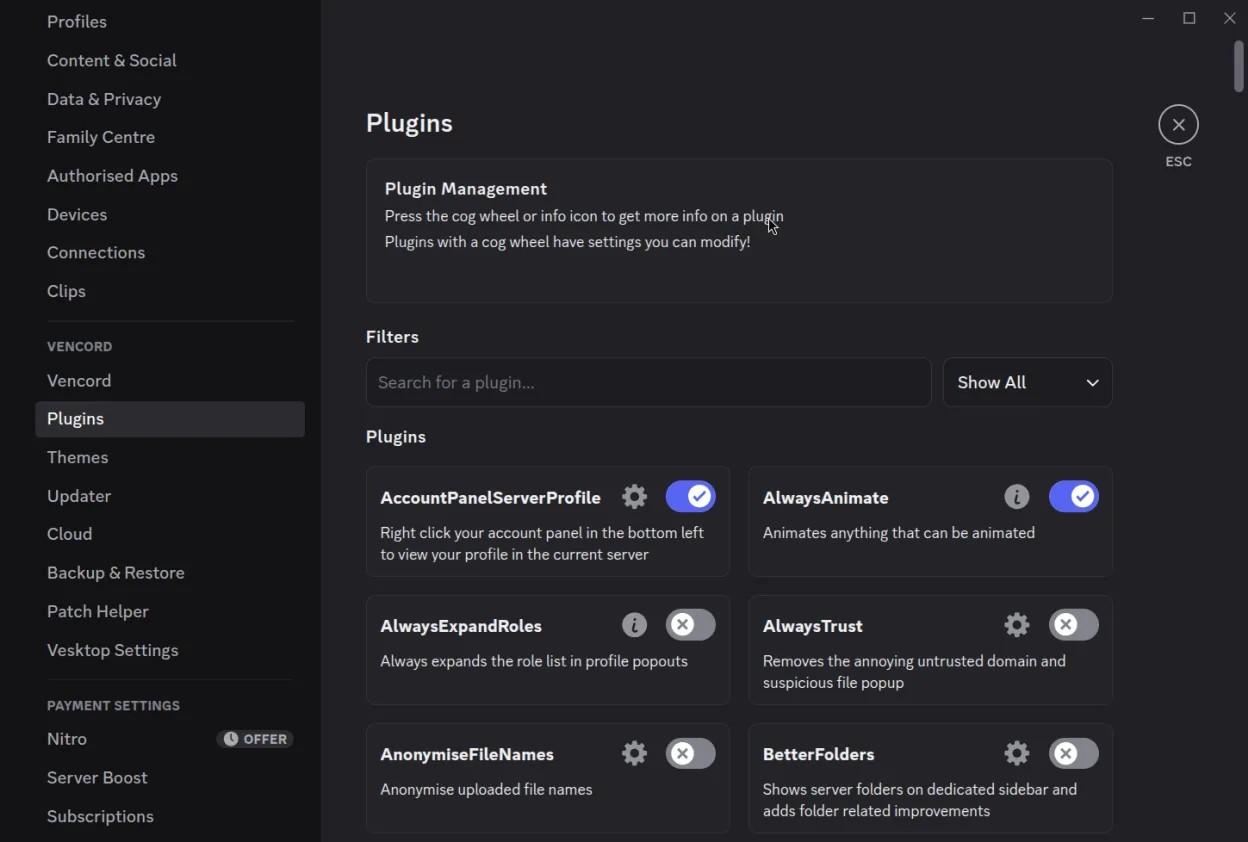
- Customizable UI via Vencord plugins
- Built‑in Venmic for audio screenshare
- Native Linux windowing and notifications
- Supports Discord’s full feature set
- No need for Wine or web wrapper
- Open‑source code on GitHub
- Regular updates and security patches
Pros
- Fully native Linux experience
- Privacy‑friendly design
- Plugin ecosystem for extensions
- Regular updates
- Lightweight compared to Wine
Cons
- Missing some advanced Discord features that rely on the official client
- Requires manual installation of Vencord plugins
- Occasional bugs with new Discord API changes
Windows programs Vesktop replaces
How to install Vesktop on Linux
flatpak install flathub dev.vencord.VesktopTips for Windows users
If you’re moving from the Windows Discord app, you’ll find the same chat layout and shortcut keys (Ctrl+N for new channel, Ctrl+Shift+M for mute). File formats are identical – you can still share images, GIFs, and files the same way. The main workflow difference is that Vesktop launches from the terminal or application menu, not from a browser. You’ll need to install Vencord plugins manually via the app’s settings if you want extra features like custom themes.
Recent releases
- 1.6.8 —
What's Changed - Updated Electron to address the [recent eMudhra certificate authority security issue](https://blog.cloudflare.com/emudhra-certificate-compromise) which undermines trust in affected certificates. This does not mean Vesktop was compromised, but…
- 1.6.7 —
Hotfix for 1.6.6 - Fixes Updater being broken - Fixes Tray Icon being broken - Fixes "C++ Library is too old" error
- 1.6.6 —
What's Changed - Streamer Mode: fixed constantly re-enabling itself if OBS is open & fixed "Automatically enable Streamer Mode" toggle not showing in Discord appearance settings - Added a setting to work around Voice Chat not working when using VPNs like…
- 1.6.5 —
What's New
Vesktop: frequently asked questions
Does Vesktop support screen sharing?
Yes, it uses the Venmic library to provide audio screenshare, which works on most Linux distributions.
Is Vesktop free?
It is free and open‑source; no subscription is required.
Can I use the same Discord account?
Absolutely – Vesktop uses the same login flow as the official client.
How do I install Vesktop?
It is available on Flathub; you can install it with flatpak install flathub com.github.Vencord.Vesktop.
Updated