

Linux · Office
Vikunja
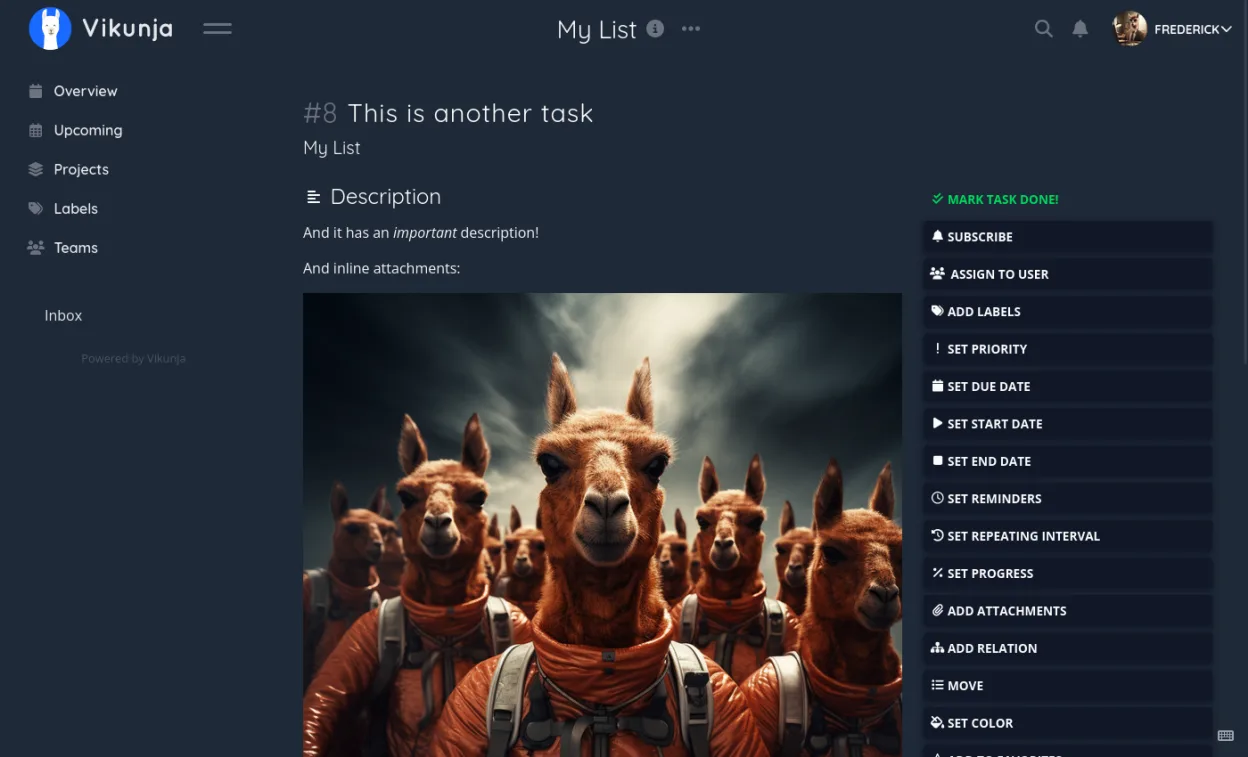
Vikunja is an open‑source, self‑hosted task manager with list, Kanban, Gantt and table views.
- License
- AGPL-3.0-or-later
- Latest version
- 2.7.1 (October 20, 2026)
- Developer
- kolaente
- Installs
- 533 (Flathub, 30 days)

What is Vikunja?
Vikunja started as a personal project by kolaente and has grown into a mature, actively maintained task‑tracking suite. The latest release (2.7.0) arrived in October 2026, showing regular updates and a stable code base under the AGPL‑3.0 license. It’s designed to replace proprietary tools like Trello, offering comparable board‑style organization without a cloud‑only lock‑in.
The app targets individuals and small teams who need flexible project structures. You can create hierarchical projects, sub‑projects and share them with teammates, assigning tasks and tracking progress. Its web UI feels familiar to Trello users but adds list, table, Gantt and classic list views for deeper planning.
On Linux you run Vikunja as a Docker container or install the Flathub package, then access it through any browser. The experience is web‑based, so there’s no heavy desktop client, and you keep full control of your data on your own server or a self‑hosted instance.
Best for: Small to medium teams that need a flexible, self‑hosted alternative to Trello.
Key features of Vikunja
- Projects and sub‑projects for hierarchical organization
- Kanban board, list, table and Gantt chart views
- Team collaboration with per‑project sharing and assignments
- Rich task attributes: due dates, priorities, labels, comments
- REST API for integration with other tools
- Self‑hosted deployment via Docker or native package
- Email notifications and webhooks
- Open‑source under AGPL‑3.0
Pros
- Fully self‑hosted, you own your data
- Multiple view modes cover most workflow styles
- Active development and responsive community
- Fine‑grained permission system
Cons
- No native desktop client; you must use a browser
- Initial setup (Docker or server) can be a hurdle for beginners
Windows programs Vikunja replaces
How to install Vikunja on Linux
flatpak install flathub io.vikunja.VikunjaTips for Windows users
Export your Trello boards as JSON and import them via Vikunja’s API or CSV import tool; the keyboard shortcuts are similar (e.g., ‘c’ to create a task). Expect to work in a browser rather than a dedicated Windows app, and use the Kanban view to keep the same visual layout you’re used to.
Recent releases
- 2.7.1 —
- 2.7.0 —
- 2.3.0 —
- 2.2.2 —
Vikunja: frequently asked questions
How do I install Vikunja on Linux?
The easiest way is to pull the official Docker image and run it, or install the Flathub package which launches the web UI locally.
Can I sync Vikunja with my mobile device?
Yes, there are Android and iOS clients that connect to your self‑hosted instance via the same API.
Is there a free version?
The core application is free and open‑source; you only pay if you use a hosted service or need commercial support.
How do I migrate data from Trello?
Export your Trello board as JSON, then use Vikunja’s import feature or the API to import tasks into a new project.
Updated