

Linux · Office
Zettlr
Zettlr is a fast, open‑source Markdown editor with Zettelkasten and citation support.
- License
- GPL-3.0-or-later
- Latest version
- 4.8.0 (September 18, 2026)
- Developer
- Zettlr
- Installs
- 1,988 (Flathub, 30 days)
What is Zettlr?
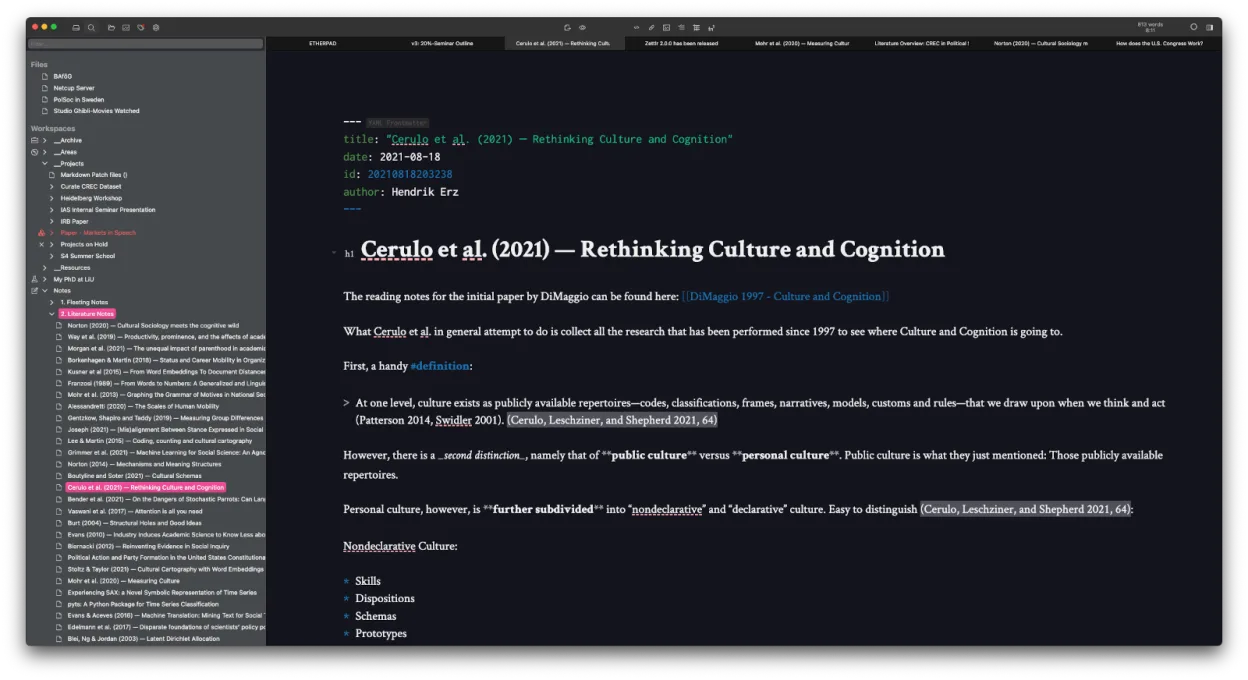
Zettlr is a cross‑platform Markdown editor that grew out of the Zettelkasten movement. It’s been actively maintained for several years and is packaged for Arch and Flathub, showing a mature codebase. The app focuses on plain‑text note‑taking, linking, and academic citation, aiming to replace heavyweight tools like Notion for writers and researchers.
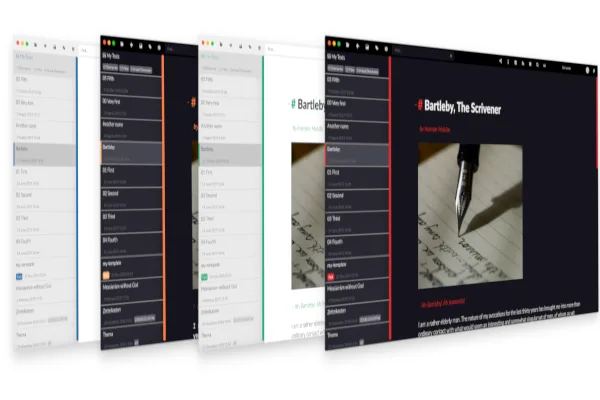
The program is aimed at students, researchers, and anyone who likes to keep their notes in plain text. It integrates with reference managers such as Zotero and JabRef, and it can handle thousands of files without slowing down. Its UI is minimalistic but customizable, with dark mode, themes, and CSS tweaks for those who like to tinker.
Compared with Notion on Windows, Zettlr feels more lightweight and less “locked‑in”. There’s no drag‑and‑drop database; instead you work with folders and plain‑text files, which makes backups and migrations trivial. The learning curve is steeper if you’re used to WYSIWYG editors, but the workflow rewards you with speed and full control over your data.
Best for: Researchers, writers, and knowledge workers who prefer plain‑text, markdown‑based note‑taking.
Key features of Zettlr
- Markdown editing with live preview
- Zettelkasten‑style linking and tagging
- Citation support via CSL‑JSON, BibTeX, Zotero, JabRef
- Dark mode and multiple themes, custom CSS
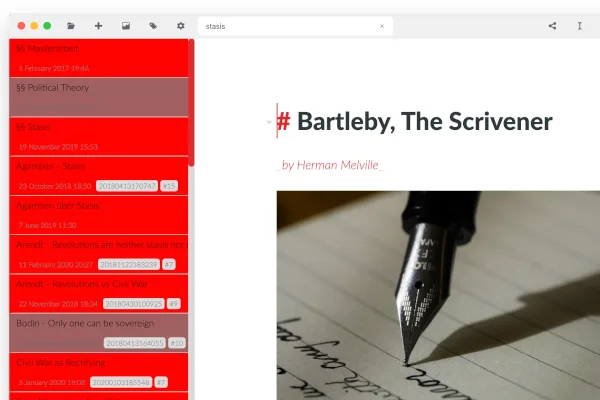
- Heatmap search for quick note discovery
- File‑based storage – no proprietary database
- Export to PDF, HTML, and other formats
- Cross‑platform (Linux, Windows, macOS)
Pros
- Fully open source and free
- Handles large collections of notes efficiently
- Strong integration with academic reference tools
- Highly customizable UI
- Works with plain‑text files, easy backup
Cons
- No built‑in collaborative editing
- Initial setup of citation styles can be confusing
- Less visual polish than some commercial note‑apps
Windows programs Zettlr replaces
How to install Zettlr on Linux
flatpak install flathub com.zettlr.Zettlrsudo pacman -S zettlrTips for Windows users
Export your Notion pages as markdown or HTML and import the files into Zettlr’s folder structure. Keyboard shortcuts are similar (Ctrl+S to save, Ctrl+F to find), but Zettlr relies on standard markdown syntax for formatting. Replace Notion’s block‑level commands with markdown symbols and use Zettlr’s built‑in link syntax [[note-id]] for Zettelkasten connections. If you used Zotero with Notion, simply point Zettlr to your existing Zotero library for citations.
Recent releases
- 4.8.0 —
- 4.7.0 —
- 4.6.0 —
- 4.5.0 —
Zettlr: frequently asked questions
Can Zettlr import Notion exports?
Yes, export Notion pages as markdown or HTML and place them in Zettlr’s workspace; the app will treat them as regular markdown files.
Does Zettlr support real‑time collaboration?
No, Zettlr is a single‑user editor; you would need a separate syncing solution like Syncthing or Git for collaboration.
How do I add citation styles?
Download CSL files from the Zotero style repository and place them in Zettlr’s citation folder, then select them in the citation dialog.
Is Zettlr suitable for large note collections?
Yes, it’s designed to handle thousands of markdown files with fast indexing and heatmap search.
Updated