
Windows · Games
Best Linux alternatives to Lutris
Lutris is a native Linux game manager that automates running Windows games via Wine, Proton, and other compatibility layers.
Updated
Quick answer
The best Linux alternative to Lutris is Heroic Games Launcher. Other strong options: Bottles, Steam, PlayOnLinux 4.
4 Linux alternatives to Lutris
-
Heroic Games Launcher is an open‑source tool that lets Linux users install and launch games from Epic, GOG, Steam, and other stores.
Heroic Games Launcher can replace Lutris for users who mainly want to install and run games from Epic, GOG, and Steam on Linux. It handles automatic Proton selection, offers a built‑in store browser, and lets you set custom launch options. However, it lacks Lutris’s extensive scripting, dependency…
Feature parity60% -

Bottles runs Windows applications on Linux, managing them in isolated environments.
Bottles is a strong replacement for Lutris if you prefer a modern, GUI-first workflow over scripting. It handles the core job of running Windows games via Wine or Proton with pre-configured environments, making setup significantly easier for average users. However, it lacks the deep customization…
Feature parity85% -

Steam is a digital game distribution platform with built-in store, updates, cloud saves, and social features.
Steam is not a direct replacement for Lutris if you need to run non-Steam Windows games or manage complex Wine prefixes manually. However, for users whose library consists primarily of Steam titles, Steam with Proton is superior. It handles Proton versions, dependencies, and updates automatically…
Feature parity40% -
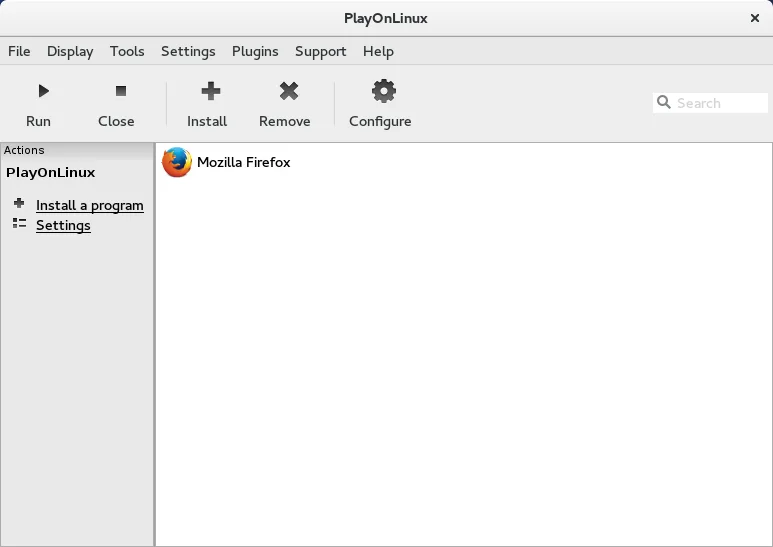
PlayOnLinux is a graphical front‑end for Wine that lets you install and run Windows games and applications on Linux with a few clicks.
PlayOnLinux 4 is a functional replacement for basic Wine management but falls short for power users. It handles automated prefix creation and library installation well, making it suitable for casual gamers who need simple one-click setups. However, it lacks the deep scripting flexibility, Proton…
Feature parity65%


What is Lutris?
Lutris serves gamers who want to play their Windows libraries on Linux without manual configuration. It handles the complex task of setting up the right Wine version, dependencies, and scripts for each title. This is useful for enthusiasts who own games outside the Steam ecosystem or need specific environment tweaks for older titles.
The software is free and open source, released under the GNU General Public License. There are no subscription fees or paywalls for access to its features. Development is driven by Mathieu Comandon and a community of contributors, ensuring it remains accessible and customizable for users who prefer non-proprietary tools.
Since Lutris is already a native Linux application, people looking for an alternative usually seek a different user interface or a more streamlined experience. Some users prefer the simplicity of dedicated launchers for specific stores, while others might want a tool that focuses more on containerization like Bottles. The choice often comes down to personal preference in workflow rather than necessity.
What a replacement for Lutris must do
- Automated installation of Wine and Proton versions
- Management of game dependencies and libraries
- Support for multiple game stores and platforms
- Scripting capabilities for custom game setups
- Integration with system libraries and drivers
- Easy management of multiple game environments
Can you run Lutris on Linux?
Lutris is a native Linux application. It does not require Wine or Proton to run itself; rather, it uses those compatibility layers to run Windows games. It is available in most major Linux distribution repositories and can also be installed via Flatpak or AppImage. It is not a Windows program that needs to be emulated on Linux.
Which alternative should you choose?
If you primarily play games from the Epic Games Store or GOG, Heroic Games Launcher offers a simpler, more focused interface. For users who prefer a containerized approach to managing Wine prefixes, Bottles is a strong alternative. If you are heavily invested in Steam, the native Steam client with Proton is often sufficient. PlayOnLinux is a good option for users who want a more traditional, script-based approach similar to older Windows tools. Lutris itself remains the most versatile option for a mixed library.
Moving your Lutris files and habits
Migrating from Lutris to another launcher involves moving your game files and Wine prefixes. Most launchers allow you to point to existing game directories, so you do not need to reinstall the games themselves. However, you may need to recreate specific environment variables or scripts in the new launcher. Wine prefixes are generally portable, but some launchers use their own directory structures, so you might need to manually copy prefix folders if the new tool does not auto-detect them.
Side-by-side comparison
| App | License | Flatpak | Latest version | Feature parity | Rating |
|---|---|---|---|---|---|
| Heroic Games Launcher | GPL-3.0 | — | 2.22.4 | 60% | — |
| Bottles | GPL-3.0-only | ✓ | 67.5 | 85% | — |
| Steam | LicenseRef-proprietary | ✓ | 1.0.0.87 | 40% | — |
| PlayOnLinux 4 | GPL-3.0 | ✓ | 4.4 | 65% | — |
Lutris: frequently asked questions
Does Lutris work with Steam games?
Yes, Lutris can manage Steam games, but for most Steam titles, using the native Steam client with Proton is often simpler and more optimized. Lutris is better suited for non-Steam games or when you need specific Wine configurations.
Is Lutris difficult to set up?
Initial setup is straightforward, but configuring individual games can be complex if you are not familiar with Wine. However, Lutris provides pre-made scripts for many popular games, which automates most of the work.
Can I use Lutris with Flatpak?
Yes, Lutris is available as a Flatpak. This ensures it has access to the necessary system libraries and drivers to run games effectively, though you may need to configure sandbox permissions for some titles.
What is the difference between Lutris and Bottles?
Lutris is a metaplayer that manages individual game installations and their specific environments. Bottles focuses on creating and managing Wine prefixes (containers) that can be used by multiple launchers or applications, offering a more modular approach.
How important is Lutris to you?
Know a better alternative? Suggest an alternative