
 MattermostLinux
vs
Microsoft Teams (consumer)Windows
Mattermost as a Linux alternative to Microsoft Teams (consumer)
Updated
Our verdict
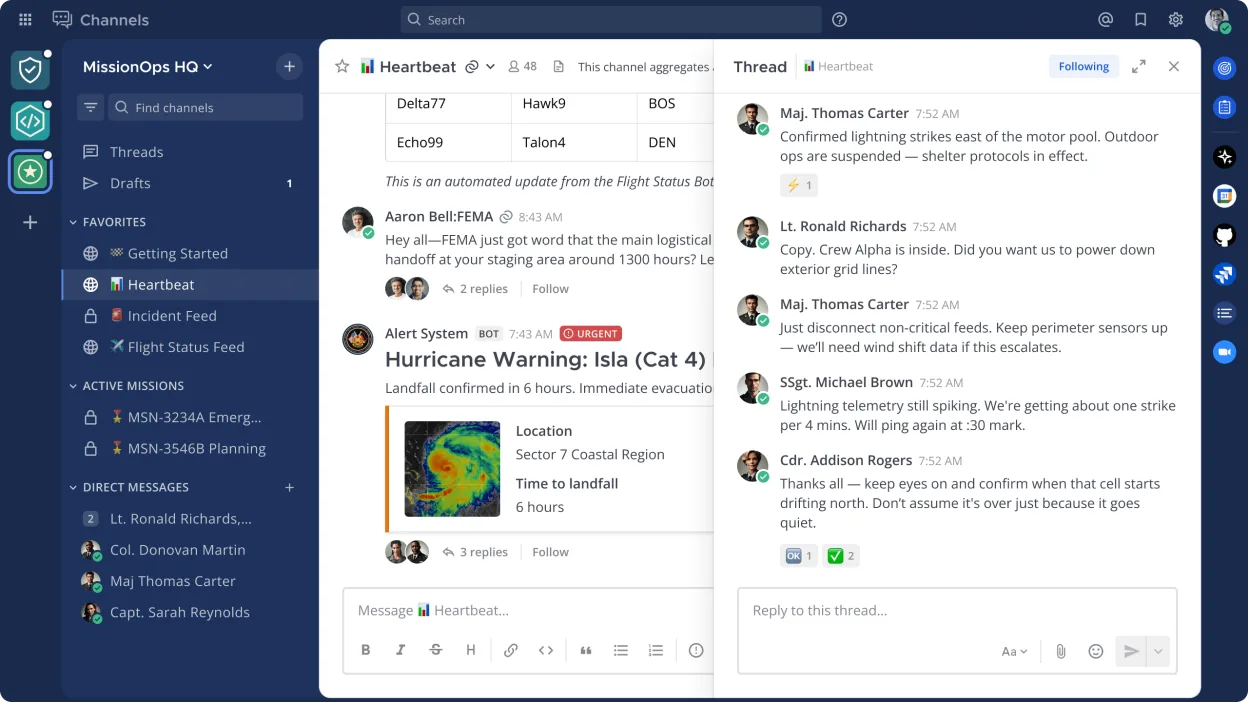
Mattermost is a solid replacement for Microsoft Teams (consumer) for teams that prioritize self-hosting, security, and integration with developer workflows. It covers core collaboration features like persistent chat, file sharing, and search, and supports mobile and desktop clients. However, it lacks built-in video and audio conferencing, which limits its suitability for users who rely heavily on calls. It works best for technical teams already using DevOps tools, especially if they can integrate a separate conferencing solution.
- License
- Apache-2.0
- Price
- Free
- Latest version
- 6.4.0 (November 16, 2026)
- Rating
- —
What works the same
- Persistent group and direct messaging with searchable history
- File sharing and Markdown support in messages
- Cross-platform clients including desktop and mobile (iOS/Android)
- Integration with calendars via plugins or external tools
- Support for SAML and LDAP authentication
What is different
- No built-in video or audio conferencing — requires external tools
- No native integration with Microsoft 365 or Outlook
- Fewer user-friendly onboarding features for non-technical users
- Admin setup is more complex due to self-hosting requirement
- Smaller third-party app ecosystem compared to Teams
Opening your Microsoft Teams (consumer) files
Mattermost does not directly open or import Microsoft Teams files or chat history. Files shared in Teams can be manually downloaded and re-uploaded to Mattermost. There is no automated migration tool provided by Mattermost for message history or user data. File formats like PDFs, images, and documents retain compatibility since they are standard, but structure and metadata from Teams channels are lost without custom scripting.
Switching from Microsoft Teams (consumer) to Mattermost, step by step
- Install and configure a Mattermost server with PostgreSQL or MySQL
- Set up user authentication using SAML or LDAP
- Invite users and create team channels mirroring existing Teams structure
- Migrate shared files manually from Teams to Mattermost
- Use slash commands or bots to replicate common workflows
Key features of Mattermost
- Self-hosted messaging with team channels and direct messages
- Integrates with Git, CI/CD pipelines, and monitoring tools
- Custom slash commands and bot automation
- File sharing and Markdown support
- Role-based access control and audit logging
- RESTful API and plugin system
- Mobile apps for iOS and Android
- SAML and LDAP authentication support
How to install Mattermost on Linux
flatpak install flathub com.mattermost.Desktopsudo pacman -S mattermost-desktopFrequently asked questions
Can Mattermost replace Microsoft Teams for video meetings?
No, Mattermost does not include built-in video or audio calling. You must integrate it with external tools like Zoom, Jitsi, or Google Meet using plugins or links.
Is Mattermost free to use?
Yes, the open source edition is free under the Apache-2.0 license. Paid editions offer additional features, but the core platform is fully functional without cost.
Can I use Mattermost without self-hosting?
Yes, Mattermost offers hosted cloud options, but the primary model favors self-hosting for control and compliance, especially in enterprise or developer environments.
2 other alternatives to Microsoft Teams (consumer)
 Jitsi MeetJitsi Meet is an open-source video conferencing client that connects to any Jitsi server for secure…Open sourceFreeFlatpakJitsi Meet vs Microsoft Teams (consumer)
 ElementElement is an open‑source, matrix‑based chat and video‑conference client for Linux.Open sourceFreeFlatpakElement vs Microsoft Teams (consumer)