
Windows · Sound & Video
Best Linux alternatives to Microsoft Clipchamp
Microsoft Clipchamp is a web-based video editor with a simple interface, owned by Microsoft and aimed at beginners.
Updated
Quick answer
The best Linux alternative to Microsoft Clipchamp is Kdenlive. Other strong options: Olive, Shotcut, OpenShot.
5 Linux alternatives to Microsoft Clipchamp
-

Kdenlive is a free, feature‑rich non‑linear video editor built on the MLT framework.
Kdenlive is a strong replacement for Microsoft Clipchamp for Linux users who want more control and deeper editing features. While Clipchamp targets absolute beginners via a browser, Kdenlive offers a full desktop experience with professional-grade tools. It’s ideal for users who’ve outgrown web…
Feature parity85% -

Olive is a free, open‑source non‑linear video editor for Linux.
Olive is a partial replacement for Microsoft Clipchamp, best suited for users who want offline, open-source editing without watermarks. While Clipchamp targets absolute beginners via a browser, Olive offers more advanced features like multi-track editing and keyframing but has a steeper learning…
Feature parity60% -

Shotcut is a free, open-source video editor for Linux with support for a wide range of formats via FFmpeg.
Shotcut is a solid replacement for Microsoft Clipchamp if you value offline editing and format flexibility over simplicity. It’s free, open-source, and runs natively on Linux without requiring a browser. While it has a steeper learning curve, its drag-and-drop timeline, basic transitions, text…
Feature parity80% -

OpenShot is a free, open-source, non-linear video editor for Linux and other platforms, built with Python and MLT.
OpenShot is a good replacement for Microsoft Clipchamp for Linux users who want simple, offline video editing without watermarks. It handles basic tasks like drag-and-drop editing, text overlays, transitions, and audio mixing reliably. The interface is beginner-friendly with a built-in tutorial…
Feature parity85% -
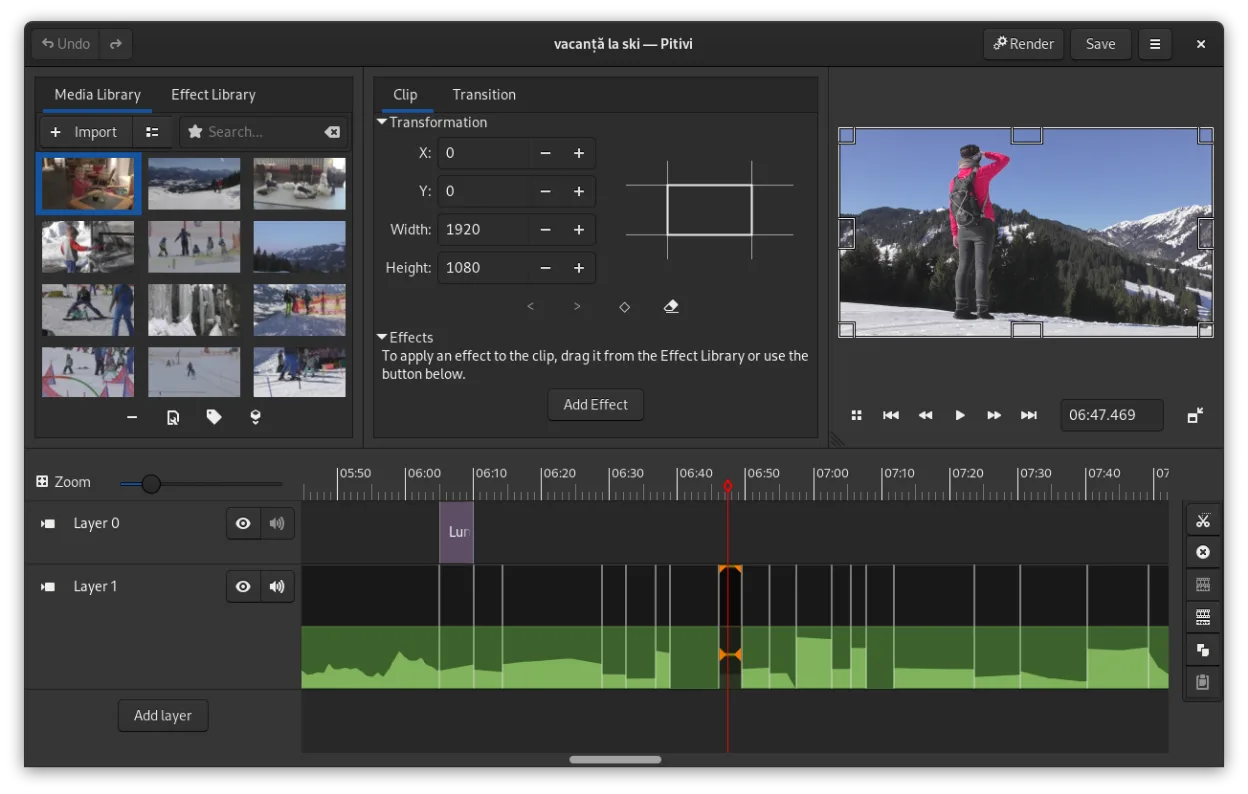
PiTiVi is a free, open-source, non-linear video editor for Linux built on GStreamer with a clean GNOME-integrated interface.
PiTiVi is a solid replacement for Microsoft Clipchamp if you're on Linux and want offline, no-watermark video editing without relying on a browser. It handles basic tasks like trimming, splitting, adding transitions, and text overlays cleanly. The interface is intuitive for beginners but also…
Feature parity75%


What is Microsoft Clipchamp?
Clipchamp is an online video editor built for quick, easy editing without needing powerful hardware. It's commonly used by casual creators, students, and marketers who want to assemble clips, add text, music, and transitions in a browser. The interface is clean and intuitive, making it accessible for those new to video editing.
The tool operates on a freemium model: the basic version is free with watermarks and limited exports, while a paid subscription removes restrictions and unlocks premium assets and features. Since it's cloud-based, all processing happens on Microsoft's servers, not your machine. No download is required, but a stable internet connection is essential.
People look for Linux alternatives because Clipchamp is only accessible through a web browser and is tightly integrated with Microsoft's ecosystem. Some distrust cloud-based editing due to privacy, upload size limits, or unreliable internet. Others prefer full offline control, open-source tools, or more advanced features not available in Clipchamp’s streamlined design.
What a replacement for Microsoft Clipchamp must do
- Simple drag-and-drop timeline editing
- Basic transitions, text overlays, and audio support
- Import and export common video formats (MP4, MOV, etc.)
- Free or low-cost access
- Offline editing capability
- No forced watermarking
- Cloud export or rendering option (optional)
Can you run Microsoft Clipchamp on Linux?
Clipchamp does not have a native Linux desktop app, but it runs in any modern web browser, including on Linux. You can use it directly at clipchamp.com with Chromium, Firefox, or Edge. Performance depends on internet speed and browser stability. It does not require Wine, Proton, or Bottles since it's browser-based, but offline editing is not supported.
Which alternative should you choose?
Beginners should try OpenShot or Kdenlive—both are user-friendly and well-documented. Kdenlive offers more advanced features while staying approachable. Shotcut suits users wanting granular control without complexity. Olive is ideal for those prioritizing modern UI and node-based workflows, though it's still in early development. PiTiVi is lightweight but less actively maintained.
Moving your Microsoft Clipchamp files and habits
Since Clipchamp saves projects in the cloud, you can't directly export a project file to Linux apps. Instead, export your final video or intermediate clips in MP4 or MOV format, then import them into any Linux editor. Most listed alternatives support these formats. Editable project files aren't transferable between Clipchamp and desktop tools, so save source media separately.
Side-by-side comparison
Microsoft Clipchamp: frequently asked questions
Can I use Clipchamp on Linux?
Yes, through a web browser like Firefox or Chrome. No install is needed, but you need internet access.
Is there a Linux desktop version of Clipchamp?
No. Clipchamp is only available as a web app and does not have a native Linux desktop build.
Are the Linux alternatives as easy as Clipchamp?
OpenShot and Kdenlive come closest in ease of use. Some learning curve is expected, but all have tutorials.
Can I edit videos offline with these Linux tools?
Yes. Kdenlive, Shotcut, OpenShot, Olive, and PiTiVi all support full offline editing once installed.
How important is Microsoft Clipchamp to you?
Know a better alternative? Suggest an alternative