
 NeovimLinux
vs
RustRoverWindows
Neovim as a Linux alternative to RustRover
Updated
Our verdict
Neovim is a capable text editor, not a full IDE, so it is not a direct one-to-one replacement for RustRover. It works well for experienced Vim users who want a lightweight, terminal-based environment with LSP support. However, it lacks the out-of-the-box, deep integration that RustRover provides. You will need to manually configure plugins for debugging, refactoring, and UI elements. If you prefer a graphical, all-in-one IDE experience, stick with RustRover. If you thrive in a keyboard-driven, highly customizable text editor, Neovim can serve as a functional alternative for Rust development.
- License
- Apache-2.0
- Price
- Free
- Latest version
- 0.12.6 (October 9, 2026)
- Rating
- —
What works the same
- Supports Rust language syntax highlighting and parsing
- Integrates with Cargo for building and running projects
- Provides code completion via Language Server Protocol (LSP)
- Includes version control integration, typically via Git plugins
- Supports linters and formatters like Clippy and rustfmt
What is different
- Neovim is a text editor requiring manual plugin configuration; RustRover is a full IDE with pre-integrated tools
- RustRover offers a graphical debugger with visual variable inspection; Neovim debugging is primarily terminal-based and less intuitive
- RustRover has built-in, robust refactoring tools; Neovim refactoring relies on LSP capabilities which can be less comprehensive
- Neovim has a steep learning curve due to modal editing; RustRover uses standard mouse-and-keyboard IDE interactions
- RustRover provides a unified GUI for project management; Neovim requires separate terminal or plugin windows for similar tasks
Opening your RustRover files
Neovim opens standard Rust source files (.rs) and project files (like Cargo.toml) without issue. It does not open or understand RustRover-specific project configuration files (such as .idea directories) directly, but it does not need them to function. Your code and build configurations remain fully compatible. You will need to recreate your editor settings in Neovim's configuration file, but your actual project data is unaffected.
Switching from RustRover to Neovim, step by step
- Install Neovim and a Rust LSP client like rust-analyzer
- Configure your Neovim init.lua to enable LSP, syntax highlighting, and Git integration
- Install a debugger plugin like nvim-dap and configure it for Rust
- Set up Clippy and rustfmt integration within your Neovim configuration
- Test building and running your Rust projects using Cargo commands in Neovim's terminal
- Adjust your workflow to use keyboard shortcuts instead of mouse-driven IDE features
Key features of Neovim
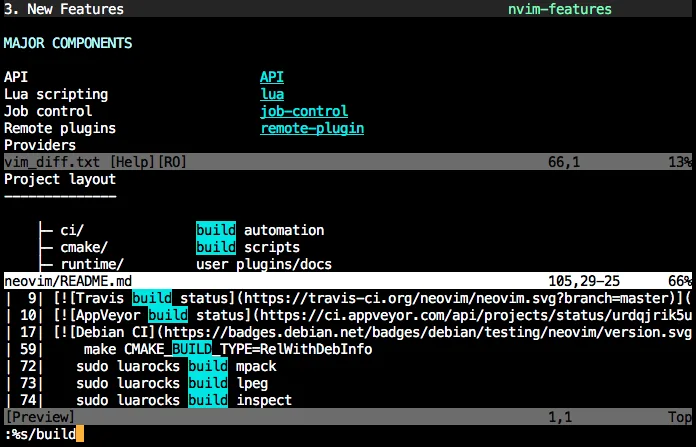
- Modal editing with insert, normal, visual, command modes
- Built‑in terminal emulator
- Extensible via Lua and Vimscript
- Remote plugins via RPC
- Asynchronous job control
- Configurable UI with floating windows and splits
How to install Neovim on Linux
flatpak install flathub io.neovim.nvimsudo apt install neovimsudo apt install neovimsudo dnf install neovimsudo pacman -S neovimsudo zypper install neovimFrequently asked questions
Can Neovim debug Rust code as easily as RustRover?
No, it is more complex. You must configure nvim-dap and a debugger adapter. The experience is more manual and less visual than RustRover's built-in debugger.
Do I need to know Vim to use Neovim?
Yes, you need to be comfortable with modal editing. If you are used to standard mouse-and-keyboard IDEs, the learning curve will be significant.
Will my RustRover project settings transfer to Neovim?
No. You must configure Neovim separately. Your source code and Cargo.toml will work, but editor-specific settings like keybindings and UI preferences must be recreated.
3 other alternatives to RustRover
 VimVim is a highly configurable, modal text editor for efficient editing on Linux.Open sourceFreeFlatpakVim vs RustRover
 GNU EmacsGNU Emacs is a highly extensible text editor and Lisp interpreter that functions as a complete development…Open sourceFreeFlatpakGNU Emacs vs RustRover