
Windows · System Tools
Best Linux alternatives to NVIDIA System Tools
NVIDIA System Tools is a Windows suite for monitoring and tweaking NVIDIA GPU settings like fan speed, clocks, and temperatures.
Updated
Quick answer
The best Linux alternative to NVIDIA System Tools is nvtop. Other strong options: Nvidia System Monitor, fancontrol.
3 Linux alternatives to NVIDIA System Tools
-
A terminal-based GPU monitoring tool for Linux that displays real-time metrics like usage, temperature, and memory.
nvtop is a solid monitoring replacement but not a full feature match. It handles real-time temperature, utilization, and memory display well, matching the core observational needs of NVIDIA System Tools. However, it lacks the ability to adjust fan curves, clock speeds, or voltage. If you only need…
Feature parity45% -
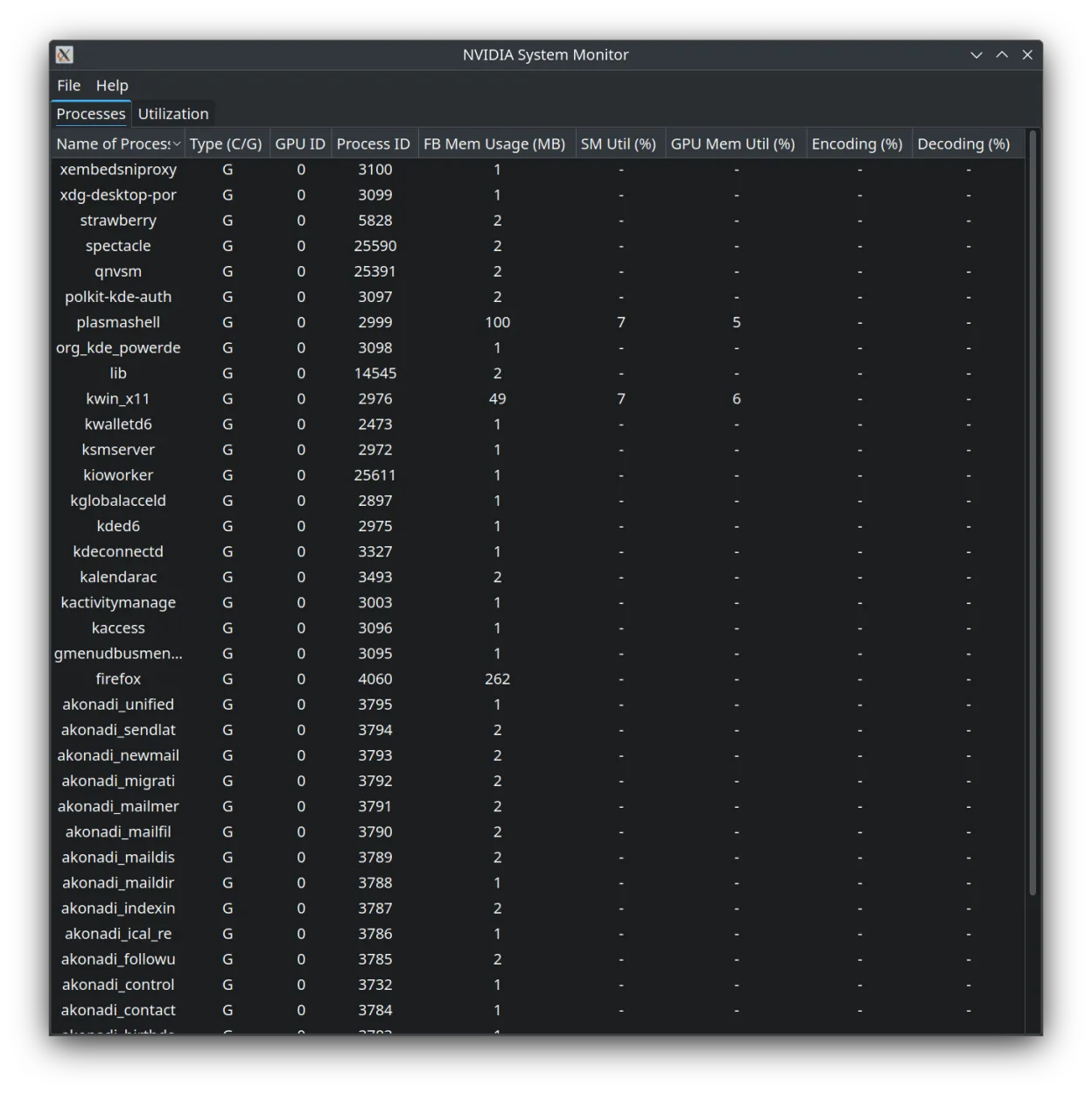
A lightweight Qt-based task manager specifically designed to monitor NVIDIA GPU performance and status.
Nvidia System Monitor is a solid monitoring tool but not a full replacement for NVIDIA System Tools. It handles real-time graphs, temperature, and fan speed display well, which covers the diagnostic side of GPU management. However, it lacks the control features typical Windows users expect, such as…
Feature parity40% -

fancontrol is a Linux utility for automatically adjusting fan speeds based on system temperature sensors.
fancontrol is a partial replacement for NVIDIA System Tools, suitable for users who primarily need automated fan management and basic temperature monitoring. It handles custom fan curves and real-time sensor data well, integrating with lm-sensors. However, it does not provide the deep GPU-specific…
Feature parity40%


What is NVIDIA System Tools?
NVIDIA System Tools was aimed at gamers, overclockers, and anyone who needed fine‑grained control over their NVIDIA graphics card on Windows. It provided a GUI for adjusting fan curves, clock speeds, and viewing real‑time performance metrics.
The software was distributed for free by NVIDIA, but it was closed‑source and only ran on Windows. It never received a Linux port and was eventually discontinued.
Linux users who want similar GPU monitoring and tuning capabilities must turn to native tools, because the Windows program cannot be used directly on most Linux installations.
What a replacement for NVIDIA System Tools must do
- Real‑time GPU temperature and utilization monitoring
- Fan speed control and custom fan curves
- Clock speed and voltage adjustments
- Power limit and performance state management
- Graphical display of metrics
- Support for recent NVIDIA driver versions
Can you run NVIDIA System Tools on Linux?
There is no native Linux version of NVIDIA System Tools and no web interface. The program does not run reliably under Wine, Proton, or Bottles, so using it on Linux is not practical.
Which alternative should you choose?
For basic monitoring, nvtop gives a terminal‑based view of utilization and temperature. Nvidia System Monitor and GPU‑Viewer provide graphical dashboards; GPU‑Viewer also shows fan speeds. fancontrol can be scripted for custom fan curves if you prefer a low‑level approach.
Moving your NVIDIA System Tools files and habits
NVIDIA System Tools does not store user profiles in a portable format, so there is nothing to export. On Linux you simply install the chosen tool and configure settings anew; most tools read the current GPU state directly from the driver.
Side-by-side comparison
| App | License | Flatpak | Latest version | Feature parity | Rating |
|---|---|---|---|---|---|
| nvtop | GPL-3.0 | — | 3.3.2 | 45% | — |
| Nvidia System Monitor | MIT | ✓ | 1.6 | 40% | — |
| fancontrol | GPL-3.0-only | ✓ | 26.01 | 40% | — |
NVIDIA System Tools: frequently asked questions
Can I run NVIDIA System Tools under Wine?
It is not supported; users report crashes and missing hardware access.
Do these Linux tools require proprietary NVIDIA drivers?
Yes, they need the official NVIDIA driver to expose the necessary control interfaces.
Is fancontrol safe for GPU fans?
fancontrol works with the PWM interface exposed by the driver; it is safe if you set reasonable limits.
Will these tools work on older GPUs?
Support depends on the driver; most tools work with GPUs supported by the current NVIDIA Linux driver.
How important is NVIDIA System Tools to you?
Know a better alternative? Suggest an alternative