
Windows · System Tools
Best Linux alternatives to Logitech G Hub
Logitech G Hub configures Logitech gaming gear on Windows/macOS.
Updated
Quick answer
The best Linux alternative to Logitech G Hub is OpenRGB. Other strong options: Solaar, libratbag, Piper.
6 Linux alternatives to Logitech G Hub
-
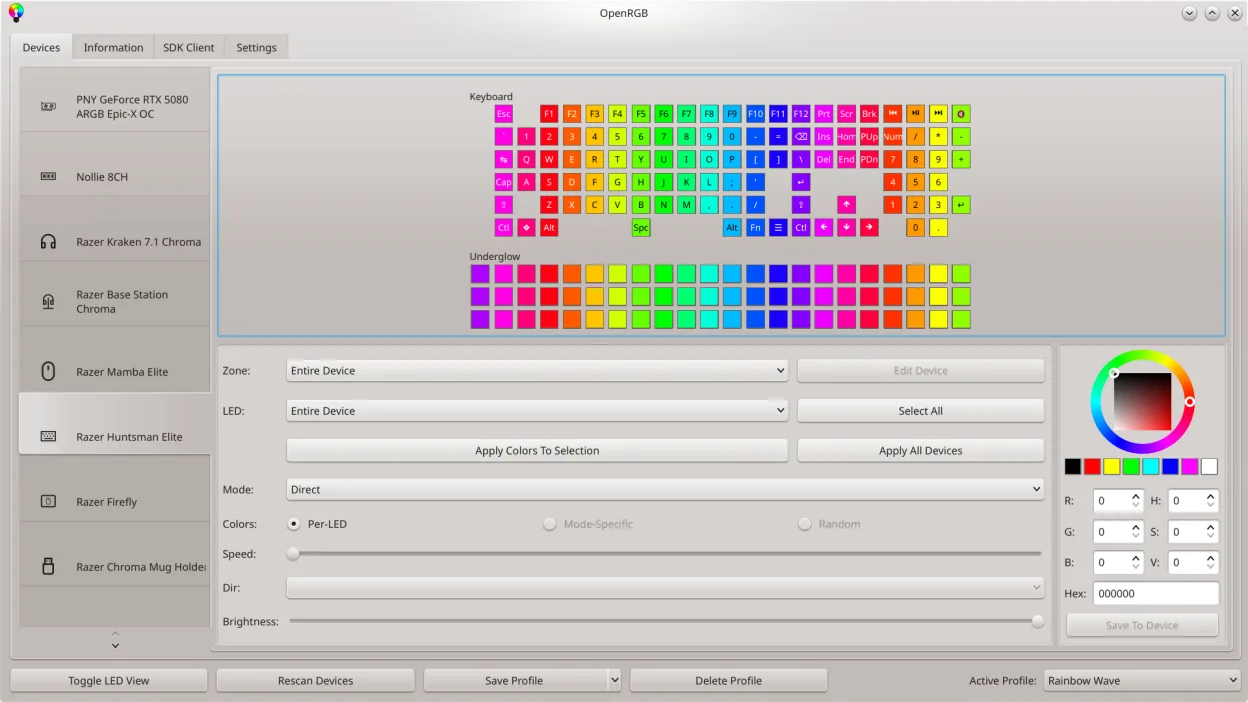
OpenRGB lets you control RGB lighting on Linux without vendor apps.
OpenRGB can replace Logitech G Hub for users who mainly need RGB lighting control and basic device configuration on Linux. It supports many Logitech devices, lets you set colors, create profiles, and even script lighting changes. However, it lacks the full macro recording, advanced button mapping…
Feature parity70% -
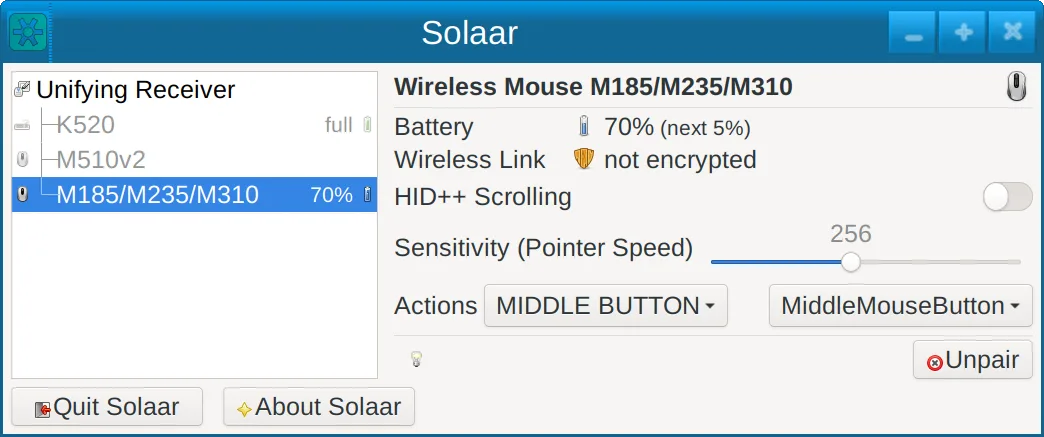
Solaar is a Linux tool that manages Logitech keyboards, mice, and trackpads, handling pairing, battery status, and some device settings.
Solaar is a decent Linux replacement for basic Logitech gear management, but it falls short of the full feature set of Logitech G Hub. It works well for users who only need device pairing, battery monitoring, and simple button or scroll adjustments on keyboards, mice, and trackpads. Advanced users…
Feature parity45% -
libratbag is a Linux library and CLI tool that manages gaming mice profiles, replacing Logitech G Hub.
libratbag can replace Logitech G Hub for most Linux users who need to configure DPI, polling rate, button mapping, macros, and per‑profile settings on gaming mice. It works well on Arch, Debian, Fedora, openSUSE, and Ubuntu, and its open‑source nature lets you audit the code. However, it lacks the…
Feature parity70% -
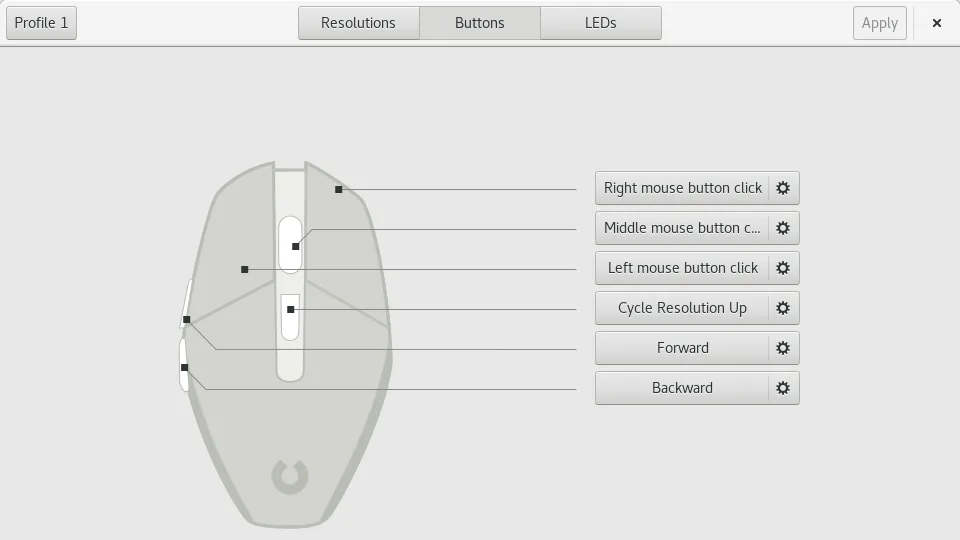
Piper is a Linux GUI for configuring gaming mice via ratbagd.
Piper can replace Logitech G Hub for users who own compatible Logitech gaming mice that are supported by ratbagd. It lets you set DPI, create profiles, map buttons, change RGB lighting, and export/import settings. It works on both X11 and Wayland and is free. However, it lacks macro recording…
Feature parity70% -
Keyd is a lightweight key remapping daemon for Linux, similar in purpose to AutoHotkey on Windows.
Keyd can replace Logitech G Hub for users who only need basic key remapping and simple layer support on Linux. It is suitable for gamers or power users who want low‑overhead configuration and are comfortable editing plain text files. However, it does not provide the full feature set of G Hub, such…
Feature parity35% -
Input Remapper lets you map keyboard and mouse inputs to other actions on Linux, replacing Logitech G Hub's device configuration.
Input Remapper can replace Logitech G Hub for users who only need basic key and button mapping, profile switching, and simple scripting on Linux. It is suitable for gamers or power users who use a single Logitech keyboard or mouse and are comfortable editing text files. However, it does not provide…
Feature parity60%



What is Logitech G Hub?
Logitech G Hub is a bundled software that lets gamers set up profiles, macros, RGB lighting and firmware updates for Logitech G‑series devices. It is used mainly by competitive players and streamers who need precise control over their peripherals.
The application is free to download but is closed source and only available for Windows and macOS. Because it is proprietary, Linux users cannot install it directly.
Linux users look for alternatives that provide the same level of device support, macro scripting and lighting control without the Windows dependency.
What a replacement for Logitech G Hub must do
- Device configuration (profiles, DPI, button mapping)
- Macro recording and playback
- RGB lighting control
- Firmware updates
- Support for multiple devices at once
Can you run Logitech G Hub on Linux?
There is no native Linux build of G Hub. It cannot run under Wine or Proton reliably because it uses low‑level Windows drivers. Some users run it in a virtual machine, but that requires a Windows license. No web version exists.
Linux alternatives must use native drivers or open‑source firmware tools.
Which alternative should you choose?
For users who need only basic button remapping and macro support, Solaar or libratbag are sufficient. If RGB lighting is a priority, OpenRGB is the most feature‑rich. Piper offers a clean GUI for many devices. Keyd is useful for advanced key remapping on keyboards. Input Remapper is good for generic input device tweaks.
Moving your Logitech G Hub files and habits
G Hub stores profiles in a proprietary format inside the user’s AppData folder. No official export tool exists, so migration is manual: re‑create profiles in the chosen Linux tool by noting DPI, button assignments and lighting settings.
Side-by-side comparison
Logitech G Hub: frequently asked questions
Can I run Logitech G Hub on Linux via Wine?
It is not supported and tends to fail due to driver dependencies.
Is there a free alternative that supports firmware updates?
OpenRGB can flash firmware on some devices, but support varies by model.
Do I need a Windows license to use G Hub on Linux?
Only if you run it in a virtual machine or via Wine; otherwise you cannot use it natively.
Which alternative supports the G502 mouse?
libratbag and Piper both support the G502 for DPI and button mapping.
How important is Logitech G Hub to you?
Know a better alternative? Suggest an alternative