
 PidginLinux
vs
 DigsbyWindows
Pidgin as a Linux alternative to Digsby
Updated
Our verdict
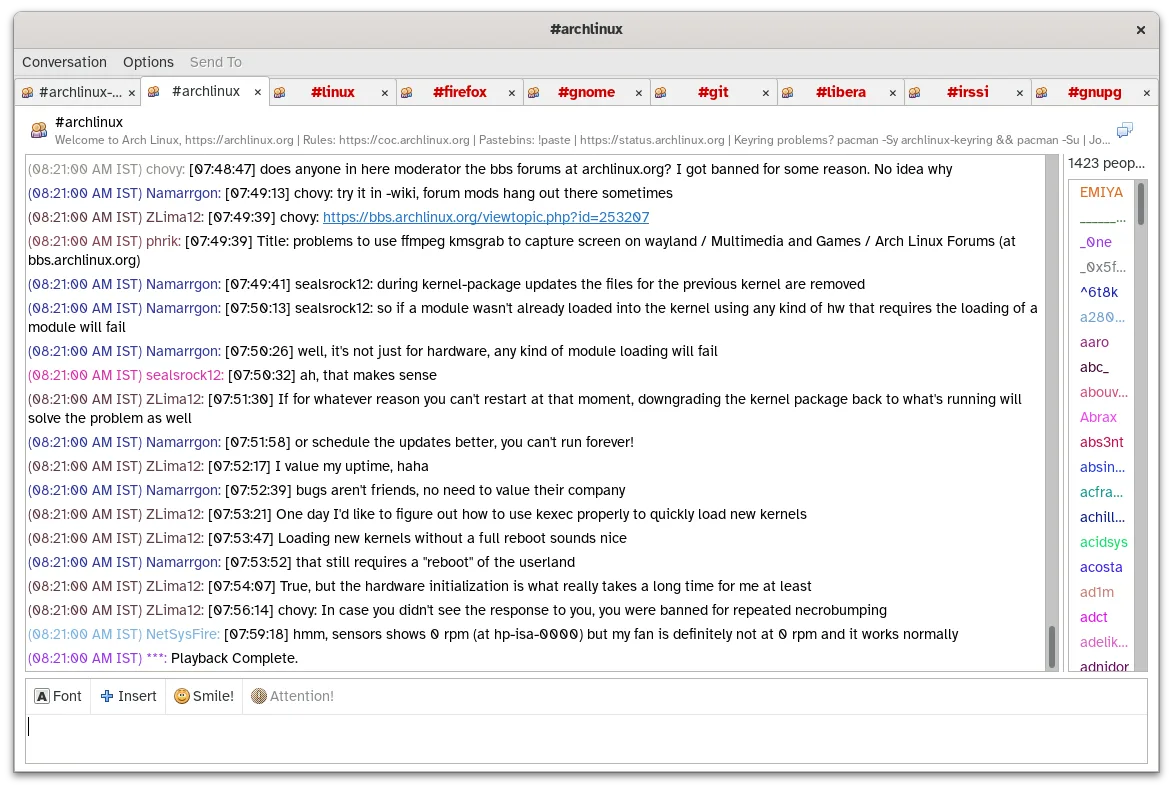
Pidgin is a solid replacement for Digsby if your main focus is multi-protocol instant messaging with XMPP, IRC, and legacy protocols. It supports simultaneous accounts, logging, notifications, and themes, matching Digsby’s core chat functionality. However, it lacks built-in social network notifications for services like Facebook or Twitter, which Digsby provided. Users prioritizing messaging over social media aggregation will find Pidgin reliable and actively maintained, especially on Linux. Those dependent on social updates within the client may need supplementary tools.
- License
- GPL-2.0
- Price
- Free
- Latest version
- 2.14.14 (January 23, 2025)
- Rating
- —
What works the same
- Supports multiple IM protocols including XMPP and IRC
- Allows simultaneous login to multiple accounts
- Provides desktop notifications and message logging
- Offers customizable UI with themes and emoticons
- Available across Linux, Windows, and macOS
What is different
- Pidgin does not support social network notifications (Facebook, Twitter, etc.)
- No built-in contact list synchronization with web services
- Lacks Digsby’s integrated inbox-style interface for social updates
- No native email aggregation
- Plugin system exists but requires manual setup for features like OTR
Opening your Digsby files
Pidgin does not directly import Digsby configuration or message history files. Digsby stored data locally in proprietary formats, and no official tool exists to convert or migrate those to Pidgin’s format. Chat logs and account settings must be recreated manually. If messages were not synced to a server, they may only be recoverable from the original Windows machine. Exporting contact lists from Digsby is not supported, so users must manually re-add buddies in Pidgin.
Switching from Digsby to Pidgin, step by step
- Install Pidgin via your package manager or Flathub
- Manually add your XMPP, IRC, and other supported accounts
- Enable logging and notifications in Preferences
- Install plugins like 'pidgin-otr' or spell-check if needed
- Transfer contact lists manually by re-adding buddies
Key features of Pidgin
- Supports over 30 chat protocols via libpurple
- Simultaneous login to multiple accounts
- Plugin system for extensions (e.g., OTR encryption, spell‑check)
- Buddy grouping and status messages
- File transfer for supported protocols
- Customizable themes and emoticons
- Logging of chats to local files
- Portable version via Flatpak
How to install Pidgin on Linux
flatpak install flathub im.pidgin.Pidginsudo apt install pidginsudo apt install pidginsudo dnf install pidginsudo zypper install pidginFrequently asked questions
Can Pidgin show Facebook or Twitter notifications like Digsby did?
No, Pidgin does not support social network notifications. Facebook’s chat protocol is no longer supported, and Twitter integration was never part of Pidgin. You’ll need separate apps or web clients for those.
Is Pidgin still actively maintained?
Yes, Pidgin is actively maintained. The latest release, 2.14.14, was published in January 2025, with updates available in major Linux distributions.
Can I use Pidgin on Windows or macOS if I switch later?
Yes, Pidgin is available for Linux, Windows, and macOS. Your experience will be consistent across platforms, though themes and plugins work the same everywhere.