

Windows · Internet
Best Linux alternatives to Digsby
Digsby was a discontinued Windows client that combined instant messaging and social network notifications.
Updated
Quick answer
The best Linux alternative to Digsby is Pidgin.
1 Linux alternatives to Digsby
-
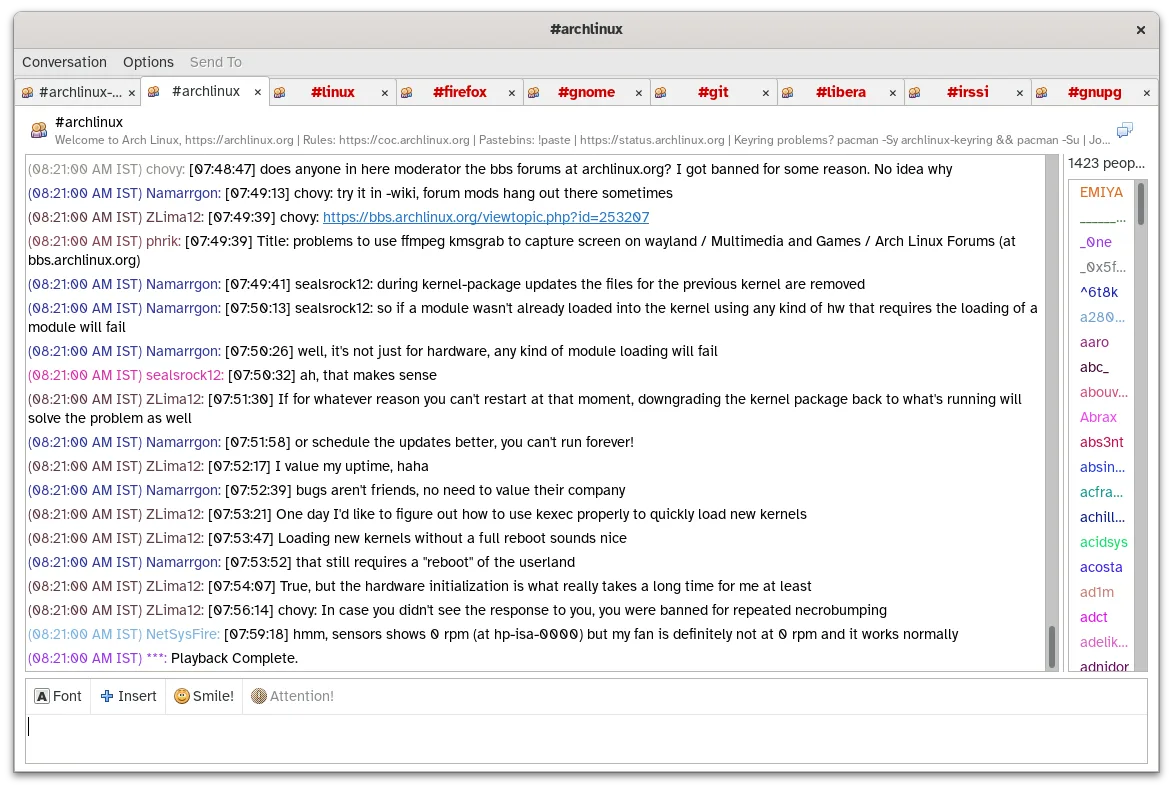
Pidgin is a free, multi‑protocol instant messaging client for Linux, Windows and macOS.
Pidgin is a solid replacement for Digsby if your main focus is multi-protocol instant messaging with XMPP, IRC, and legacy protocols. It supports simultaneous accounts, logging, notifications, and themes, matching Digsby’s core chat functionality. However, it lacks built-in social network…
Feature parity70%

What is Digsby?
Digsby served users who wanted a single desktop hub for multiple chat services—AIM, MSN, Google Talk, Facebook, Twitter, and others. It appealed to people who preferred a graphical interface over web‑based chat and liked having status updates from social networks in one place.
The program was free to download and use, distributed as shareware with optional paid features before it was discontinued. Its licensing was essentially a proprietary, closed‑source model.
With Digsby no longer supported, Windows users look for Linux replacements that can handle several messaging protocols, show social feeds, and integrate with the desktop without relying on an outdated Windows binary.
What a replacement for Digsby must do
- Support for multiple IM protocols (XMPP, IRC, etc.)
- Social network notifications
- Contact list synchronization
- Message history logging
- Desktop notifications
- Customizable UI/skins
- Cross‑platform availability
Can you run Digsby on Linux?
There is no native Linux version of Digsby. The original Windows binary can be run under Wine, but stability varies and some features may not work. No official web client exists, and there is no Proton or Bottles package maintained for it.
Which alternative should you choose?
If you need a straightforward multi‑protocol messenger, Pidgin is the go‑to choice; it supports a wide range of chat networks via plugins and runs natively on Linux. For a lightweight web‑centric experience, Epiphany (the GNOME web browser) can be used to access web‑based chat services, though it lacks integrated IM features.
Moving your Digsby files and habits
Digsby stored contacts and history in local SQLite or proprietary files; there is no built‑in export tool. You can manually copy the contact list (usually a CSV or XML file) and import it into Pidgin using its import wizard. Message logs will need to be converted or read manually, as Pidgin uses its own log format.
Digsby: frequently asked questions
Can I run Digsby on Linux without Wine?
No, Digsby has no native Linux build and no official web version, so Wine is the only option.
Is Pidgin a drop‑in replacement for Digsby?
Pidgin covers most IM protocols Digsby supported, but it does not integrate social network feeds like Twitter or Facebook out of the box.
Will my Digsby contacts transfer automatically?
You’ll need to export contacts from Digsby (usually as CSV) and then import them into Pidgin manually.
Are there any paid alternatives?
Both listed alternatives, Pidgin and Epiphany, are free and open source.
How important is Digsby to you?
Know a better alternative? Suggest an alternative