PiperLinux
vs
SteelSeries EngineWindows
PiperLinux
vs
SteelSeries EngineWindows
Piper as a Linux alternative to SteelSeries Engine
Updated
Our verdict
Piper is a reasonable replacement for SteelSeries Engine if you use a supported SteelSeries mouse and need basic customization on Linux. It handles DPI settings, button remapping, RGB lighting, and profile management through ratbagd. However, support depends entirely on libratbag's compatibility with specific devices—some SteelSeries models work well, others not at all. Users must verify their hardware is supported. It lacks advanced macro features and keyboard-specific tuning, so those needing full peripheral control may still struggle.
- License
- GPL-2.0-or-later
- Price
- Free
- Latest version
- 0.8 (September 24, 2024)
- Rating
- —
What works the same
- Adjust DPI settings per profile
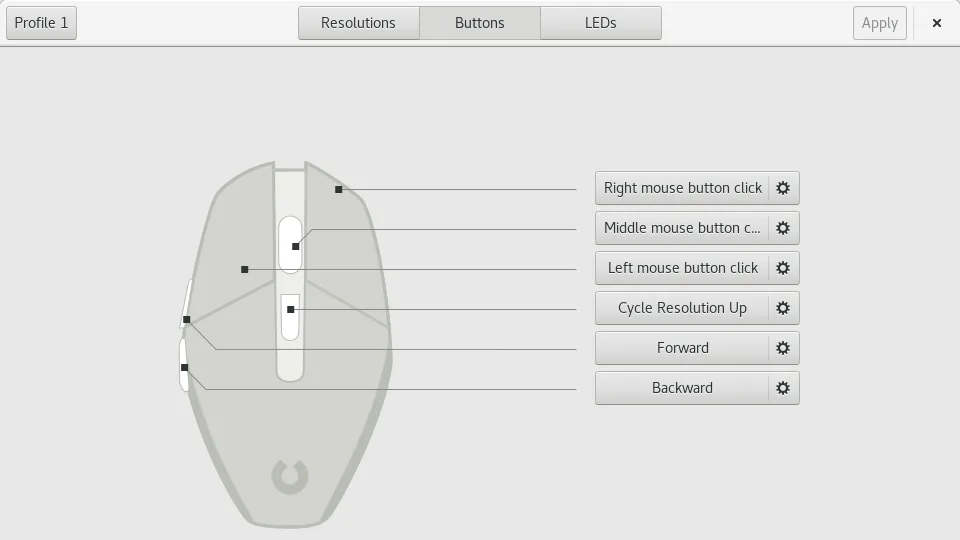
- Remap mouse buttons
- Set RGB lighting effects
- Save profiles to mouse hardware
- Graphical configuration interface
What is different
- Piper does not support keyboards or headsets—only mice
- No built-in macro recorder; complex macros are limited
- Support depends on libratbag, so not all SteelSeries devices work
- No cloud sync or profile sharing features
- No equivalent to SteelSeries Engine's system-wide game detection
Opening your SteelSeries Engine files
Piper does not support SteelSeries Engine configuration files. There is no direct import path for .sse or other SteelSeries-specific profiles. You’ll need to reconfigure everything manually. Piper can export and import its own configuration files, which are specific to ratbagd and not interchangeable with Windows tools.
Switching from SteelSeries Engine to Piper, step by step
- Check if your SteelSeries mouse is supported by libratbag
- Install ratbagd and Piper (via package manager or Flatpak)
- Launch ratbagd before starting Piper, or enable it as a service
- Open Piper and configure DPI, buttons, and RGB lighting
- Save settings directly to the mouse hardware using Piper
Key features of Piper
- Adjust DPI per profile
- Create and delete profiles
- Set per‑button actions
- Configure RGB LED colors
- Export and import configuration files
- Supports multiple mice at once
- Runs on Wayland and X11
How to install Piper on Linux
flatpak install flathub org.freedesktop.PiperFrequently asked questions
Does Piper work with all SteelSeries mice?
No. Support depends on libratbag. Check the libratbag GitHub page for a list of compatible devices. Older or more complex models may not be fully supported.
Can I remap keyboard keys with Piper?
No. Piper only supports mice. Keyboard customization requires other tools like udev rules or third-party utilities such as Interception tools.
Why does Piper require ratbagd?
Piper is just a GUI frontend. ratbagd is the background service that communicates with the mouse hardware. Without it, Piper cannot read or apply settings.