
Windows · System Tools
Best Linux alternatives to SteelSeries Engine
SteelSeries Engine lets gamers customize SteelSeries mice, keyboards, and headsets on Windows.
Updated
Quick answer
The best Linux alternative to SteelSeries Engine is Piper. Other strong options: libratbag, OpenRGB.
3 Linux alternatives to SteelSeries Engine
-
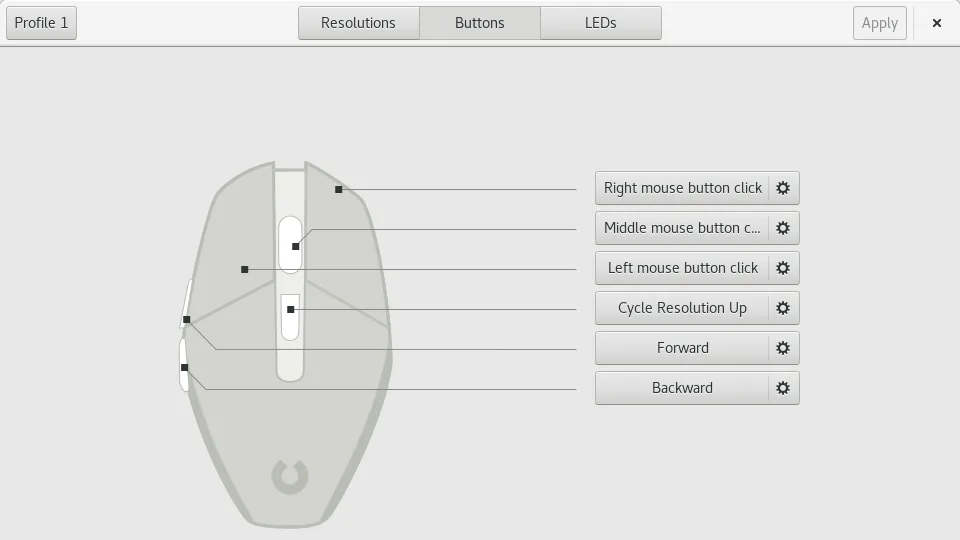
Piper is a Linux GUI for configuring gaming mice via ratbagd.
Piper is a reasonable replacement for SteelSeries Engine if you use a supported SteelSeries mouse and need basic customization on Linux. It handles DPI settings, button remapping, RGB lighting, and profile management through ratbagd. However, support depends entirely on libratbag's compatibility…
Feature parity70% -
libratbag is a Linux library and CLI tool that manages gaming mice profiles, replacing Logitech G Hub.
libratbag is a solid replacement for SteelSeries Engine if you use supported devices and prefer open-source tools on Linux. It handles core tasks like DPI adjustment, button remapping, and profile storage on hardware. However, support for SteelSeries devices is spotty—many aren't recognized. The…
Feature parity65% -
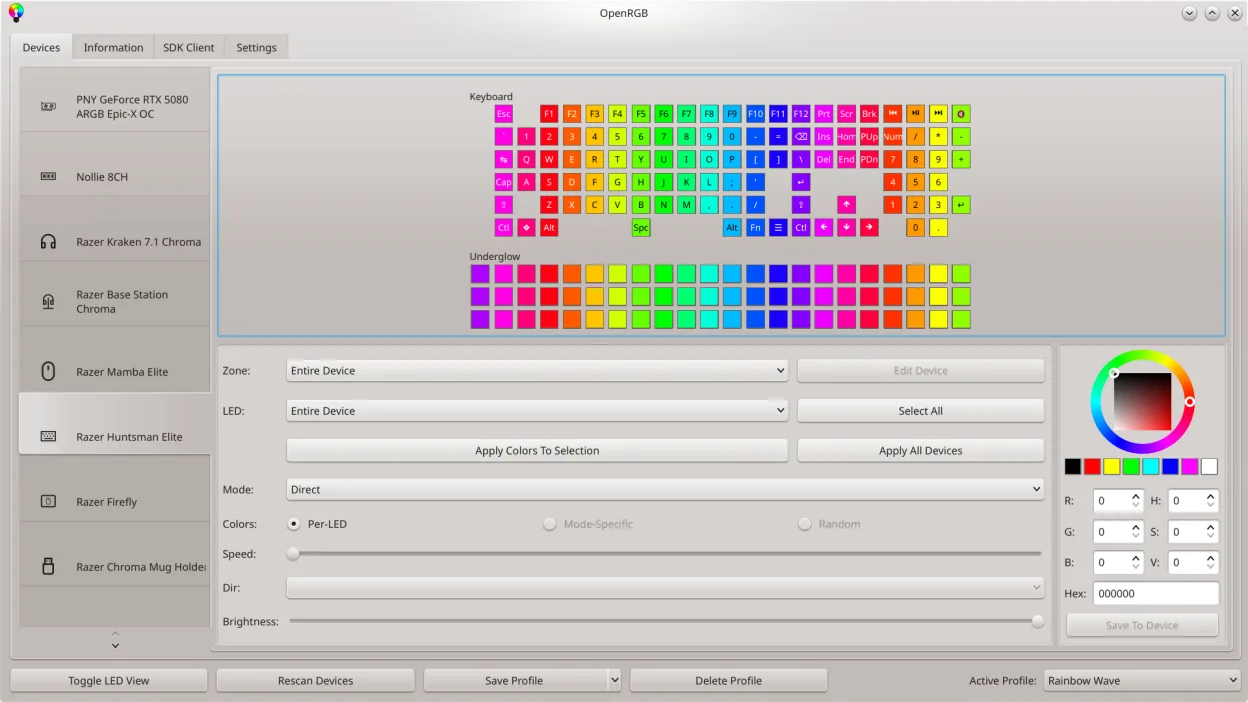
OpenRGB lets you control RGB lighting on Linux without vendor apps.
OpenRGB is a solid replacement for SteelSeries Engine if your main goal is RGB lighting control across multiple devices, especially on Linux. It unifies lighting management without bloat or vendor lock-in. However, it does not handle DPI, polling rate, or key remapping for SteelSeries devices—those…
Feature parity60%


What is SteelSeries Engine?
SteelSeries Engine is used by gamers and enthusiasts to configure RGB lighting, button mappings, DPI settings, and macros on SteelSeries peripherals. It provides a graphical interface to fine-tune device behavior, especially for high-performance gaming setups where personalized controls matter.
The software is free to download and use, but only available for Windows. It's tied to hardware ownership—no cost beyond purchasing compatible SteelSeries devices. There's no subscription or premium tier, though newer firmware updates may require newer versions of the app.
People seek Linux alternatives because SteelSeries does not offer a native Linux version. Most gaming peripherals still function as basic input devices, but advanced customization is locked behind Windows-only software. Users want full control without dual-booting or relying on virtualization.
What a replacement for SteelSeries Engine must do
- Customize DPI and polling rate on mice
- Remap buttons on mice and keyboards
- Set RGB lighting effects per device
- Save profiles directly to hardware
- Support for SteelSeries devices
- Graphical configuration interface
- Macro programming for keys
Can you run SteelSeries Engine on Linux?
There is no official native Linux version of SteelSeries Engine. It does not run reliably under Wine, Proton, or Bottles—some users report partial startup but no device detection. No web version exists. Users must rely on third-party open-source tools to achieve similar functionality on Linux.
Which alternative should you choose?
Piper, built on libratbag, works well for basic mouse configuration like button remapping and DPI settings. Use OpenRGB if RGB lighting control is a priority, especially across multiple device types. Libratbag supports a growing list of gaming mice but may not fully support all SteelSeries models. Choose OpenRGB for lighting, Piper for input customization.
Moving your SteelSeries Engine files and habits
No direct migration path exists—SteelSeries Engine profiles cannot be exported or imported into Linux tools. Configuration must be redone from scratch. Settings are stored in Windows-specific formats not readable on Linux. However, if your device supports on-board profile storage, you can set up profiles in Windows once and use them on Linux without software.
Side-by-side comparison
SteelSeries Engine: frequently asked questions
Can I use my SteelSeries mouse on Linux without any software?
Yes, basic functions like clicking and movement work out of the box. Advanced features like custom DPI, button mapping, or RGB lighting require additional tools.
Does OpenRGB support SteelSeries keyboards?
OpenRGB has limited support for some SteelSeries keyboards, but not all models or features are fully implemented. Check the OpenRGB compatibility list for your specific device.
Is libratbag safe to use?
Yes, libratbag is open-source and widely used. It runs with user permissions and doesn’t modify system files. However, flashing firmware can risk device functionality if interrupted.
Can I save my settings to the device?
If your SteelSeries device has on-board memory, Piper and OpenRGB can often write profiles directly to hardware, so settings persist across systems.
How important is SteelSeries Engine to you?
Know a better alternative? Suggest an alternative