
 PiTiViLinux
vs
PiTiViLinux
vs
 Pinnacle StudioWindows
PiTiVi as a Linux alternative to Pinnacle Studio
Updated
Our verdict
PiTiVi is a reasonable replacement for Pinnacle Studio only for basic non-linear editing on Linux, but not for most typical Pinnacle Studio users. It handles common video codecs and offers solid timeline editing with keyframing and transitions, which suits hobbyists. However, it lacks built-in DVD/Blu-ray authoring and custom disc menu creation, critical features in Pinnacle Studio. If your goal is simple video editing and export to MP4 or AVCHD, PiTiVi works. For full disc production workflows, it falls short.
- License
- LGPL-2.0+
- Price
- Free
- Latest version
- 2023.03 (March 26, 2023)
- Rating
- —
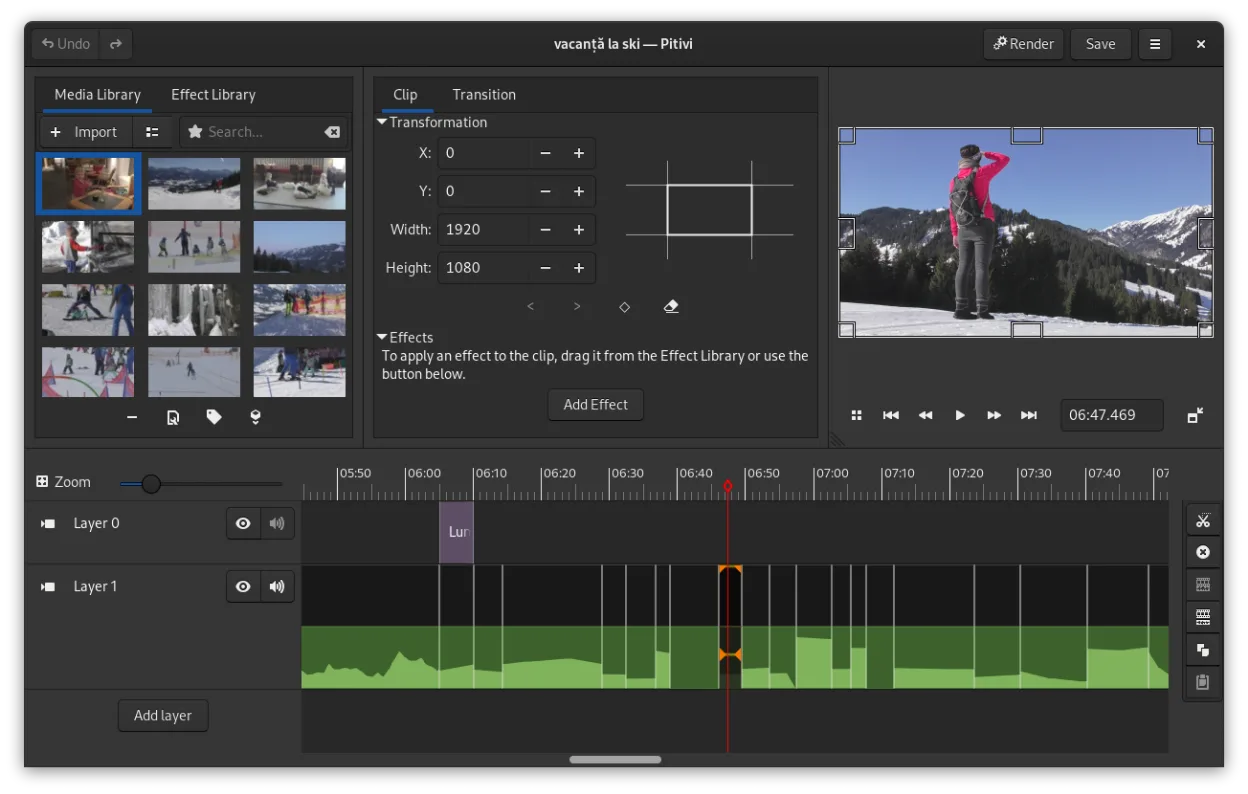
What works the same
- Non-linear editing with ripple and roll functions
- Support for common video codecs via GStreamer
- Title and text overlay capabilities
- Crossfades and standard video transitions
- Export to AVCHD and MP4 formats
What is different
- PiTiVi has no built-in DVD or Blu-ray authoring
- No custom disc menu creation tools
- No native support for burning discs
- Simpler audio mixing compared to Pinnacle Studio
- Fewer advanced effects and less polished rendering presets
Opening your Pinnacle Studio files
PiTiVi can open most common video file formats supported by GStreamer, such as MP4, AVI, and MOV, which covers many files created in Pinnacle Studio. However, it cannot directly open Pinnacle Studio project files (.pds). You must export the video from Pinnacle Studio as an intermediate file first. There is no known converter for Pinnacle project files on Linux, so manual recreation of edits in PiTiVi is necessary.
Switching from Pinnacle Studio to PiTiVi, step by step
- Export your Pinnacle Studio projects to an intermediate format like MP4 or MOV
- Install PiTiVi via your distribution's package manager or Flathub
- Import exported video files into PiTiVi for editing
- Recreate titles, transitions, and effects in PiTiVi's timeline
- Use a separate tool like DVDStyler or Brasero for DVD/Blu-ray authoring if needed
Key features of PiTiVi
- Non-linear editing with a framerate-independent timeline
- Supports any format handled by GStreamer
- Keyframe animation for effects and filters
- Ripple and roll editing for efficient timeline adjustments
- Custom aspect ratios, framerates, and render presets
- Crossfades and SMPTE-standard transitions
- Detachable UI panels for multi-monitor setups
- Non-modal editing workflow with playhead-centric design
How to install PiTiVi on Linux
flatpak install flathub org.pitivi.Pitivisudo apt install pitivisudo apt install pitivisudo dnf install pitivisudo pacman -S pitivisudo zypper install pitiviFrequently asked questions
Can PiTiVi burn DVDs or Blu-rays directly?
No, PiTiVi cannot burn discs. Use external tools like DVDStyler for DVD authoring or mkisofs with a burner for Blu-ray.
Does PiTiVi support Pinnacle Studio project files?
No. Pinnacle Studio project files (.pds) are not supported. You must export video and re-edit in PiTiVi.
Is PiTiVi suitable for professional editing?
It's usable for light professional work, but lacks advanced color grading, multi-cam, and effects common in professional suites.
3 other alternatives to Pinnacle Studio
 OpenShotOpenShot is a free, open-source, non-linear video editor for Linux and other platforms, built with Python and…Open sourceFreeFlatpakOpenShot vs Pinnacle Studio
 KdenliveKdenlive is a free, feature‑rich non‑linear video editor built on the MLT framework.Open sourceFreeFlatpakKdenlive vs Pinnacle Studio
 CinelerraCinelerra is a professional‑grade, open‑source non‑linear video editor and compositor for Linux.Open sourceFreeCinelerra vs Pinnacle Studio