
 PiTiViLinux
vs
PiTiViLinux
vs
 Adobe PremiereWindows
PiTiVi as a Linux alternative to Adobe Premiere
Updated
Our verdict
PiTiVi can serve as a functional replacement for Adobe Premiere for hobbyists, educators, and small‑scale content creators who need basic multi‑track editing, keyframe animation, and simple colour work. It won’t satisfy professional film‑oriented workflows that rely on deep colour‑grading suites, extensive codec support, high‑resolution (4K‑plus) performance tuning, or tight integration with other Adobe tools. If your projects are modest, you’ll find PiTiVi’s non‑modal timeline and GStreamer‑based format handling adequate, but for commercial‑level post‑production you’ll likely need a more feature‑rich solution.
- License
- LGPL-2.0+
- Price
- Free
- Latest version
- 2023.03 (March 26, 2023)
- Rating
- —
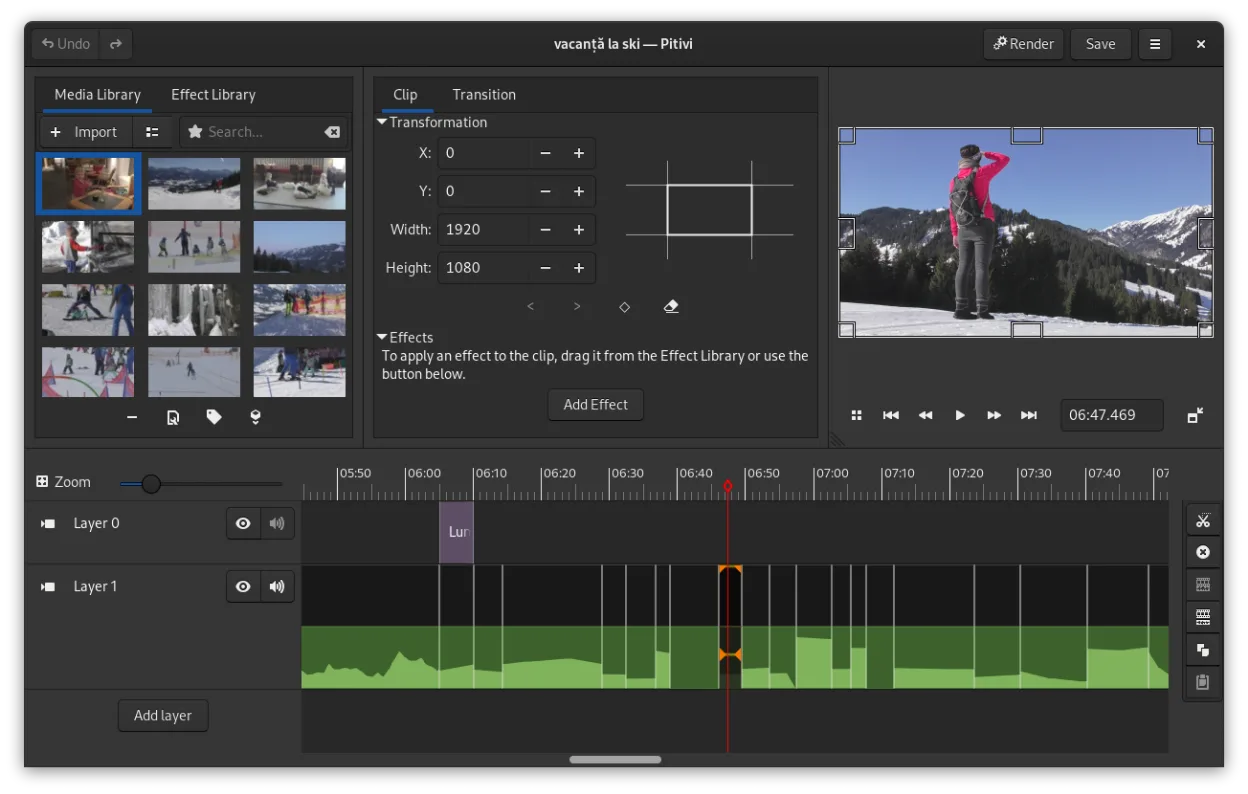
What works the same
- Non‑linear timeline editing with multiple tracks
- Keyframe animation for effects and filters
- Support for a wide range of formats via GStreamer
- Basic transitions and crossfades
- Export to common video codecs
What is different
- No dedicated colour‑grading panels or LUT support
- Limited handling of high‑bit‑depth 4K/8K footage
- No tight integration with other media suites (e.g., After Effects, Audition)
- Fewer advanced audio mixing tools and track effects
- Less extensive codec optimisation and hardware‑accelerated rendering
Opening your Adobe Premiere files
PiTiVi can import any format that GStreamer can decode, so standard video containers (MP4, MOV, AVI, MKV) are readable. However, Adobe Premiere project files (.prproj) are proprietary and not directly supported. You would need to export your Premiere timeline to an intermediate format (e.g., XML or EDL) and then import that into PiTiVi, though support for those exchanges is limited and may require third‑party conversion tools.
Switching from Adobe Premiere to PiTiVi, step by step
- Export your Premiere sequence as an XML or EDL file
- Convert the XML/EDL to a format PiTiVi can read (use free tools like ffmpeg or intermediate editing software)
- Gather all source media files and place them in a single folder
- Open PiTiVi and import the converted project file
- Re‑link any missing media and adjust timelines as needed
Key features of PiTiVi
- Non-linear editing with a framerate-independent timeline
- Supports any format handled by GStreamer
- Keyframe animation for effects and filters
- Ripple and roll editing for efficient timeline adjustments
- Custom aspect ratios, framerates, and render presets
- Crossfades and SMPTE-standard transitions
- Detachable UI panels for multi-monitor setups
- Non-modal editing workflow with playhead-centric design
How to install PiTiVi on Linux
flatpak install flathub org.pitivi.Pitivisudo apt install pitivisudo apt install pitivisudo dnf install pitivisudo pacman -S pitivisudo zypper install pitiviFrequently asked questions
Can PiTiVi handle 4K video editing?
It can open 4K clips, but performance may be slower and it lacks the specialised optimisation found in Premiere.
Is there any way to import Adobe Premiere project files directly?
No native support exists; you must export to an interchange format like XML/EDL and then import that into PiTiYou, accepting possible timeline differences.
Does PiTiVi offer advanced colour‑grading tools?
It provides basic colour adjustments, but it does not include professional grading features such as curves, LUTs, or scopes.
