
 geditLinux
vs
VimWindows
gedit como alternativa Linux ao Vim
Atualizado em
Nossa avaliação
gedit is not a functional replacement for Vim. It is a standard GUI editor focused on simplicity, lacking Vim's modal editing engine, efficient keyboard-driven workflow, and deep terminal integration. While gedit handles basic text manipulation and syntax highlighting, it cannot replicate the speed or configurability of Vim. It suits users who want a lightweight, mouse-friendly editor for occasional coding or notes, but anyone relying on Vim's modal commands or plugin ecosystem will find it inadequate. Do not switch if your workflow depends on modal editing or advanced keybindings.
- Licença
- GPL-2.0+
- Preço
- Grátis
- Versão mais recente
- 51.0 (15 de outubro de 2026)
- Avaliação
- 5/5 (1)
O que funciona igual
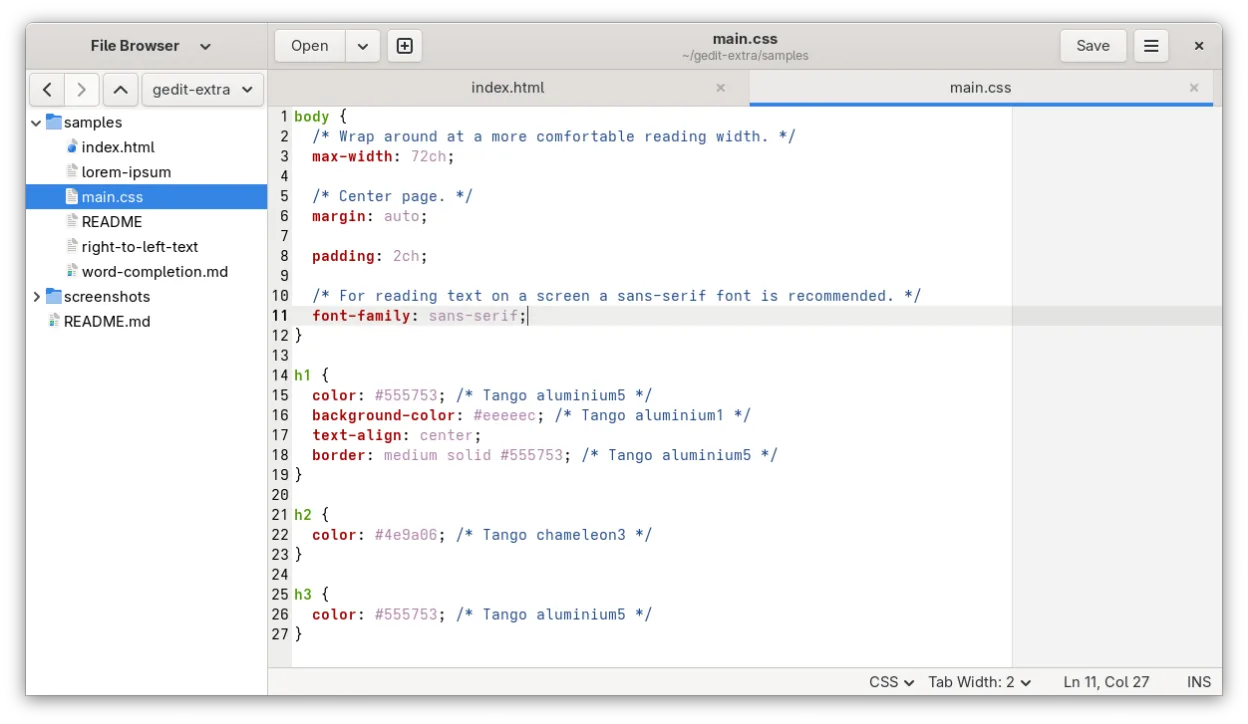
- Both support syntax highlighting for many programming languages.
- Both are free, open-source text editors available on Linux.
- Both support search and replace operations.
- Both allow basic configuration of font and tab settings.
O que muda
- gedit lacks modal editing; it is a standard insert-mode GUI editor.
- Vim has a massive plugin ecosystem and terminal interface; gedit is GUI-only with limited plugins.
- Vim offers highly efficient, keyboard-centric text manipulation; gedit relies more on mouse and standard shortcuts.
- Vim is highly configurable via Vimscript/Lua; gedit configuration is limited to GUI preferences and basic plugins.
Abrindo seus arquivos do Vim
gedit opens and saves plain text files (.txt, .md, .py, .c, etc.) without issue, which covers the vast majority of files edited in Vim. It does not read or write Vim-specific project files like .viminfo or .vimrc, but these are configuration files, not content. If you use Vim for binary or specialized formats, gedit will not handle them. For standard code and text, compatibility is complete.
Trocando o Vim pelo gedit, passo a passo
- Install gedit via your package manager or Flathub.
- Adjust font size and tab width in gedit preferences to match your Vim setup.
- Enable line numbers and auto-indent in gedit settings.
- Install syntax highlighting plugins if needed for specific languages.
- Accept that you will need to relearn editing using mouse and standard shortcuts, as modal commands are unavailable.
Principais recursos do gedit
- Realce de sintaxe para muitas linguagens de programação
- Sistema de plugins para estender funcionalidades
- Busca e substituição com suporte a regex
- Fonte configurável, largura de tabulação e quebra de linha
- Números de linha, correspondência de colchetes e auto-indentação
- Suporte a codificação UTF-8
- Edição de texto com arrastar e soltar
- Interface de múltiplos documentos com abas
Como instalar o gedit no Linux
flatpak install flathub org.gnome.geditsudo apt install geditsudo apt install geditsudo dnf install geditsudo pacman -S geditsudo zypper install geditPerguntas frequentes
Can I use Vim keybindings in gedit?
No. gedit does not have a native Vim emulation mode. You can use standard GNOME shortcuts, but you cannot replicate Vim's modal workflow.
Is gedit suitable for heavy software development?
It is suitable for light editing, notes, and quick fixes. For heavy development requiring complex refactoring, terminal integration, or advanced plugins, gedit is too limited compared to Vim or IDEs.
Does gedit support regex search?
Yes, gedit supports regular expressions in its search and replace dialog, similar to Vim's search capabilities.
Outras 4 alternativas ao Vim
 NeovimNeovim é um fork moderno do Vim que adiciona extensibilidade, suporte avançado a interface gráfica e…Código abertoGrátisFlatpakNeovim vs Vim
 HelixHelix is a fast, Rust-based terminal text editor with modal editing, multiple selections, and built-in LSP…Código abertoGrátisFlatpakHelix vs Vim
 GNU EmacsGNU Emacs é um editor de texto altamente extensível e um interpretador Lisp que funciona como um ambiente de…Código abertoGrátisFlatpakGNU Emacs vs Vim
 KateKate é um editor de texto rico em recursos, focado em programadores, da KDE, com suporte a mais de 300…Código abertoGrátisFlatpakKate vs Vim