
 MyPaintLinux
vs
Autodesk SketchBookWindows
MyPaintLinux
vs
Autodesk SketchBookWindows
MyPaint como alternativa Linux ao Autodesk SketchBook
Atualizado em
Nossa avaliação
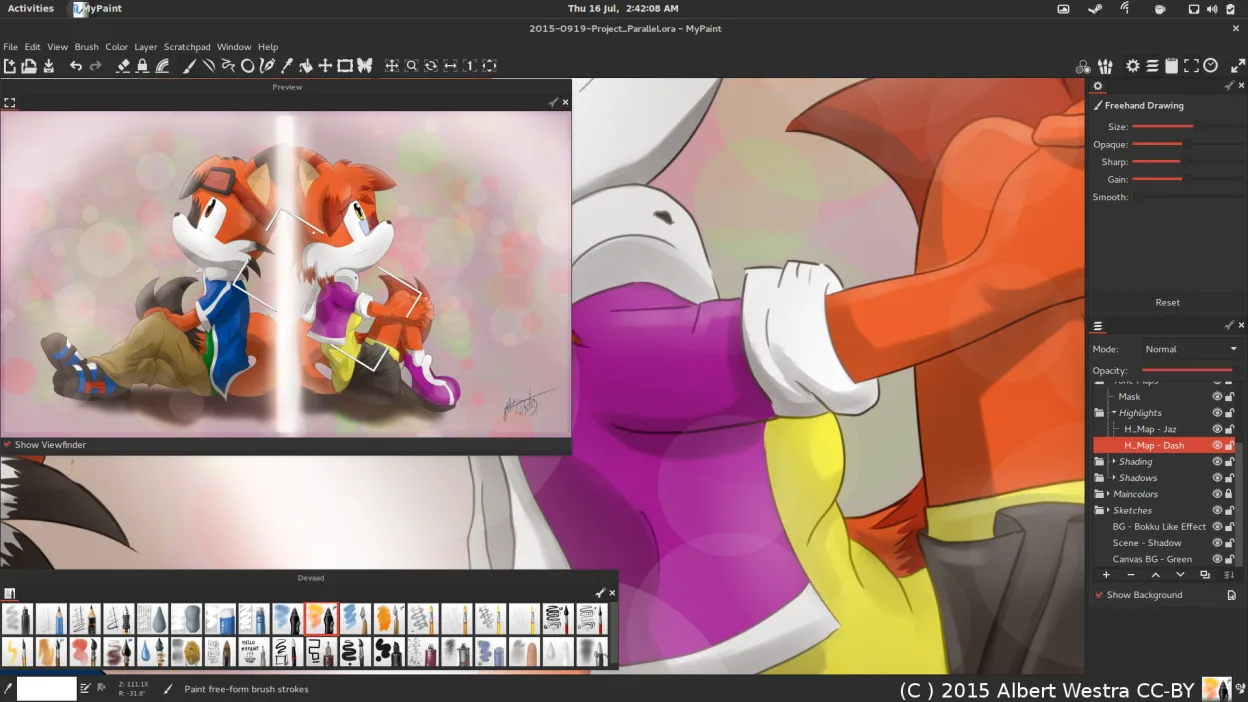
MyPaint is a strong replacement for Autodesk SketchBook if your workflow centers on expressive sketching and concept art. It offers a distraction-free interface and a powerful, tablet-optimized brush engine that rivals SketchBook’s tools. However, it is not a drop-in swap if you rely on basic animation features, which MyPaint lacks entirely. For pure 2D illustration and quick ideation, it is excellent. If you need keyframe animation or complex compositing, you will need to look elsewhere or combine MyPaint with a dedicated animation tool.
- Licença
- GPL-2.0+
- Preço
- Grátis
- Versão mais recente
- 2.0.1 (29 de maio de 2020)
- Avaliação
- —
O que funciona igual
- Raster-based drawing canvas with focus on expressive brush dynamics
- Lightweight, distraction-free interface designed for quick idea capture
- Support for pressure sensitivity and tilt on graphics tablets
- Layer support for basic compositing and blending
- Free and open-source alternative to paid desktop software
O que muda
- MyPaint lacks any animation capabilities, a core feature of SketchBook
- MyPaint’s layer system is more basic, lacking advanced compositing tools
- Autodesk SketchBook is now paid on desktop, while MyPaint is free
- MyPaint is heavily optimized for tablet use, potentially less intuitive for mouse-only users
Abrindo seus arquivos do Autodesk SketchBook
MyPaint does not natively open Autodesk SketchBook’s proprietary .SKB files. You will need to export your SketchBook work as PNG, JPEG, or PSD (if SketchBook supports it) and then import those into MyPaint. MyPaint exports to PNG, JPEG, and OpenRaster. There is no direct file format compatibility, so a conversion step is required.
Trocando o Autodesk SketchBook pelo MyPaint, passo a passo
- Export all existing SketchBook projects as PNG or JPEG files
- Install MyPaint via your package manager or Flathub
- Import your exported images into MyPaint to continue working
- Configure your graphics tablet settings in MyPaint preferences for pressure and tilt
- Browse the pre-installed brush packs to find styles that match your SketchBook workflow
Principais recursos do MyPaint
- Mecanismo de pincel com centenas de parâmetros configuráveis
- Suporta sensibilidade à pressão e inclinação em tablets gráficos
- Interface simples e livre de distrações, focada apenas na tela
- Suporte a camadas com modos básicos de mesclagem
- Exportação para PNG, JPEG, OpenRaster e outros formatos comuns
- Extensível por meio de plugins em Python
- Pacotes de pincéis pré-instalados de artistas profissionais
- Histórico de desfazer/refazer com número ilimitado de passos
Como instalar o MyPaint no Linux
flatpak install flathub org.mypaint.MyPaintsudo apt install mypaintsudo apt install mypaintsudo dnf install mypaintsudo pacman -S mypaintsudo zypper install mypaintPerguntas frequentes
Can I animate in MyPaint like in SketchBook?
No. MyPaint is a static raster painting program. It does not support keyframe animation, onion skinning, or timeline features. You would need a separate application for animation.
Does MyPaint work well with a mouse?
It works, but it is designed primarily for graphics tablets. The brush dynamics and pressure sensitivity features are less effective without a tablet, though basic drawing is possible.
Is MyPaint actively maintained?
The status is listed as active, but the latest release mentioned is from 2020. Check the official repository or Flathub for the most current build status before relying on it for critical work.
Outras 5 alternativas ao Autodesk SketchBook
 KritaKrita é um programa de pintura digital e ilustração de código aberto com recursos completos.Código abertoGrátisFlatpakKrita vs Autodesk SketchBook
 GIMPGIMP é um editor de gráficos raster gratuito e de código aberto para edição de fotos, pintura digital e…Código abertoGrátisFlatpakGIMP vs Autodesk SketchBook
 PintaPinta é um editor de bitmap gratuito e de código aberto que imita o Paint.NET com uma interface simples e…Código abertoGrátisFlatpakPinta vs Autodesk SketchBook
 Xournal++Um aplicativo de anotações de código aberto e multiplataforma para escrita à mão, anotação de PDFs e quadros…Código abertoGrátisFlatpakXournal++ vs Autodesk SketchBook
 KolourPaintO KolourPaint é um editor de gráficos raster leve do KDE, ideal para desenhos rápidos e ajustes simples em…Código abertoGrátisFlatpakKolourPaint vs Autodesk SketchBook