
 MyPaintLinux
vs
SketchBookWindows
MyPaint como alternativa Linux ao SketchBook
Atualizado em
Nossa avaliação
MyPaint is a solid replacement for SketchBook if you prioritize brush fidelity and tablet performance over polished UI. It matches SketchBook's core strength: pressure-sensitive raster drawing with a minimal interface. However, it is not a drop-in swap. MyPaint lacks the tight, modern workflow and specific toolset some SketchBook users rely on. It is ideal for concept artists and illustrators who value open-source flexibility and unlimited undo. Avoid it if you need advanced vector tools or a highly structured layer system with complex masking, as MyPaint keeps layers simple by design.
- Licença
- GPL-2.0+
- Preço
- Grátis
- Versão mais recente
- 2.0.1 (29 de maio de 2020)
- Avaliação
- —
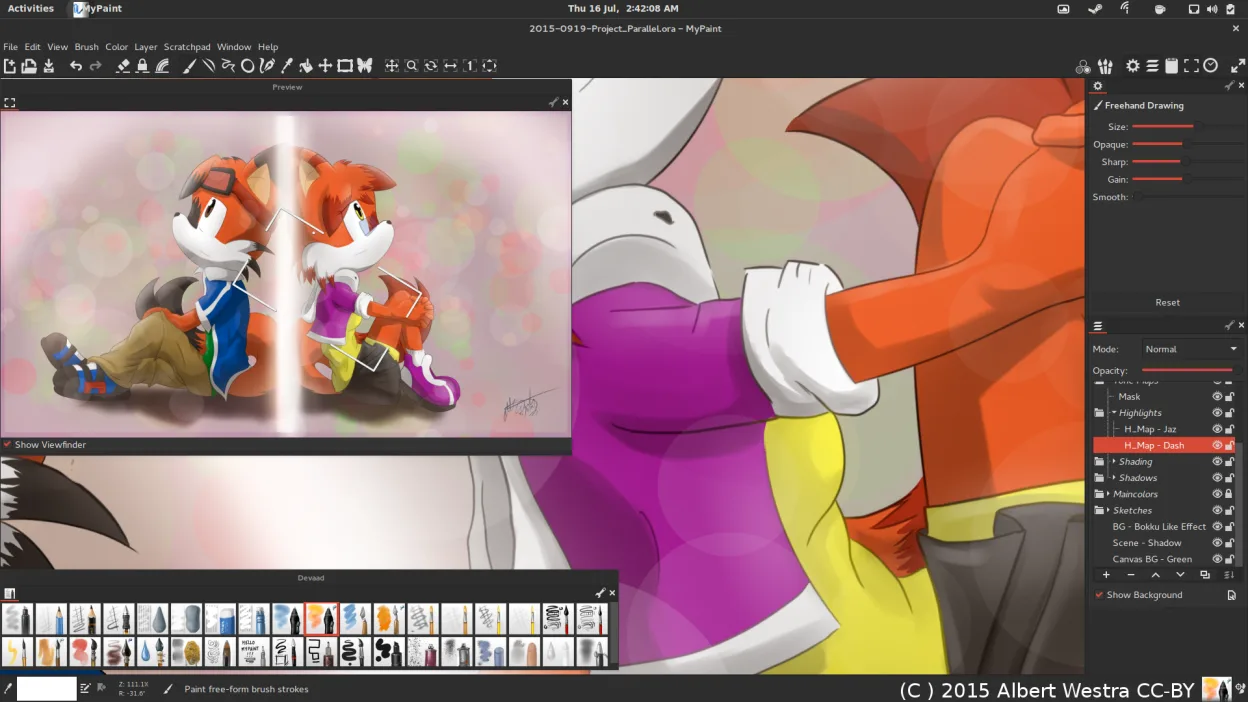
O que funciona igual
- Pressure-sensitive raster drawing engine
- Minimal, canvas-focused interface
- Support for graphics tablets and tilt
- Export to standard formats like PNG and JPEG
- Free to use on Linux
O que muda
- MyPaint has simpler layer management without advanced masking
- SketchBook offers a more polished, modern UI with integrated tutorials
- MyPaint is open-source (GPL-2.0+) while SketchBook is proprietary
- MyPaint relies on Python plugins for extension, unlike SketchBook's closed ecosystem
Abrindo seus arquivos do SketchBook
MyPaint does not natively open SketchBook's proprietary .skb files. You will need to export your SketchBook work as PNG or JPEG before importing it into MyPaint. MyPaint supports OpenRaster (.ora) for native saving, which preserves layers, but this format is not used by SketchBook. Always keep a backup of your original files before migrating.
Trocando o SketchBook pelo MyPaint, passo a passo
- Install MyPaint via your package manager or Flathub
- Export all existing SketchBook projects as high-resolution PNGs
- Import the PNGs into MyPaint as new canvases
- Configure your tablet drivers to ensure pressure sensitivity works
- Test the default brush pack to match your SketchBook workflow
- Save new projects in OpenRaster format to preserve layers
Principais recursos do MyPaint
- Mecanismo de pincel com centenas de parâmetros configuráveis
- Suporta sensibilidade à pressão e inclinação em tablets gráficos
- Interface simples e livre de distrações, focada apenas na tela
- Suporte a camadas com modos básicos de mesclagem
- Exportação para PNG, JPEG, OpenRaster e outros formatos comuns
- Extensível por meio de plugins em Python
- Pacotes de pincéis pré-instalados de artistas profissionais
- Histórico de desfazer/refazer com número ilimitado de passos
Como instalar o MyPaint no Linux
flatpak install flathub org.mypaint.MyPaintsudo apt install mypaintsudo apt install mypaintsudo dnf install mypaintsudo pacman -S mypaintsudo zypper install mypaintPerguntas frequentes
Does MyPaint support tilt sensitivity?
Yes, MyPaint supports both pressure and tilt sensitivity on compatible graphics tablets, allowing for more natural brush strokes.
Can I use custom brushes in MyPaint?
Yes, you can import custom brushes or configure existing ones using the extensive brush engine. You can also write Python plugins to create new brush behaviors.
Is MyPaint suitable for beginners?
It is very approachable due to its simple interface and pre-made professional brushes. However, the lack of a traditional menu bar might require a short learning curve for users coming from complex suites like Photoshop.
Outras 4 alternativas ao SketchBook
 KritaKrita é um programa de pintura digital e ilustração de código aberto com recursos completos.Código abertoGrátisFlatpakKrita vs SketchBook
 GIMPGIMP é um editor de gráficos raster gratuito e de código aberto para edição de fotos, pintura digital e…Código abertoGrátisFlatpakGIMP vs SketchBook
 PintaPinta é um editor de bitmap gratuito e de código aberto que imita o Paint.NET com uma interface simples e…Código abertoGrátisFlatpakPinta vs SketchBook
 Xournal++Um aplicativo de anotações de código aberto e multiplataforma para escrita à mão, anotação de PDFs e quadros…Código abertoGrátisFlatpakXournal++ vs SketchBook