
 PiTiViLinux
vs
Microsoft ClipchampWindows
PiTiVi como alternativa Linux ao Microsoft Clipchamp
Atualizado em
Nossa avaliação
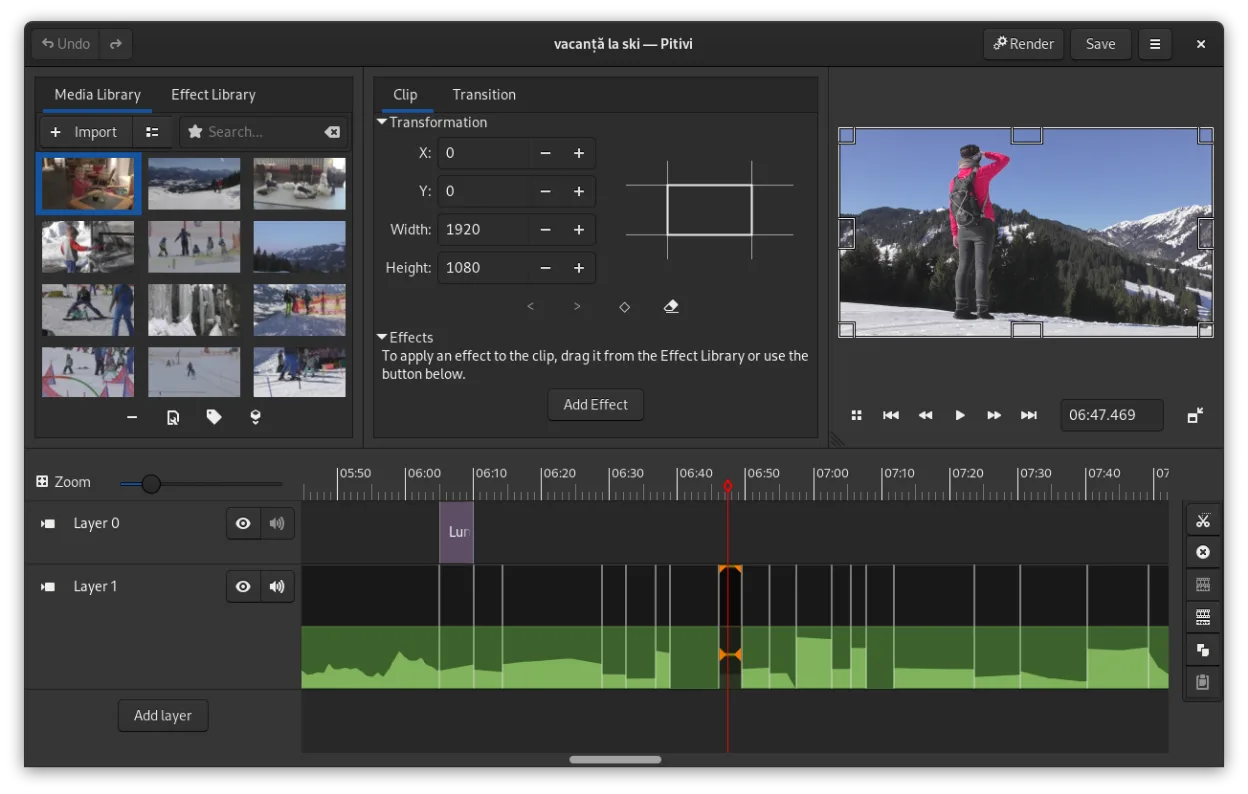
PiTiVi is a solid replacement for Microsoft Clipchamp if you're on Linux and want offline, no-watermark video editing without relying on a browser. It handles basic tasks like trimming, splitting, adding transitions, and text overlays cleanly. The interface is intuitive for beginners but also scales to more advanced use thanks to keyframing and timeline precision. However, it lacks built-in cloud export and has fewer preset effects than Clipchamp. If you value privacy, open-source software, and don't need web integration, PiTiVi works well for simple to mid-level projects.
- Licença
- LGPL-2.0+
- Preço
- Grátis
- Versão mais recente
- 2023.03 (26 de março de 2023)
- Avaliação
- —
O que funciona igual
- Simple drag-and-drop timeline editing with visual clarity
- Supports basic transitions including crossfades
- Text overlay and audio track editing available
- Exports to common formats like MP4 and MOV
- Free to use with no forced watermarking
O que muda
- PiTiVi is desktop-only and lacks Clipchamp's cloud-based workflow
- No built-in stock media library or online templates
- Fewer automated features like voice-over recording or auto-reframe
- Interface is GNOME-integrated but less flashy than Clipchamp's web UI
- No direct cloud export or rendering option
Abrindo seus arquivos do Microsoft Clipchamp
PiTiVi supports any format GStreamer can handle, which includes MP4, MOV, AVI, and more—common formats used in Clipchamp. You can import and edit Clipchamp-exported videos without issue. However, project files aren't interchangeable since Clipchamp saves online and PiTiVi uses its own project format. If you have raw media from Clipchamp, PiTiVi will work with it. Project continuity isn't possible, but media is compatible.
Trocando o Microsoft Clipchamp pelo PiTiVi, passo a passo
- Install PiTiVi via Flathub or your distro's package manager
- Copy your video clips, audio, and images to a local folder
- Open PiTiVi and create a new project
- Drag media into the timeline and edit as needed
- Export using built-in presets for MP4 or custom settings
Principais recursos do PiTiVi
- Edição não linear com linha do tempo independente da taxa de quadros
- Suporta qualquer formato processado pelo GStreamer
- Animação de keyframes para efeitos e filtros
- Edição ripple e roll para ajustes eficientes na linha do tempo
- Proporções de tela, taxas de quadros e presets de renderização personalizados
- Crossfades e transições padrão SMPTE
- Painéis de interface destacáveis para configurações com múltiplos monitores
- Fluxo de trabalho de edição não modal com design centrado no playhead
Como instalar o PiTiVi no Linux
flatpak install flathub org.pitivi.Pitivisudo apt install pitivisudo apt install pitivisudo dnf install pitivisudo pacman -S pitivisudo zypper install pitiviPerguntas frequentes
Can I use PiTiVi without an internet connection?
Yes, PiTiVi runs entirely offline once installed. No internet is needed for editing or rendering.
Does PiTiVi add a watermark to exports?
No. PiTiVi is free and open-source, and does not add watermarks to any exported video.
Is PiTiVi harder to learn than Clipchamp?
It has a steeper initial curve for absolute beginners, but the layout is logical and efficient once you know basic timeline editing.
Outras 4 alternativas ao Microsoft Clipchamp
 KdenliveO Kdenlive é um editor de vídeo não linear gratuito e repleto de recursos, construído sobre o framework MLT.Código abertoGrátisFlatpakKdenlive vs Microsoft Clipchamp
 OliveOlive é um editor de vídeo não linear gratuito e de código aberto para Linux.Código abertoGrátisFlatpakOlive vs Microsoft Clipchamp
 ShotcutShotcut é um editor de vídeo gratuito e de código aberto para Linux, com suporte a uma ampla variedade de…Código abertoGrátisFlatpakShotcut vs Microsoft Clipchamp
 OpenShotOpenShot é um editor de vídeo não linear gratuito, de código aberto, para Linux e outras plataformas…Código abertoGrátisFlatpakOpenShot vs Microsoft Clipchamp