
 RClone ManagerLinux
vs
Google DriveWindows
RClone ManagerLinux
vs
Google DriveWindows
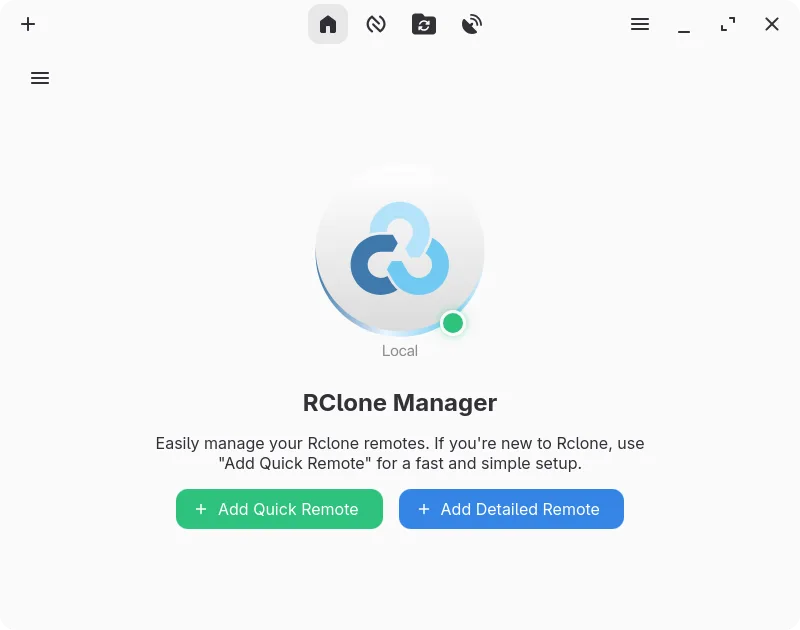
RClone Manager as a Linux alternative to Google Drive
Updated
Our verdict
RClone Manager can replace Google Drive for users who need a local, open‑source tool to manage Google Drive and other cloud providers. It offers two‑way sync, offline access, sharing, and file browsing, but it lacks the native document collaboration and real‑time editing that Google Drive provides. It is ideal for power users who prefer a Linux‑native interface and want to automate transfers, but not for casual users who rely on built‑in Google Docs or Sheets.
- License
- GPL-3.0-or-later
- Price
- Free
- Latest version
- 0.3.3 (September 23, 2026)
- Rating
- —
What works the same
- Two‑way sync between local and cloud
- Offline access via mounted local drive
- File sharing and permission control
- Web‑based access through HTTP/WebDAV
- Cross‑platform compatibility via rclone
What is different
- No real‑time document collaboration or built‑in editors
- No native integration with Google Docs/Sheets/Slides
- No automatic version history in the web UI
- No native mobile app for on‑the‑go access
- Requires rclone binary and configuration
- Learning curve for automation and node‑based workflow
Opening your Google Drive files
RClone Manager can download files from Google Drive and open them locally with the default Linux applications. It does not convert or export Google Docs, Sheets, or Slides to native formats automatically; you must export those files manually via the Google Drive web interface or use Google Drive’s export options before syncing.
Switching from Google Drive to RClone Manager, step by step
- Install rclone and RClone Manager from Flathub or your distro’s package manager.
- Create a Google Drive remote in RClone Manager and authenticate via OAuth.
- Use the built‑in file manager to copy existing files to the mounted drive or set up a sync workflow.
- Configure automatic two‑way sync or scheduled backups using the visual workflow builder.
- Set up the HTTP or WebDAV server if you need web‑based access from other devices.
- Verify sharing permissions by testing file access from another device or account.
Key features of RClone Manager
- Visual workflow builder for multi-step automations
- Built-in file manager for browsing and editing remote files
- Mount cloud storage as a local drive with VFS cache
- Rich media preview for images, videos, PDFs, and code
- Schedule operations via cron or file system watchers
- System tray integration and power management controls
- Encrypted configuration storage with backup support
- Serves remote storage over HTTP or WebDAV
How to install RClone Manager on Linux
flatpak install flathub io.github.zarestia_dev.rclone-managersudo apt install rclonesudo apt install rclonesudo dnf install rclonesudo pacman -S rclonesudo zypper install rcloneFrequently asked questions
Does RClone Manager support real‑time collaboration like Google Docs?
No. It syncs files but does not provide real‑time document editing or collaboration features.
Can I use RClone Manager on my phone?
Not directly. It runs on Linux desktops; you can access the mounted drive via WebDAV or HTTP from a phone, but there is no native mobile app.
Is there a cost to use RClone Manager?
It is free and open source under GPL‑3.0‑or‑later; you only pay for the underlying cloud storage if you exceed free quotas.
3 other alternatives to Google Drive
 Nextcloud Desktop ClientSyncs local folders with a Nextcloud server to keep files consistent across devices.Open sourceFreeFlatpakNextcloud Desktop Client vs Google Drive
 Seafile ClientSeafile is a cross‑platform desktop client that syncs files to a self‑hosted or cloud server, similar to…Open sourceFreeFlatpakSeafile Client vs Google Drive
 SyncThingySyncThingy is a lightweight tray icon that controls Syncthing, letting you view status, stop, and manage the…Open sourceFreeFlatpakSyncThingy vs Google Drive