
 SolaarLinux
vs
Logi Options+Windows
Solaar as a Linux alternative to Logi Options+
Updated
Our verdict
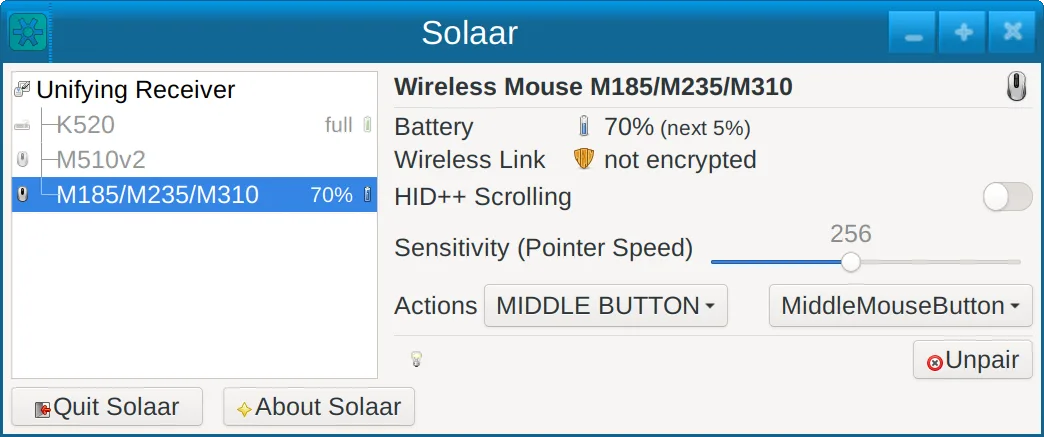
Solaar is a solid replacement for basic Logi Options+ tasks on Linux, specifically for managing Logitech hardware. It handles pairing, battery monitoring, and simple settings like smooth scrolling and function key behavior. However, it is not a full feature match. If you rely on advanced per-application button remapping, complex macro creation, or granular DPI profiles, Solaar will feel limited. It is best suited for users who primarily need device management and basic customization without the heavy overhead of the Windows client.
- License
- GPL-2.0-only
- Price
- Free
- Latest version
- 1.1.20 (June 28, 2026)
- Rating
- —
What works the same
- Manages Logitech keyboards, mice, and trackpads
- Supports USB, Lightspeed, Nano, and Bluetooth connections
- Displays battery status for connected devices
- Allows pairing and unpairing devices
- Provides a system tray icon for quick access
What is different
- Lacks advanced per-application button remapping capabilities
- Does not support complex macro recording or execution
- Limited DPI profile management compared to Logi Options+
- No support for non-Logitech peripherals
- Fewer customizable device-specific features available
Opening your Logi Options+ files
Solaar does not import or export configuration files from Logi Options+. The two applications use different internal structures for storing device settings. You will need to manually reconfigure your preferred settings, such as DPI levels and button assignments, within Solaar. There is no direct migration path for existing Logi Options+ profiles.
Switching from Logi Options+ to Solaar, step by step
- Install Solaar via your package manager or Flathub
- Connect your Logitech devices via receiver or Bluetooth
- Launch Solaar to detect and list connected devices
- Configure basic settings like smooth scrolling and function keys
- Test button remapping if supported by your specific device
- Verify battery status and pairing in the system tray
Key features of Solaar
- GUI and CLI support
- Battery status display
- Device pairing/unpairing
- Adjustable smooth scrolling
- Function‑key behavior control
- System‑tray icon
- Works with USB, Lightspeed, Nano, Bluetooth
How to install Solaar on Linux
flatpak install flathub io.github.pwr_solaar.solaarsudo apt install solaarsudo apt install solaarsudo dnf install solaarsudo pacman -S solaarsudo zypper install solaarFrequently asked questions
Can I remap mouse buttons in Solaar?
Solaar has limited remapping capabilities. For extensive button remapping, you may need to use additional tools like xbindkeys or keyd, as Solaar focuses more on device management than deep input customization.
Does Solaar work with all Logitech devices?
Solaar supports many Logitech devices, but not all. Compatibility depends on the specific model and whether it uses a supported connection method like Unifying, Lightspeed, or Bluetooth. Check the Solaar documentation for a list of supported devices.
Is Solaar intrusive in the background?
Solaar is designed to be lightweight. It runs in the system tray and only consumes resources when you interact with it or when it polls device status. It is generally less intrusive than the Windows Logi Options+ client.