 Super ProductivityLinux
vs
TickTickWindows
Super Productivity as a Linux alternative to TickTick
Updated
Our verdict
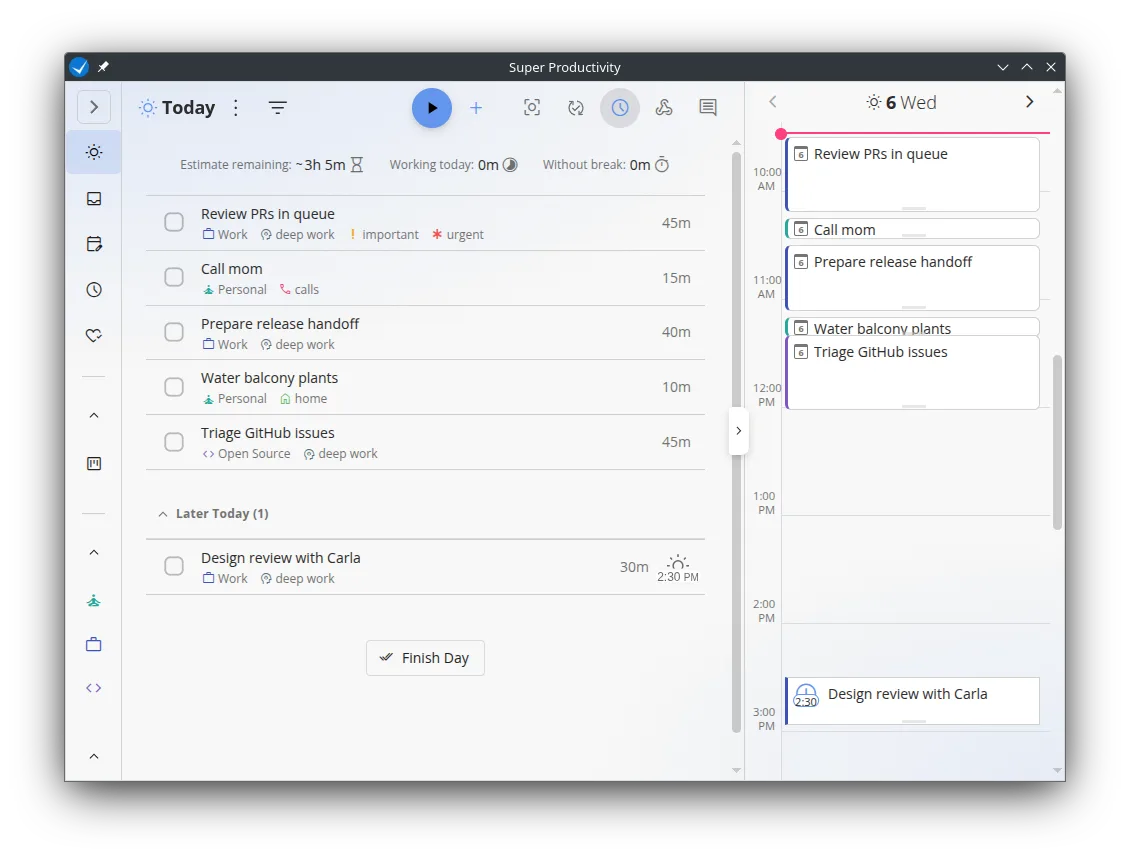
Super Productivity is a strong, privacy-focused alternative for users who value local control over cloud convenience. It handles task management, time blocking, and calendar integration well, but it lacks native habit tracking, which is a core TickTick feature. You will need to manage habits separately or rely on external tools. The app is fully offline, requiring no account, and offers robust automation. It is ideal for developers and power users who prefer open-source software and do not mind setting up manual sync solutions like Nextcloud or WebDAV for cross-device use.
- License
- MIT
- Price
- Free
- Latest version
- v20.1.0 (November 21, 2026)
- Rating
- —
What works the same
- Task creation and list management with drag-and-drop support
- Calendar view with time blocking and deadline sorting
- Cross-device synchronization via WebDAV, Nextcloud, or Dropbox
- Fully offline operation with no mandatory account or telemetry
- Reminders and notifications for scheduled tasks
What is different
- No built-in habit tracking or streak monitoring features
- Sync is manual and requires configuring a server or cloud storage, unlike TickTick's automatic cloud sync
- Heavier focus on developer tools like Jira and GitHub integrations
- Includes Pomodoro and time-tracking modes that TickTick lacks natively
- No mobile app available; desktop-only experience
Opening your TickTick files
Super Productivity does not natively import TickTick task files or databases. There is no direct file conversion tool. You will likely need to export tasks from TickTick as CSV or JSON and manually import them if Super Productivity supports that format, or re-enter critical tasks. Calendar events can be synced via Google Calendar if you use TickTick with a Google account.
Switching from TickTick to Super Productivity, step by step
- Export your TickTick tasks as a CSV or JSON file from the TickTick web interface.
- Install Super Productivity via Flathub or your package manager.
- Configure your sync method (e.g., Nextcloud or WebDAV) to enable cross-device access.
- Import your exported task file into Super Productivity if supported, or manually create key lists.
- Set up Google Calendar integration to sync existing time-blocked events.
- Define any necessary automation rules for auto-tagging or moving tasks.
Key features of Super Productivity
- Drag-and-drop daily planner, weekly schedule, and Kanban boards
- Built-in Pomodoro, timeboxing, and Flowtime modes with one-click tracking
- Integrations with Jira, GitHub, GitLab, Gitea, Redmine, and Google Calendar
- Rule-based automations to auto-tag, move, or start tracking tasks
- Optional sync via Nextcloud, WebDAV, Dropbox, or Super Sync
- Plugin system supporting Obsidian and other community tools
- Procrastination helper with CBT techniques and end-of-day reviews
- Fully offline operation with no account or telemetry required
How to install Super Productivity on Linux
flatpak install flathub com.super_productivity.SuperProductivitysudo pacman -S super-productivityFrequently asked questions
Can I track habits in Super Productivity?
No, Super Productivity does not have built-in habit tracking. You will need to use a separate app for habits or manually create recurring tasks, though this lacks streak monitoring.
Does it work on mobile devices?
No, Super Productivity is a desktop application. It is not available for Android or iOS, so you cannot sync directly to a phone unless you use a remote desktop solution or a separate mobile app for tasks.
Is an account required to use it?
No account is required. The app works fully offline by default. Syncing is optional and uses protocols like WebDAV or Nextcloud, which you configure yourself.