
 System Monitoring CenterLinux
vs
Process LassoWindows
System Monitoring CenterLinux
vs
Process LassoWindows
System Monitoring Center as a Linux alternative to Process Lasso
Updated
Our verdict
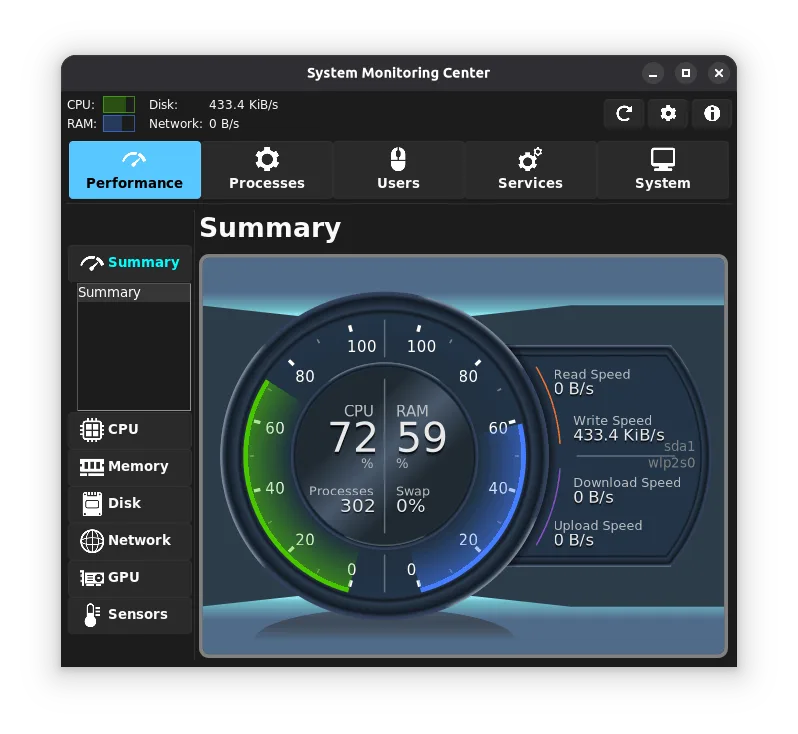
System Monitoring Center can replace Process Lasso for users who need real‑time monitoring and basic process control on Linux. It shows CPU, RAM, disk, network and GPU usage, lets you adjust priorities and affinity, and has a low‑overhead GUI. It is best suited for desktop users who want a single, native tool rather than a full‑blown process‑management suite. Advanced features like aggressive CPU throttling or deep automation hooks are limited compared to Process Lasso.
- License
- GPL-3.0
- Price
- Free
- Latest version
- 3.4.1 (May 25, 2026)
- Rating
- —
What works the same
- Both provide real‑time CPU and memory monitoring per process
- Both allow manual priority and CPU affinity adjustments
- Both offer a user‑friendly graphical interface
- Both aim to keep the system responsive by limiting resource usage
What is different
- System Monitoring Center does not support automatic priority or CPU throttling policies; it relies on manual changes
- It lacks Process Lasso’s advanced automation scripting and rule engine
- Process Lasso can limit memory usage per process; System Monitoring Center does not have a memory‑limit feature
- Process Lasso offers a Windows‑specific integration with Windows services; System Monitoring Center manages systemd services only
- Process Lasso has a broader set of performance‑optimization options for Windows workloads
Opening your Process Lasso files
Process Lasso uses proprietary .plx configuration files that cannot be read or exported by System Monitoring Center. There is no direct way to import Process Lasso settings into System Monitoring Center; users must reconfigure manually.
Switching from Process Lasso to System Monitoring Center, step by step
- 1. Install System Monitoring Center from your distro’s package manager or Flathub.
- 2. Open the application and enable the CPU, RAM, disk, network, and GPU tabs to view real‑time metrics.
- 3. In the process list, right‑click a process to set its priority (nice value) or CPU affinity manually.
- 4. Use the systemd service control panel to stop or start services that were managed by Process Lasso.
- 5. If you used Process Lasso’s automation scripts, rewrite them using shell scripts that call
reniceortasksetandsystemctlas needed. - 6. Verify that the system remains responsive after applying the new settings.
Key features of System Monitoring Center
- CPU, RAM, disk, network, GPU monitoring
- Process tree and list view
- Systemd service control
- PolicyKit integration (no sudo)
- Interactive charts with point‑query
- Hardware selection (cores, disks, NICs, GPUs)
- Low CPU overhead
- ARM support
How to install System Monitoring Center on Linux
flatpak install flathub io.github.hakandundar34coding.system-monitoring-centerFrequently asked questions
Does System Monitoring Center support automatic CPU throttling like Process Lasso?
No, it only offers manual priority and affinity changes. Automatic throttling rules are not implemented.
Can I use System Monitoring Center on ARM devices?
Yes, it supports ARM architectures and will display CPU, RAM, disk, network, and GPU data where available.
Is the Flatpak version suitable for system‑wide monitoring?
The Flatpak version runs with host permissions to access performance data, but it may have slightly higher startup time and memory usage compared to the native package.