
 ThunderbirdLinux
vs
Windows Live MailWindows
ThunderbirdLinux
vs
Windows Live MailWindows
Thunderbird as a Linux alternative to Windows Live Mail
Updated
Our verdict
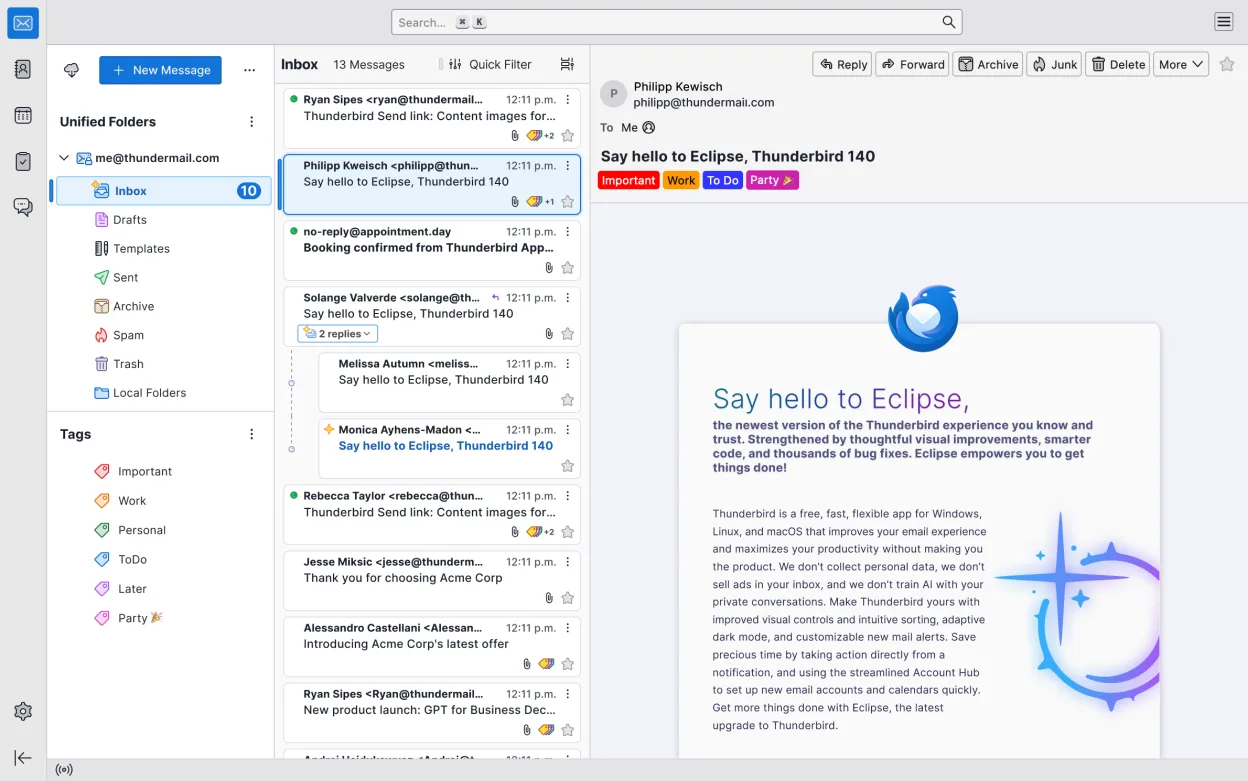
Thunderbird is a solid replacement for Windows Live Mail for users who need a free, open‑source client that handles email, calendar, contacts, RSS feeds and news reading. It covers most everyday tasks and offers a keyboard‑driven workflow that many power users appreciate. Those who rely on the tight Windows integration of Live Mail or on its legacy data format may need extra steps, but overall Thunderbird meets the core needs of typical users.
- License
- MPL-2.0
- Price
- Free
- Latest version
- 158.0.1 (October 20, 2026)
- Rating
- —
What works the same
- Supports IMAP/POP3 for email access
- Includes a built‑in calendar with scheduling and reminders
- Provides an address book for contact management
- Offers RSS/Atom feed reading
- Allows multiple email accounts in one interface
What is different
- No native import of Windows Live Mail .pst/.ost files – requires third‑party tools
- Exchange support is via extensions, not built‑in
- No built‑in newsreader for Usenet (requires add‑on)
- Chat/IRC integration is optional and may feel less polished
- No automatic migration of Windows Live Mail settings
- Requires manual configuration of some protocols
Opening your Windows Live Mail files
Thunderbird does not directly open Windows Live Mail data files (.pst or .ost). Users must export their mail from Windows Live Mail to a standard format such as MBOX or use a third‑party converter before importing into Thunderbird. The import process is not automated within Thunderbird.
Switching from Windows Live Mail to Thunderbird, step by step
- Export all mail from Windows Live Mail to MBOX or EML format via the export feature or a converter tool.
- Install Thunderbird from your distribution’s package manager or Flathub.
- Open Thunderbird, go to File → Import, and choose the exported MBOX files to import messages.
- Set up your email accounts in Thunderbird using the same server settings (IMAP/POP3) you used in Windows Live Mail.
- Import your contacts by selecting File → Import → Address Book and choosing the appropriate format.
- Verify that calendar events and RSS feeds have been recreated; reconfigure any missing feeds manually.
Key features of Thunderbird
- Supports IMAP, POP3, SMTP, and Exchange via extensions
- Built‑in calendar with scheduling and reminders
- Chat and IRC client integrated
- RSS/Atom feed reader
- Advanced message filtering and tagging
- Full encryption with OpenPGP
- Extensible via add‑ons
- Keyboard‑heavy workflow
How to install Thunderbird on Linux
flatpak install flathub org.mozilla.thunderbirdsudo apt install thunderbirdsudo apt install thunderbirdsudo dnf install thunderbirdsudo pacman -S thunderbird-i18n-frsudo zypper install MozillaThunderbirdFrequently asked questions
Can I migrate my Windows Live Mail settings automatically?
No, Thunderbird does not support automatic migration of Windows Live Mail settings. You must manually reconfigure account settings, filters, and other preferences.
Is there a way to keep my old Windows Live Mail data in Thunderbird?
You can import your old mail by exporting it from Windows Live Mail to MBOX or EML files and then importing those into Thunderbird. Contacts and calendar items need to be exported separately and imported into Thunderbird’s address book and calendar.
Does Thunderbird support Exchange servers?
Yes, but it requires the “Exchange Support” add‑on. Without the add‑on, Thunderbird will not connect to Exchange servers directly.
5 other alternatives to Windows Live Mail
 EvolutionEvolution is a full‑featured personal information manager that combines email, calendar, contacts and tasks…Open sourceFreeFlatpakEvolution vs Windows Live Mail
 MailspringA fast, feature-rich desktop email client for Linux with a C++ sync engine and unified inbox.Open sourceFreeFlatpakMailspring vs Windows Live Mail
 Claws MailClaws Mail is a lightweight, fast GTK‑based email client for Linux.Open sourceFreeFlatpakClaws Mail vs Windows Live Mail
 KMailKMail is KDE's full-featured email client, part of the Kontact suite, supporting IMAP, POP3, and local…Open sourceFreeKMail vs Windows Live Mail
 GearyGeary is a GNOME‑based email client for Linux that lets you send, receive, and organize mail in conversation…Open sourceFreeFlatpakGeary vs Windows Live Mail