
 TigerVNC ViewerLinux
vs
RustDeskWindows
TigerVNC ViewerLinux
vs
RustDeskWindows
TigerVNC Viewer as a Linux alternative to RustDesk
Updated
Our verdict
TigerVNC Viewer is a solid, lightweight VNC client, but it is not a direct replacement for RustDesk. RustDesk is an all-in-one remote desktop solution with built-in NAT traversal, file transfer, and chat, whereas TigerVNC is a pure VNC client that requires a separate VNC server on the remote machine and relies on standard VNC connectivity. If you already have VNC servers set up and need a fast, open-source viewer on Linux, TigerVNC is excellent. However, if you need RustDesk’s zero-config internet connectivity, integrated file transfer, or multi-protocol support, TigerVNC will feel like a step backward. It is best for users who prefer VNC and manage their own server infrastructure.
- License
- GPL-2.0-or-later
- Price
- Free
- Latest version
- 1.14.0 (July 24, 2024)
- Rating
- —
What works the same
- Both are open-source remote desktop clients.
- Both support Linux, Windows, and macOS.
- Both allow controlling a remote graphical desktop.
- Both support clipboard sharing between local and remote systems.
What is different
- TigerVNC only speaks VNC; RustDesk supports its own protocol, RDP, and VNC.
- RustDesk includes built-in file transfer and chat; TigerVNC has no file transfer feature.
- RustDesk handles NAT traversal and firewall punching automatically; TigerVNC requires manual port forwarding or a relay server.
- RustDesk is a full client-server suite; TigerVNC is just the viewer, requiring a separate VNC server installation.
- RustDesk offers end-to-end encryption by default in its protocol; TigerVNC requires explicit TLS configuration for encryption.
Opening your RustDesk files
TigerVNC Viewer does not open, edit, or export RustDesk-specific files. RustDesk does not use a proprietary file format for its configuration or logs that TigerVNC would need to read. If you have saved connection details in RustDesk, you will need to manually extract the IP address, port, and password to enter them into TigerVNC. There is no direct file conversion path between the two.
Switching from RustDesk to TigerVNC Viewer, step by step
- Install a VNC server (like TigerVNC Server or x11vnc) on the remote machine you want to control.
- Ensure the VNC server port (default 5900) is accessible from your local machine, either via direct IP or through port forwarding.
- Install TigerVNC Viewer on your local Linux machine.
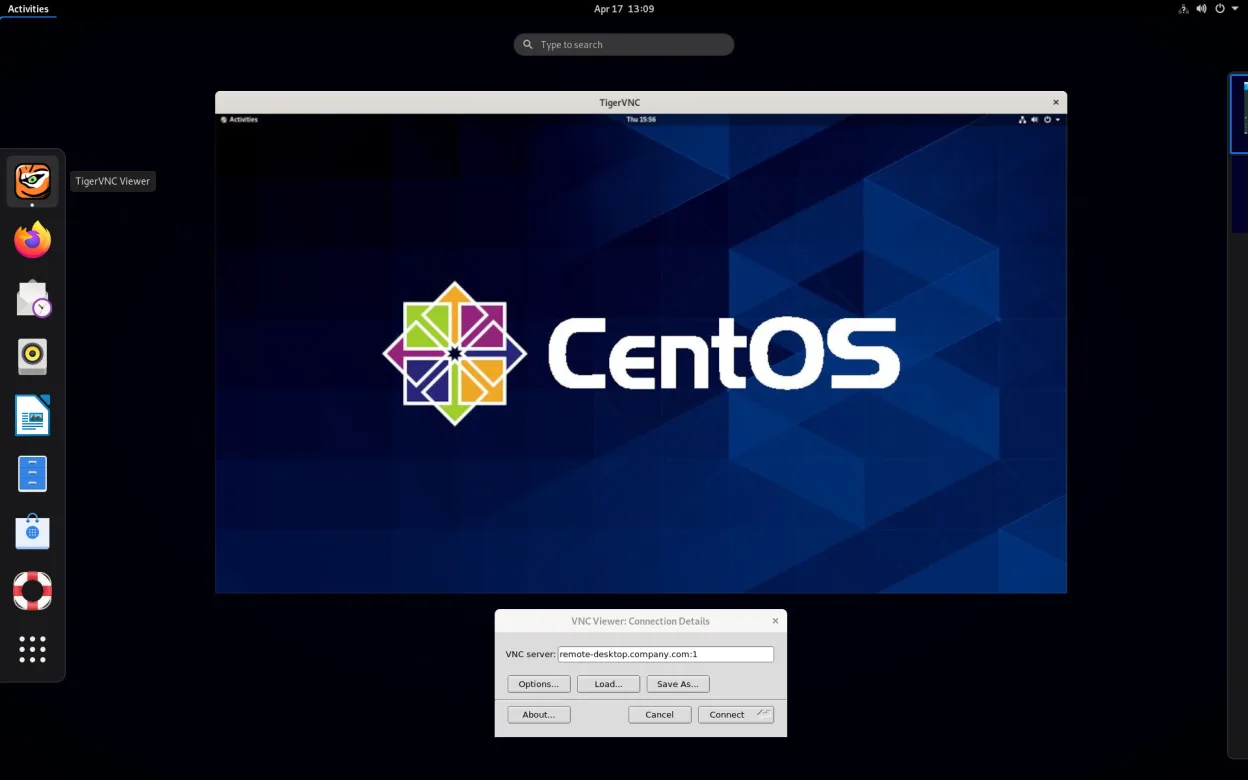
- Launch TigerVNC Viewer and enter the remote host's IP address and display number (e.g., host:1).
- Enter the VNC password when prompted to establish the connection.
- Test clipboard sharing and screen resolution settings to match your preferences.
Key features of TigerVNC Viewer
- Supports Tight encoding accelerated by libjpeg‑turbo
- TLS encryption for secure sessions
- Clipboard sharing between local and remote
- Multi‑monitor handling
- Configurable scaling and color depth
- Keyboard layout translation
- Cross‑platform client (Linux, Windows, macOS)
- Command‑line options for scripting
How to install TigerVNC Viewer on Linux
flatpak install flathub org.tigervnc.vncviewersudo apt install tigervncsudo apt install tigervncsudo dnf install tigervncsudo pacman -S tigervncsudo zypper install tigervncFrequently asked questions
Can TigerVNC connect through NAT like RustDesk?
No, not automatically. TigerVNC uses standard VNC, which requires the remote machine to be reachable via IP and port. You must manually configure port forwarding on your router or use a third-party relay service. RustDesk handles this automatically with its built-in relay and hole-punching mechanisms.
Does TigerVNC support file transfer?
No. TigerVNC Viewer is strictly a display client. To transfer files, you must use a separate tool like SCP, SFTP, or rsync. RustDesk has a built-in file transfer feature that allows dragging and dropping files between the local and remote desktops.
Is TigerVNC secure enough for internet use?
Only if you enable TLS encryption. By default, VNC traffic is unencrypted. You must configure both the server and client to use TLS certificates. RustDesk uses end-to-end encryption by default in its protocol, making it safer for direct internet connections without extra configuration.
3 other alternatives to RustDesk
 RemminaRemmina is a Linux remote desktop client supporting RDP, VNC, SSH, and X2Go for connecting to remote systems…Open sourceFreeFlatpakRemmina vs RustDeskFreeRDPFreeRDP is an open-source implementation of the Remote Desktop Protocol, allowing you to connect to Windows…Open sourceFreeFreeRDP vs RustDeskGNOME Remote DesktopGNOME Remote Desktop is a built-in VNC server for Linux that allows remote access to your graphical session…Open sourceFreeGNOME Remote Desktop vs RustDesk