
Windows · Internet
Best Linux alternatives to RustDesk
RustDesk is an open-source remote desktop client for controlling computers over the internet, often self-hosted.
Updated
Quick answer
The best Linux alternative to RustDesk is Remmina. Other strong options: TigerVNC Viewer, FreeRDP, GNOME Remote Desktop.
4 Linux alternatives to RustDesk
-

Remmina is a Linux remote desktop client supporting RDP, VNC, SSH, and X2Go for connecting to remote systems from GTK-based desktops.
Remmina is a solid remote desktop client for Linux, but it is not a direct replacement for RustDesk if you rely on its self-hosted relay server or NAT traversal features. Remmina connects to existing RDP, VNC, SSH, or X2Go endpoints; it does not provide a built-in server to expose your local…
Feature parity45% -
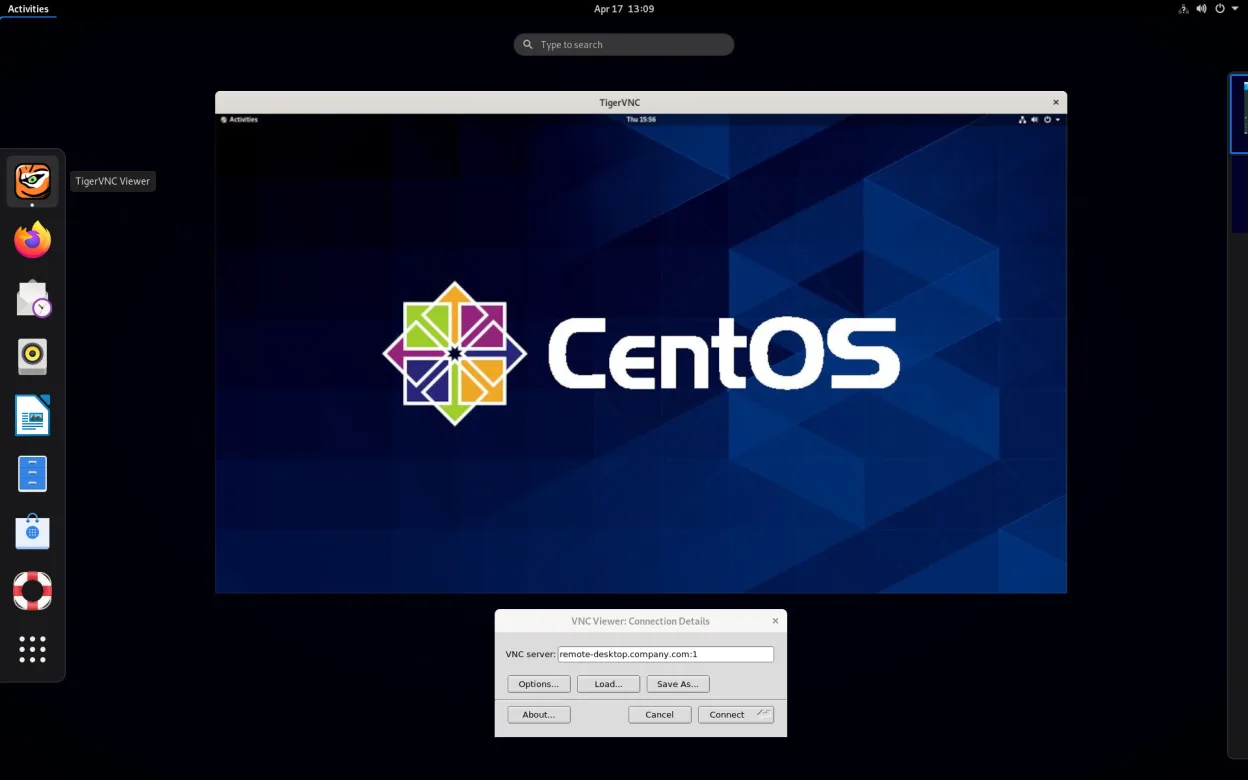
TigerVNC Viewer is a GPL‑licensed client for connecting to remote VNC desktops on Linux.
TigerVNC Viewer is a solid, lightweight VNC client, but it is not a direct replacement for RustDesk. RustDesk is an all-in-one remote desktop solution with built-in NAT traversal, file transfer, and chat, whereas TigerVNC is a pure VNC client that requires a separate VNC server on the remote…
Feature parity40% -
FreeRDP is an open-source implementation of the Remote Desktop Protocol, allowing you to connect to Windows or Linux remote desktops.
FreeRDP can replace RustDesk for users who only need RDP connectivity and basic file access via drive redirection. It works well on Linux desktops and supports the same core remote‑desktop protocol that RustDesk uses under the hood. However, RustDesk’s built‑in end‑to‑end encryption, self‑hosted…
Feature parity70% -
GNOME Remote Desktop is a built-in VNC server for Linux that allows remote access to your graphical session using standard VNC clients.
GNOME Remote Desktop can replace RustDesk for users who only need basic VNC‑based remote access within a Linux environment. It works well for local or internet‑wide connections if you run a VNC client on the remote side. However, it lacks RustDesk’s built‑in file transfer, NAT traversal via a…
Feature parity60%


What is RustDesk?
RustDesk serves users who need to access and control remote machines for IT support, remote work, or personal backup. It is popular among those who prefer open-source tools and want to avoid the licensing costs or privacy concerns of commercial remote access software. The interface is straightforward, focusing on connection management and peer-to-peer communication.
The software is released under the AGPLv3 license, making it free for personal and commercial use. While the base client is free, the developers offer a paid service for hosted relay and rendezvous servers, which simplifies setup by handling the infrastructure needed for connections through firewalls. Users can also host their own server for full control.
People look for Linux alternatives because RustDesk, while cross-platform, may not integrate perfectly with specific Linux desktop environments or may have performance quirks on certain hardware. Additionally, some users prefer native Linux tools that align better with standard X11 or Wayland protocols, ensuring smoother compatibility with their existing server setups and security policies.
What a replacement for RustDesk must do
- Remote desktop control over the internet
- File transfer between local and remote systems
- Support for standard remote protocols like RDP or VNC
- Ability to connect through NAT and firewalls
- Cross-platform compatibility for mixed environments
- Open-source or self-hostable server options
Can you run RustDesk on Linux?
RustDesk has a native Linux version available as an AppImage, .deb, and .rpm package. It runs well on most major distributions, including Ubuntu, Fedora, and Arch. Since it is a native application, it does not require Wine or Proton. It supports both X11 and Wayland, though some users report minor display issues on newer Wayland compositors. The application is stable and widely used in Linux environments.
Which alternative should you choose?
If you are managing Windows servers, FreeRDP is the best choice as it implements the RDP protocol natively. For general-purpose remote access to Linux or Windows machines, Remmina is a versatile all-in-one client that supports RDP, VNC, and SSH. If you need a lightweight, protocol-specific client for VNC servers, TigerVNC Viewer is efficient and minimal. GNOME Remote Desktop is ideal if you are already using the GNOME desktop environment and want a built-in, tightly integrated solution for sharing your screen.
Moving your RustDesk files and habits
Migrating from RustDesk to these alternatives involves configuring connection details such as IP addresses, ports, and credentials. If you were using RustDesk's P2P direct connection, you may need to set up a relay server or ensure direct connectivity is possible with your network setup. File transfer methods differ; RustDesk has a built-in file manager, while Remmina and FreeRDP support drag-and-drop or clipboard sharing, and VNC clients often require separate SFTP tools for large file transfers. No data export is needed as connection profiles are typically re-entered manually.
Side-by-side comparison
| App | License | Flatpak | Latest version | Feature parity | Rating |
|---|---|---|---|---|---|
| Remmina | GPL-2.0+ | ✓ | 1.4.43 | 45% | — |
| TigerVNC Viewer | GPL-2.0-or-later | ✓ | 1.14.0 | 40% | — |
| FreeRDP | Apache-2.0 | — | 3.32.2 | 70% | — |
| GNOME Remote Desktop | GPL-3.0 | — | 51.0 | 60% | — |
RustDesk: frequently asked questions
Can I use Remmina to connect to Windows machines?
Yes, Remmina supports the RDP protocol, allowing you to connect to Windows systems just like you would with Microsoft Remote Desktop.
Is TigerVNC Viewer better than Remmina for VNC?
TigerVNC Viewer is lighter and faster for pure VNC connections, while Remmina offers more features and support for other protocols in a single interface.
Do I need a server to use these tools?
It depends on your network. If both machines are on the same LAN, you do not. If they are on different networks, you may need a relay server or port forwarding, similar to how RustDesk works.
Which tool is easiest for beginners?
Remmina is generally considered the most user-friendly for beginners due to its graphical interface and support for multiple protocols without needing to learn specific command-line tools.
How important is RustDesk to you?
Know a better alternative? Suggest an alternative