

Windows · Others
Best Linux alternatives to Toad
Toad is a commercial suite for managing Oracle, SQL Server, and other databases, offering SQL development and admin tools.
Updated
Quick answer
The best Linux alternative to Toad is TOra.
1 Linux alternatives to Toad
-
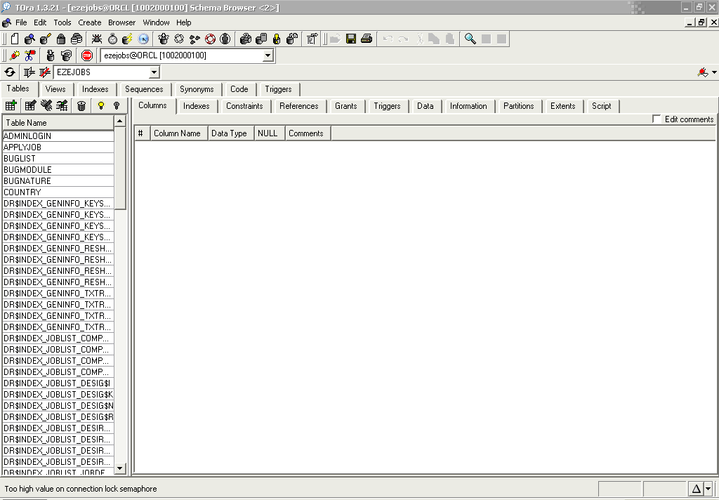
TOra is a free, open-source SQL IDE for Oracle, MySQL, and PostgreSQL database development and administration.
TOra can serve as a practical replacement for Toad for users who work mainly with Oracle, MySQL or PostgreSQL on Linux. It provides a solid SQL editor, schema browser and basic export tools, and it runs natively on Linux without needing Wine. It is best suited for developers and DBAs who need a…
Feature parity68%

What is Toad?
Toad serves database developers, administrators, and analysts who need a unified environment for writing SQL, profiling data, and managing schemas. It connects to major relational engines like Oracle, SQL Server, DB2, and MySQL, allowing users to switch between different database types without changing their workflow or tools.
The software operates on a commercial licensing model, meaning it is paid proprietary software. While specific tiers vary, it is generally targeted at professional and enterprise environments rather than casual hobbyists, requiring a valid license key for full functionality and support.
Users seek Linux alternatives primarily because Toad’s native client is Windows-centric. Running it via compatibility layers can be unstable or resource-heavy, especially for power users who need reliable, low-latency database connections. A native Linux tool offers better integration with terminal workflows and avoids the overhead of emulation layers.
What a replacement for Toad must do
- Multi-database connectivity (Oracle, SQL Server, MySQL)
- SQL editor with syntax highlighting and completion
- Schema browser and object management
- Data profiling and export capabilities
- Session management for multiple connections
- Performance monitoring and diagnostics
Can you run Toad on Linux?
Toad does not have a native Linux client. You can run the Windows version using Wine or Proton, but database drivers and complex GUI elements may behave inconsistently. Some users report success with Bottles for isolation, but it is not a guaranteed or officially supported path. For critical production work, relying on Wine is risky compared to using native tools.
Which alternative should you choose?
TOra is the only option listed here. It is a strong fit for users who primarily work with Oracle databases, as it provides a dedicated interface for Oracle-specific features. If your workflow is heavily mixed between Oracle and other databases, TOra may feel limited compared to Toad’s breadth, but it remains the most direct native replacement for Oracle-centric tasks on Linux.
Moving your Toad files and habits
Migrating from Toad to TOra involves re-establishing your database connections, as connection files are not directly compatible. You will need to recreate your saved queries and scripts in TOra’s interface. Any data exports generated in Toad are typically standard formats (CSV, SQL), which TOra can also produce, ensuring your data workflows remain intact despite the tool switch.
Toad: frequently asked questions
Does TOra support SQL Server?
TOra is designed specifically for Oracle. It does not provide native support for SQL Server, MySQL, or other databases that Toad handles.
Can I use Toad via Wine for daily work?
It is possible but fragile. Complex database operations or large data sets may cause crashes or latency issues under Wine, making it less reliable than a native tool.
Is TOra free to use?
Yes, TOra is open-source software, so there are no licensing costs, unlike the commercial Toad suite.
Will my Toad macros work in TOra?
No, macros and scripts are not portable between the two tools. You will need to rewrite any automated tasks using TOra’s available mechanisms or external shell scripts.
How important is Toad to you?
Know a better alternative? Suggest an alternative