

Linux · Others
TOra
TOra is a free, open-source SQL IDE for Oracle, MySQL, and PostgreSQL database development and administration.
What is TOra?
TOra, short for Toolkit for Oracle, is a mature open-source database IDE originally designed for Oracle but now supporting MySQL and PostgreSQL. It has been in development since the early 2000s and remains actively maintained, with steady updates reflecting its stability and niche relevance. Built using Qt, it runs natively on Linux and integrates well with desktop environments.
It's best suited for database developers, DBAs, and system administrators who work regularly with Oracle PL/SQL or need cross-database support in a lightweight tool. Users managing production or development databases will appreciate its debugging and schema browsing capabilities. It’s particularly helpful when you need a native Linux alternative to Windows-only tools.
Compared to Toad for Oracle, TOra offers a similar set of features—especially in SQL editing and PL/SQL debugging—but with a simpler, less polished interface. While Toad has more wizards and automation, TOra feels more direct and less cluttered. Performance is solid on local or low-latency connections, though it lacks cloud integration and modern UI refinements.
Best for: Developers and DBAs who need a free, native Linux tool for Oracle PL/SQL debugging and database administration.
Key features of TOra
- PL/SQL debugger with breakpoints and step-through execution
- SQL worksheet with syntax highlighting and execution plans
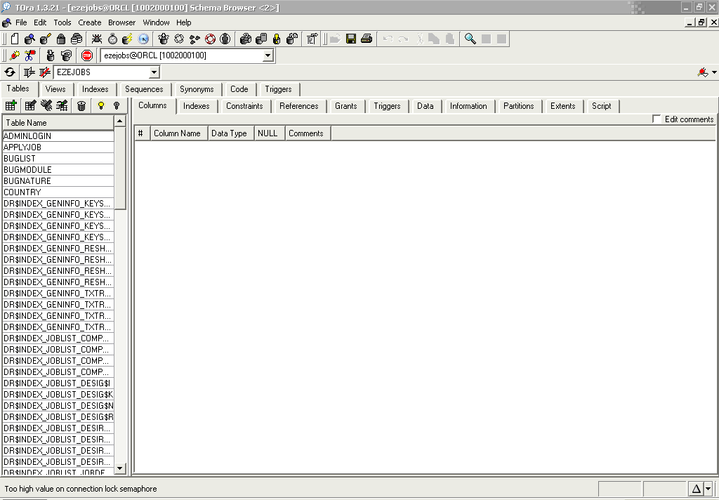
- Database browser for schemas, tables, and stored procedures
- Support for Oracle, MySQL, and PostgreSQL
- Query builder and data export tools
- Session and lock monitoring for Oracle
- Execution plan visualization
- Connection management for multiple databases
Pros
- Free and open-source with no usage restrictions
- Native Linux application with good performance
- Real PL/SQL debugging support, rare in free tools
- Lightweight compared to enterprise IDEs
- Active development and responsive maintainers
Cons
- Interface feels dated and can be unintuitive for new users
- Limited support for cloud or managed database services
- Fewer automation features and wizards than Toad
- Occasional instability with complex Oracle queries
Windows programs TOra replaces
 Toad
ToadTips for Windows users
If you're used to Toad, expect fewer visual helpers and templates. TOra doesn’t import Toad settings or connections directly, so you'll need to reconfigure them. Keyboard shortcuts differ—spend time in the preferences to remap if needed. Workflow is more manual, but the core SQL and debugging functions are there. Exported data formats (CSV, SQL) are compatible, but reports won’t transfer.
TOra: frequently asked questions
Can TOra run on Linux distributions like Ubuntu and Fedora?
Yes, TOra runs on most major Linux distributions including Ubuntu and Fedora. Precompiled packages are available, or you can build from source.
Does TOra support debugging Oracle PL/SQL procedures?
Yes, TOra includes a built-in PL/SQL debugger with step-over, step-into, and breakpoints, which is rare among free tools.
Is TOra still being actively developed?
Yes, TOra is actively maintained. The source repository shows regular commits and recent releases as of 2023.
Can TOra connect to MySQL and PostgreSQL databases?
Yes, TOra supports MySQL and PostgreSQL in addition to Oracle, allowing basic administration and query work across all three.
Updated