

Windows · Others
Best Linux alternatives to Total Commander
Total Commander is a dual‑pane, tab‑enabled file manager for Windows.
Updated
Quick answer
The best Linux alternative to Total Commander is GNOME Commander. Other strong options: Double Commander, Krusader.
3 Linux alternatives to Total Commander
-
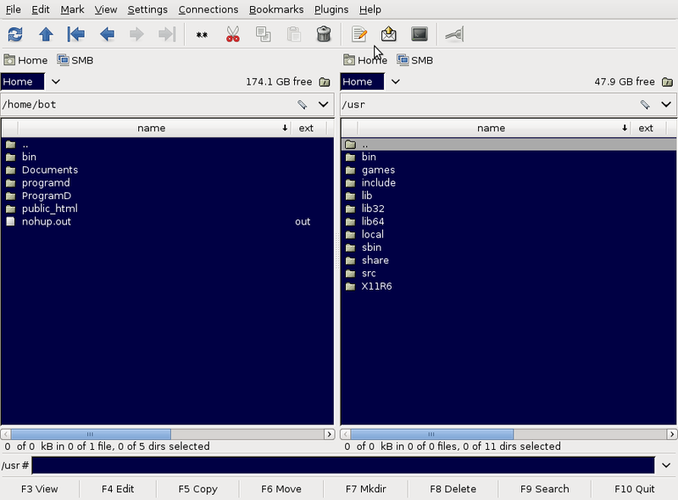
GNOME Commander is a free, dual‑pane file manager for the GNOME desktop, built with GTK+ and GVfs.
GNOME Commander is a solid Linux alternative for users who need a classic two‑pane file manager with tabs and keyboard‑driven navigation. It covers the core workflow of Total Commander—browsing two directories side by side, quick moves, and basic archive handling—so most power users will feel at…
Feature parity78% -

Double Commander is a free, cross‑platform dual‑pane file manager inspired by Total Commander.
Double Commander is a solid Linux alternative to Total Commander for anyone who relies on a dual‑pane, tabbed file manager with archive handling and keyboard‑driven workflows. It reproduces the core layout and most of the functionality that Total Commander users expect, while adding cross‑platform…
Feature parity85% -
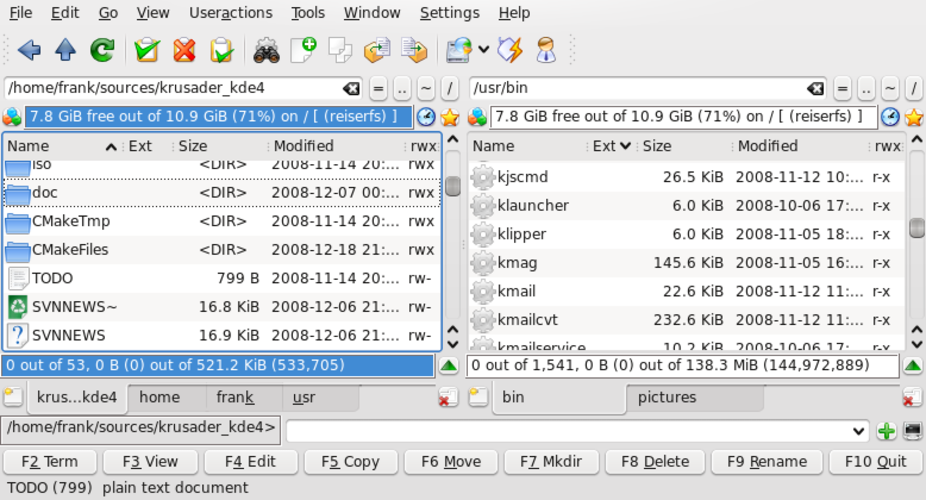
Krusader is a free, dual‑pane file manager for KDE that emulates Norton/Total Commander with advanced archive, FTP, and sync features.
Krusader is a direct, capable replacement for Total Commander on Linux. It mirrors the dual-pane layout, supports independent navigation, and includes built-in archive handling and FTP/SFTP clients. If you rely on Total Commander's specific Windows plugins or registry-based configurations, you will…
Feature parity85%


What is Total Commander?
Total Commander is a long‑standing orthodox file manager used by power users, developers and anyone who needs fast, keyboard‑driven navigation of large file trees. It presents two panels side by side, supports multiple tabs per panel, and includes built‑in tools such as archive handling, FTP, and file comparison. The program is sold as shareware, offering a trial period before a one‑time purchase is required.
Because it is tightly tied to the Windows API, the application does not run natively on Linux. Users who rely on its advanced features often look for a Linux replacement that keeps the two‑pane paradigm, tab support, and extensibility while fitting into their desktop environment. The Linux ecosystem provides several mature orthodox file managers that aim to fill the same niche without requiring a Windows compatibility layer.
Choosing a Linux alternative also means avoiding the licensing cost and the need to maintain a Windows installation just for file management. Open‑source options integrate with the system’s file permissions, MIME types, and desktop themes, making daily work smoother for those who have already migrated most of their workflow to Linux.
What a replacement for Total Commander must do
- Two‑pane layout with independent navigation
- Multiple tabs per pane
- Built‑in archive handling (zip, tar, etc.)
- FTP/SFTP client integration
- Customizable keyboard shortcuts
- File comparison and synchronization
- Plugin or extension support
Can you run Total Commander on Linux?
There is no native Linux build of Total Commander; the official version only runs on Windows. It can be run under Wine or in a container such as Bottles, though performance and integration vary. No web version exists, and Proton is not typically used for desktop utilities. If you need a seamless experience, a native Linux file manager is recommended.
Which alternative should you choose?
Double Commander is a close clone with cross‑platform binaries, making it a good fit for users who want the same feature set and plugin compatibility. GNOME Commander offers a simpler, GNOME‑integrated interface suitable for those who prefer a lightweight, GTK‑based tool. Krusader provides a KDE‑styled experience with extra archive and search features, ideal for KDE users or those needing more power‑user options.
Moving your Total Commander files and habits
Total Commander stores its configuration in INI files (TC.INI, wincmd.ini) in the user profile. You can copy these files to the Linux home directory and import settings where supported (Double Commander can read TC.INI). Bookmarks, custom commands, and toolbar layouts can be transferred manually. Archive handling and FTP sites work out of the box in the Linux alternatives, so no special data conversion is required.
Side-by-side comparison
| App | License | Flatpak | Latest version | Feature parity | Rating |
|---|---|---|---|---|---|
| GNOME Commander | GPL-2.0-or-later | — | 2.0.3 | 78% | — |
| Double Commander | GPL-3.0 | — | — | 85% | — |
| Krusader | GPL-3.0 | — | 2.9.0 | 85% | — |
Total Commander: frequently asked questions
Can I run the Windows version of Total Commander on Linux?
Yes, via Wine or a similar compatibility layer, but integration and performance may be limited.
Is Double Commander free?
Double Commander is released under the GPL and is free to use.
Do these Linux alternatives support plugins from Total Commander?
Only Double Commander can use some Total Commander plugins; GNOME Commander and Krusader have their own plugin systems.
Will my file associations carry over?
File associations are handled by the Linux desktop environment, so they will work automatically with the native managers.
How important is Total Commander to you?
Know a better alternative? Suggest an alternative