
Windows · Sound & Video
Best Linux alternatives to Windows DVD Maker
Windows DVD Maker was a simple tool for creating video DVDs from photos and clips, discontinued after Windows 7.
Updated
Quick answer
The best Linux alternative to Windows DVD Maker is Kdenlive. Other strong options: DVDStyler, Brasero, DeVeDe.
4 Linux alternatives to Windows DVD Maker
-

Kdenlive is a free, feature‑rich non‑linear video editor built on the MLT framework.
Kdenlive is a capable replacement for Windows DVD Maker, but only if you're willing to work around missing DVD-specific features. It handles video editing tasks far better than Windows DVD Maker ever did — importing clips, adding music, titles, and transitions — but it does not directly create DVD…
Feature parity65% -
DVDStyler is an open-source DVD authoring tool for creating video DVDs with menus and chapters.
DVDStyler is a solid replacement for Windows DVD Maker if you need to create playable DVD-Video discs from video clips and photos. It supports background music, simple menus, chapter markers, and burning to disc or ISO. The interface is straightforward once you learn it, and it handles common…
Feature parity80% -
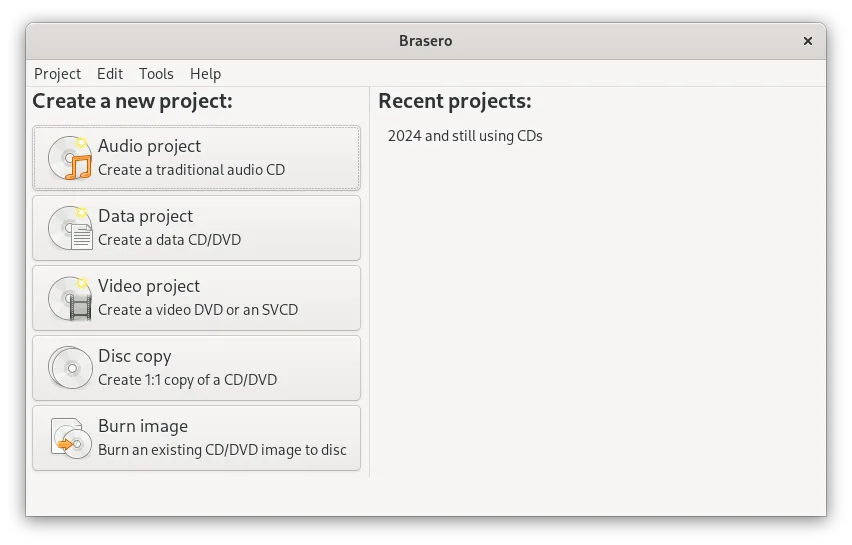
Brasero is a simple GNOME tool for creating, copying, and burning data and audio CDs and DVDs.
Brasero is not a good replacement for Windows DVD Maker if you need to create video DVDs with menus, background music, or title overlays. It lacks video transcoding, DVD-Video structure creation, and any timeline-based editing. However, for users who only need to burn data DVDs containing video…
Feature parity20% -
DeVeDe creates playable video DVDs from video files, suitable for burning to disc and playing on standard DVD players.
DeVeDe is a solid replacement for Windows DVD Maker if your goal is to create standard DVD-Video discs from video files and burn them to physical media or generate ISOs. It handles common formats, supports both PAL and NTSC, and creates simple menus with chapter labels. While it lacks photo slide…
Feature parity70%


What is Windows DVD Maker?
Windows DVD Maker let casual users burn home videos and photo slideshows to playable DVDs. It targeted non-technical people who wanted to share memories on TV using a DVD player or Xbox 360. The interface was straightforward, focusing on ease over advanced features.
It was included free with certain editions of Windows Vista and Windows 7, so there was no separate cost or license to manage. Microsoft discontinued it with Windows 8, leaving users without updates or support.
People seek Linux alternatives because they want similar one-click DVD creation without relying on outdated Windows systems. Many now use Linux full-time and need tools that integrate well with their desktop environment and support modern workflows.
What a replacement for Windows DVD Maker must do
- Import and arrange video clips and photos
- Add background music or narration
- Create simple DVD menus
- Burn to DVD or generate ISO image
- Output playable on standard DVD players
- Support for common file formats (AVI, MP4, JPG)
- Basic transitions and title overlays
Can you run Windows DVD Maker on Linux?
There is no native Linux version of Windows DVD Maker, and it does not run reliably under Wine, Proton, or Bottles. The tool was tightly integrated with Windows APIs and Media Center components, making compatibility unlikely. Users must rely on native Linux alternatives rather than trying to run the original program.
Which alternative should you choose?
Kdenlive is best for users wanting detailed control over video editing before DVD export. DVDStyler directly replaces Windows DVD Maker with menu creation and burning. HandBrake converts videos to DVD-compatible formats but doesn't author DVDs. Brasero and DeVeDe handle burning and simple authoring. Qtractor is for advanced audio-video projects, not typical DVD creation.
Moving your Windows DVD Maker files and habits
You can't migrate projects directly from Windows DVD Maker. Export any unfinished work as video files (AVI, WMV) and convert them using HandBrake. Use DVDStyler or DeVeDe to import these files, add menus, and burn. Most Linux tools accept MP4, AVI, and JPG, so re-encoding may be needed for compatibility.
Side-by-side comparison
Windows DVD Maker: frequently asked questions
Can I still download Windows DVD Maker?
No, Microsoft no longer distributes it. It was only available with certain Windows 7 and Vista editions and is not offered separately.
Which Linux tool most closely matches Windows DVD Maker?
DVDStyler is the closest match, offering drag-and-drop authoring, menu templates, and direct burning to DVD.
Do I need a DVD burner to use these Linux tools?
Not necessarily. You can create ISO images for later burning or use virtual drives. A burner is only needed for physical discs.
Can I play the DVDs on a standard player?
Yes, if you use DVDStyler, DeVeDe, or Brasero correctly. They produce standard DVD-Video format discs compatible with most standalone players.
How important is Windows DVD Maker to you?
Know a better alternative? Suggest an alternative