
Windows · Sound & Video
Best Linux alternatives to WinX DVD Author
Create and burn DVD/Blu-ray discs with custom menus and chapters on Linux using open-source authoring tools.
Updated
Quick answer
The best Linux alternative to WinX DVD Author is K3b. Other strong options: DeVeDe, Brasero, DVDStyler.
4 Linux alternatives to WinX DVD Author
-

K3b is KDE’s comprehensive CD/DVD/Blu‑ray burning tool for Linux.
K3b is a solid replacement for WinX DVD Author if your main goal is burning video files to DVD or Blu-ray with basic structure. It handles common formats like MP4, MKV, and AVI when combined with tools like FFmpeg, and supports DVD-Video creation with chapter markers. However, it lacks built-in…
Feature parity60% -
DeVeDe creates playable video DVDs from video files, suitable for burning to disc and playing on standard DVD players.
DeVeDe is a solid, lightweight replacement for basic DVD authoring needs, but it falls short of WinX DVD Author’s polish. It handles the core job: converting MP4/MKV/AVI to DVD-Video, adding simple menus, and burning discs. However, it lacks advanced menu customization, Blu-ray support, and…
Feature parity65% -
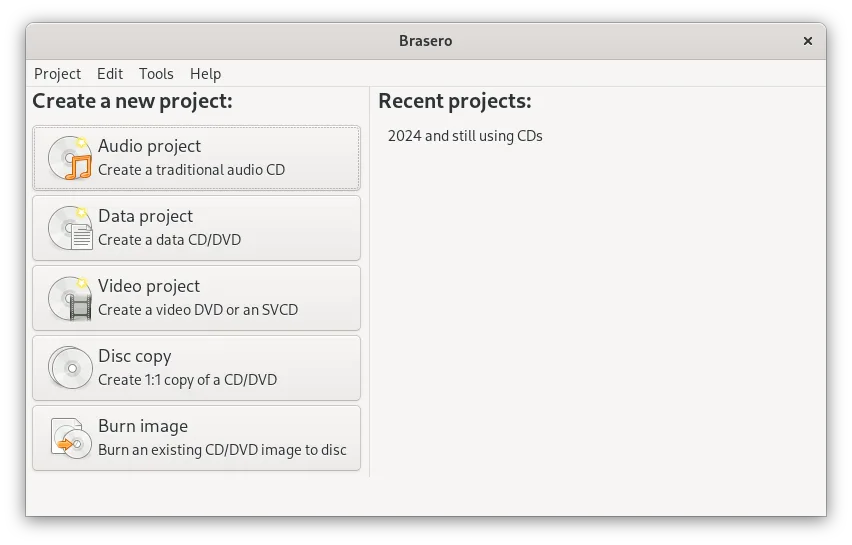
Brasero is a simple GNOME tool for creating, copying, and burning data and audio CDs and DVDs.
Brasero is not a good replacement if you need to author video DVDs with custom menus, chapters, or subtitles. It is a simple tool for burning data files or audio CDs. If you just want to put MP4 files on a disc to play on a standalone player, Brasero works but offers no menu customization. For full…
Feature parity20% -
DVDStyler is an open-source DVD authoring tool for creating video DVDs with menus and chapters.
DVDStyler is a solid, open-source replacement for WinX DVD Author if you primarily need to create standard DVD-Video discs. It handles the core tasks: importing common video formats, designing custom menus with themes, adding chapters and subtitles, and burning discs. The interface is drag-and-drop…
Feature parity85%


What is WinX DVD Author?
WinX DVD Author is a Windows utility designed for users who want to create physical video discs. It handles the entire process, from importing video files to designing interactive menus and burning the final disc. It is popular among hobbyists and small businesses that still produce physical media for archival or distribution purposes.
The software is proprietary and typically sold as a one-time purchase license. While it offers a trial period, full functionality requires payment. It is not open-source, meaning users cannot modify the code or freely share the application. The pricing model is standard for commercial Windows media tools, focusing on individual consumer use.
People seek Linux alternatives because they want to avoid Windows licensing costs or are migrating to Linux for privacy and control. Additionally, modern Linux distributions come with powerful, free media tools that can handle DVD authoring without the bloat or ads often found in commercial Windows software. This allows users to maintain a consistent workflow across their operating systems.
What a replacement for WinX DVD Author must do
- Import common video formats like MP4, MKV, and AVI
- Create custom DVD menus with themes and buttons
- Burn discs to DVD-R, DVD+R, and potentially Blu-ray
- Support for audio tracks and subtitles
- Ability to add chapters to videos
- Preview menu navigation before burning
- Stable burning process with error correction
Can you run WinX DVD Author on Linux?
There is no native Linux version of WinX DVD Author. It is a Windows-only executable. You might try running it via Wine or Proton, but media authoring software often relies on specific Windows APIs for disc burning and menu rendering, which can cause instability or failure in compatibility layers. It is generally safer and more reliable to use native Linux tools designed specifically for this purpose rather than forcing a Windows application to run.
Which alternative should you choose?
If you need a full-featured, graphical DVD authoring tool with menu design capabilities, DVDStyler is the closest direct replacement. It allows you to create complex menus and burn discs directly. For simpler tasks, such as burning a data disc or a basic video disc without elaborate menus, K3b or Brasero are excellent, lightweight options. DeVeDe is another solid choice for simple video DVD creation, while VLC is best for playing the resulting discs rather than creating them.
Moving your WinX DVD Author files and habits
You do not need to export data from WinX DVD Author to migrate. The process is project-based; you simply start a new project in your chosen Linux tool. Import your original video files, audio tracks, and subtitle files into the new application. Since the source media remains unchanged, there is no data loss. Just ensure your Linux tool supports the specific video codecs you are using, though most modern tools handle standard formats like H.264 and AAC without issue.
Side-by-side comparison
WinX DVD Author: frequently asked questions
Can I create Blu-ray discs on Linux?
Yes, tools like K3b and DVDStyler can burn Blu-ray discs, provided you have a compatible Blu-ray burner drive and the necessary permissions. Note that some commercial Blu-ray protections may not be supported by open-source tools.
Is DVDStyler difficult to use?
It has a steeper learning curve than simple burners because it offers detailed menu customization. However, it is very capable and allows for professional-looking results. Tutorials are widely available online.
Do these tools support subtitles?
Yes, most of these tools, including DVDStyler and K3b, support adding external subtitle files (like SRT or SUB) to your video projects. You can embed them into the final DVD structure.
Will my old DVDs work on Linux?
Yes, standard video DVDs created on Windows will play on Linux using media players like VLC, Totem, or MPlayer. The DVD format is standardized, so the OS does not matter for playback.
How important is WinX DVD Author to you?
Know a better alternative? Suggest an alternative