

Windows · System Tools
Best Linux alternatives to Alcohol 120%
Alcohol 120% creates and mounts disc images on Windows, but Linux users need an open‑source alternative.
Updated
Quick answer
The best Linux alternative to Alcohol 120% is AcetoneISO. Other strong options: CDemu, Furius ISO Mount, Gmount-iso.
4 Linux alternatives to Alcohol 120%
-
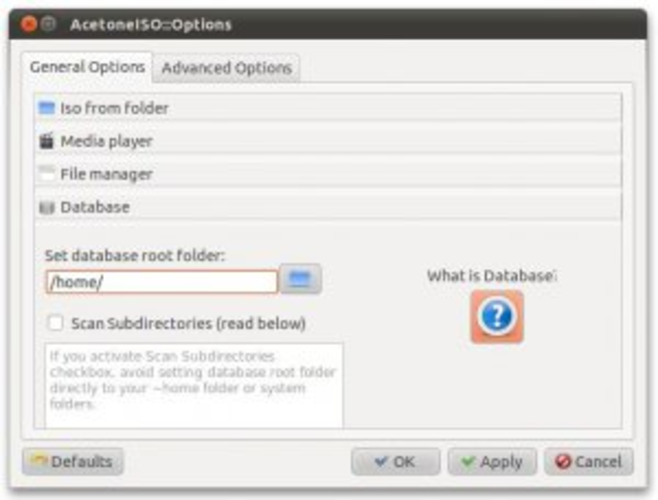
AcetoneISO is a free, open‑source Linux tool for mounting and managing CD/DVD image files.
AcetoneISO is a solid replacement for Alcohol 120% if you're focused on mounting, creating, and converting disc images without copy protection emulation. It covers core tasks like ISO creation from discs or folders, burning images, and GUI-based virtual drive management. The tool integrates well…
Feature parity75% -
CDEmu is a free, open‑source daemon that mounts disc images as virtual optical drives on Linux.
CDemu can replace Alcohol 120% for users whose main need is to mount disc images as virtual drives. It handles ISO, BIN/CUE and several other formats, works from the command line or via file‑manager integration, and supports multiple simultaneous mounts. It does not provide the burning features…
Feature parity70% -
Furius ISO Mount is a lightweight GTK tool for mounting and unmounting ISO images on Linux.
Furius ISO Mount can replace Alcohol 120% for the core task of mounting ISO images, but it lacks the full image‑creation, burning, and multi‑format support that Alcohol offers. It is suitable for users who mainly need to mount existing images and occasionally create simple ISO files with other…
Feature parity60% -
Gmount-iso is a lightweight GUI tool for mounting ISO images on Linux.
Gmount‑iso can mount ISO files in a single click, so for users who only need to read images it is a lightweight replacement. However, it cannot create images, burn discs, or handle MDF/MDS formats, and it offers no command‑line interface or file‑manager integration. It is suitable for occasional…
Feature parity30%


What is Alcohol 120%?
Alcohol 120% is a Windows‑only tool that lets you rip CDs, DVDs and Blu‑rays into proprietary .mdf/.mds image files and mount them as virtual drives. It is popular among gamers, archivists and anyone who needs to run software from disc without the physical media.
The program is sold commercially; a reduced‑feature version called Alcohol 52% is also available, both requiring a license key. Its pricing model is a one‑time purchase for the full version.
Linux users look for a replacement because the Windows‑only binaries won’t run natively, and the proprietary image format is not widely supported on Linux. Open‑source tools can handle the same tasks without a license fee and integrate with the desktop environment.
What a replacement for Alcohol 120% must do
- Create disc images from CD/DVD/Blu‑ray
- Mount image files as virtual drives
- Support for common image formats (ISO, IMG, MDF/MDS)
- Burn images to physical media
- Command‑line or GUI operation
- Integration with file managers
Can you run Alcohol 120% on Linux?
There is no native Linux version of Alcohol 120%. It can sometimes be run under Wine, but support is hit‑or‑miss and virtual drive emulation often fails. No official web or cloud version exists, so a Linux user must rely on alternative software.
Which alternative should you choose?
AcetoneISO offers a full GUI for mounting and converting images, suitable for casual users. CDemu provides kernel‑level virtual drive support and works well for power users who need reliable mounting. Furius ISO Mount is lightweight for quick mounts, while Gmount‑iso is a simple command‑line wrapper for those comfortable with the terminal.
Moving your Alcohol 120% files and habits
Alcohol 120% stores images as paired .mdf/.mds files. Most Linux tools cannot read that format directly, so you should first convert the images to ISO using Wine‑based Alcohol or a conversion utility, then mount or burn the ISO with the chosen Linux alternative. The conversion step preserves the data; no other project files are needed.
Side-by-side comparison
| App | License | Flatpak | Latest version | Feature parity | Rating |
|---|---|---|---|---|---|
| AcetoneISO | GPL-3.0 | — | 2.4_7 | 75% | 5/5 |
| CDemu | GPL-2.0 | — | — | 70% | — |
| Furius ISO Mount | GPL-2.0-or-later | — | — | 60% | — |
| Gmount-iso | GPL-2.0 | — | — | 30% | — |
Alcohol 120%: frequently asked questions
Can I mount .mdf/.mds files on Linux?
Not directly; you need to convert them to ISO first or use a tool like CDemu that can handle .mdf/.mds after conversion.
Is Wine a reliable way to run Alcohol 120%?
Wine can launch the program, but virtual drive features often break, so it’s not recommended for regular use.
Do any of the alternatives support Blu‑ray ripping?
Most Linux tools focus on ISO creation; Blu‑ray ripping usually requires separate command‑line utilities like MakeMKV.
Are the Linux alternatives free?
All listed alternatives are free and open source.
How important is Alcohol 120% to you?
Know a better alternative? Suggest an alternative