
Windows · Accessories
Best Linux alternatives to Calendar
GNOME Calendar is the default lightweight scheduling tool for the GNOME desktop, offering a simple interface for viewing and managing personal events.
Updated
Quick answer
The best Linux alternative to Calendar is GNOME Calendar. Other strong options: Thunderbird, Evolution, Orage.
5 Linux alternatives to Calendar
-
GNOME Calendar is a simple calendar app for managing events and appointments, integrated with GNOME and Evolution Data Server.
GNOME Calendar is a solid, lightweight replacement for basic Windows Calendar needs. It handles the core tasks: viewing events in day, week, and month views, creating appointments, and setting reminders. It integrates tightly with Evolution Data Server, allowing sync with Google, Exchange, and…
Feature parity85% -
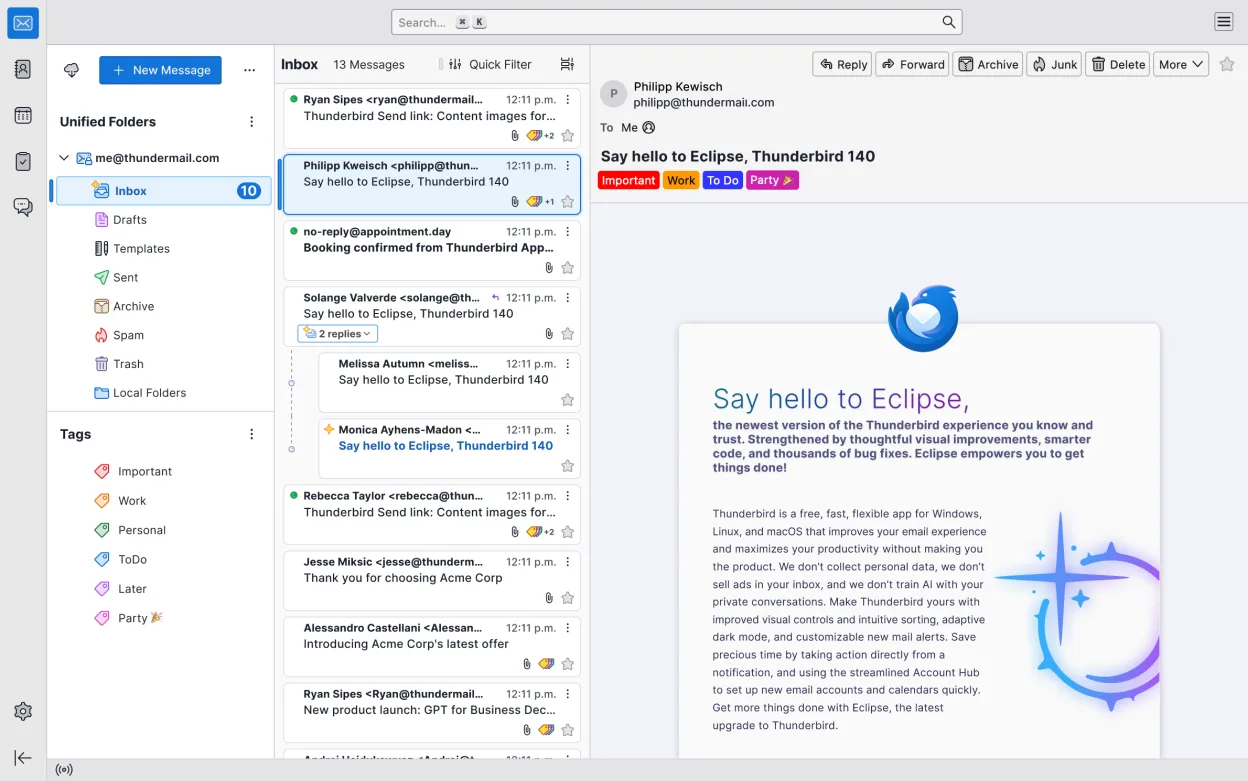
Thunderbird is a free, open-source email, calendar, news feed, and chat client with strong privacy and customization features.
Thunderbird is a capable replacement for GNOME Calendar, particularly if you already use it for email. It handles core scheduling tasks like viewing events, setting reminders, and managing multiple calendars effectively. However, it is a heavier application with a steeper learning curve due to its…
Feature parity85% -
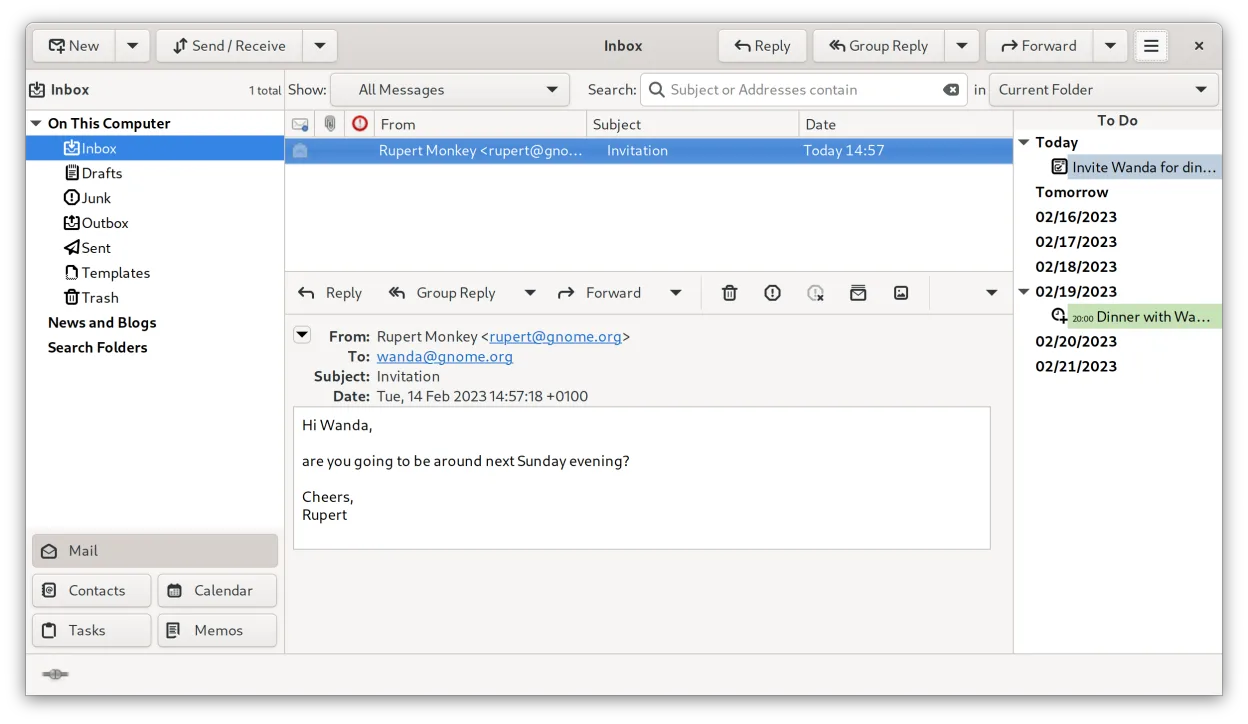
Evolution is a full‑featured personal information manager that combines email, calendar, contacts and tasks into one application.
Evolution is a heavier, more complex replacement for GNOME Calendar. It covers all basic scheduling needs—viewing events, setting alarms, and managing multiple calendars—while adding email and contacts. If you only need a simple interface to view dates and set reminders, Evolution feels cluttered…
Feature parity85% -
A lightweight, KDE-based calendar application for managing events, reminders, and to-do lists with a simple interface.
Orage is a functional replacement for GNOME Calendar if you are using KDE or want a lightweight PIM tool. It covers the basics: viewing events in day, week, and month layouts, creating appointments, and setting reminders. However, it lacks the polished modern interface of GNOME Calendar and relies…
Feature parity75% -
Calcurse is a lightweight, text-based calendar and task manager for the terminal, designed for users who prefer keyboard-driven workflows.
Calcurse is a functional but starkly different replacement for GNOME Calendar. It handles the core scheduling tasks: viewing events in month, week, and day views, and managing appointments. However, it is a terminal-based application, so it lacks the graphical polish and system-wide notification…
Feature parity60%


What is Calendar?
Calendar is the standard time management application for users on the GNOME desktop environment. It serves as a digital appointment book, allowing individuals to track daily schedules, set reminders, and view upcoming events. The interface is designed to be minimal, focusing on a clear month or week view without cluttering the screen with advanced features that many casual users do not need.
The application is free and open-source, distributed as part of the GNOME software suite. There are no licensing fees, subscriptions, or hidden costs associated with using it. It operates entirely offline for basic functions, though it can sync with online accounts if configured to do so. This makes it a cost-effective option for anyone who wants a straightforward calendar without paying for premium features.
People often look for a Linux alternative because they are moving away from Windows or macOS and want a native application that integrates well with their desktop environment. While Windows has built-in calendar tools, Linux users need applications that fit within their specific desktop ecosystem. GNOME Calendar provides this native integration, ensuring that notifications and event data work smoothly with other GNOME apps like Contacts and Files.
What a replacement for Calendar must do
- View events in month, week, and day layouts
- Create, edit, and delete personal appointments
- Set reminders and alarms for events
- Subscribe to external iCal feeds
- Display multiple calendars in different colors
- Integrate with system notifications
Can you run Calendar on Linux?
GNOME Calendar is a native Linux application, so it does not require Wine, Proton, or Bottles to run. It is available in the official repositories of most Linux distributions that use the GNOME desktop, such as Fedora, Ubuntu, and elementary OS. Since it is designed specifically for Linux, it will run natively and efficiently without any compatibility layers. If you are using a different desktop environment like KDE or XFCE, it will still work, but it may not integrate as seamlessly with system settings or notification daemons.
Which alternative should you choose?
If you use the GNOME desktop and want a simple, distraction-free calendar, GNOME Calendar is the best fit. For users who need a full suite including email, contacts, and tasks, Evolution is a more powerful option that handles all these functions in one place. Thunderbird is ideal if your primary focus is email and you want a basic calendar view integrated with your inbox. Orage is a good choice for lightweight systems or those who prefer a standalone calendar without the overhead of a full desktop environment. Calcurse is for terminal enthusiasts who prefer managing their schedule via the command line. GNOME Contacts is not a calendar replacement but a companion app for managing the people you invite to events.
Moving your Calendar files and habits
Moving your data to GNOME Calendar is straightforward if you use standard formats. You can export your existing calendar as an iCal (.ics) file from your current provider, such as Google Calendar or Outlook. Once exported, you can import this file into GNOME Calendar or subscribe to the feed directly if your provider offers a URL. If you are switching from another Linux calendar app like Evolution, both use the same underlying data storage (EDS - Evolution Data Server), so your events should already be visible in GNOME Calendar without any manual migration steps.
Side-by-side comparison
| App | License | Flatpak | Latest version | Feature parity | Rating |
|---|---|---|---|---|---|
| GNOME Calendar | GPL-3.0 | — | 51.0 | 85% | — |
| Thunderbird | MPL-2.0 | ✓ | 159.0 | 85% | — |
| Evolution | GPL-2.0+ and GFDL-1.3 | ✓ | 3.62.1 | 85% | — |
| Orage | GPL-2.0-or-later | — | 4.21.0 | 75% | — |
| Calcurse | GPL-3.0 | — | 4.8.2 | 60% | — |
Calendar: frequently asked questions
Does GNOME Calendar sync with Google Calendar?
Yes, it can. You need to install the GNOME Online Accounts extension and log in to your Google account. Once connected, your Google Calendar events will appear in GNOME Calendar and stay synchronized automatically.
Can I use GNOME Calendar without an internet connection?
Yes. You can create and view events locally without being online. However, syncing with online accounts or subscribing to remote feeds requires an internet connection to update the data.
Is there a task list or to-do feature?
GNOME Calendar is strictly for scheduling events. It does not have a built-in to-do list or task manager. For tasks, you would need a separate application like GNOME To Do or the task feature in Evolution.
Will my contacts show up in the calendar?
Not directly. GNOME Calendar does not display your contact list. However, if you are using the GNOME desktop, you can use the separate GNOME Contacts app to manage people, and you can link contacts to events when creating them.
How important is Calendar to you?
Know a better alternative? Suggest an alternative