

Windows · System Tools
Best Linux alternatives to Daemon Tools
Daemon Tools is Windows software for mounting disc images and managing virtual drives, often used for running software from ISO files.
Updated
Quick answer
The best Linux alternative to Daemon Tools is AcetoneISO. Other strong options: CDemu, Furius ISO Mount, Gmount-iso.
4 Linux alternatives to Daemon Tools
-
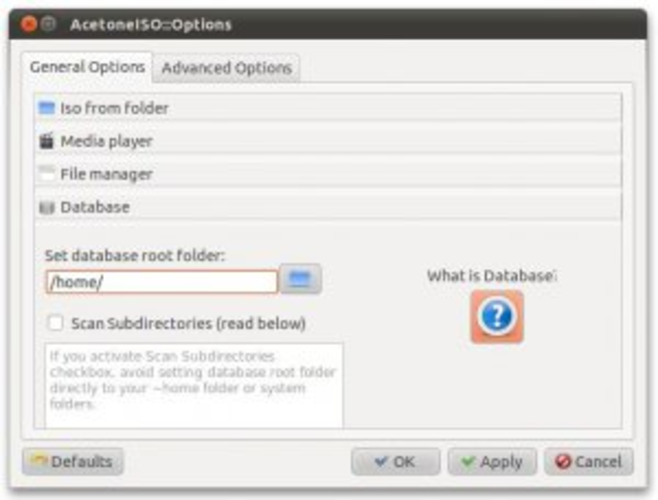
AcetoneISO is a free, open‑source Linux tool for mounting and managing CD/DVD image files.
AcetoneISO is a solid replacement for Daemon Tools if you mainly need to mount common disc image formats and manage virtual drives through a GUI. It handles ISO, MDF, NRG, and others directly, integrates with file managers, and supports conversion and extraction. However, it won’t work with…
Feature parity75% -
CDEmu is a free, open‑source daemon that mounts disc images as virtual optical drives on Linux.
CDemu is a solid replacement for Daemon Tools on Linux if you're comfortable using the command line or rely on file manager integration for mounting images. It supports ISO, BIN/CUE, and other common formats, handles multiple virtual drives, and works reliably in the background. However, it lacks a…
Feature parity75% -
Furius ISO Mount is a lightweight GTK tool for mounting and unmounting ISO images on Linux.
Furius ISO Mount is a functional but dated replacement for basic Daemon Tools use cases. It handles the core task of mounting ISOs and other disc images via a simple GTK interface. However, it is discontinued, meaning it lacks security updates and modern kernel compatibility. It does not emulate…
Feature parity60% -
Gmount-iso is a lightweight GUI tool for mounting ISO images on Linux.
Gmount-iso is a functional but limited replacement for Daemon Tools, suitable only for basic ISO mounting. It handles standard ISO files well and provides a simple GUI, making it accessible for beginners. However, it lacks support for many image formats like BIN, MDF, and NRG, and does not emulate…
Feature parity40%


What is Daemon Tools?
Daemon Tools allows users to create virtual CD, DVD, or Blu-ray drives and mount disc image files like ISO, BIN, or MDF. It's commonly used by people who work with legacy software, games, or bootable media that require optical disc access without physical hardware. The virtual drive feature lets them bypass the need for actual discs.
The original Daemon Tools is proprietary software with a free version limited in features and a paid version offering more advanced tools like SCSI emulation and multiple virtual drives. Licensing is per user, and the paid tier targets power users and professionals needing full functionality.
People look for Linux alternatives because Daemon Tools doesn’t run natively on Linux and is Windows-only. Since Linux handles disc images differently and emphasizes open tools, users want lightweight, integrated solutions that don’t rely on closed-source software. Compatibility with common image formats and ease of use are key concerns.
What a replacement for Daemon Tools must do
- Mount ISO and other disc image formats
- Support for multiple image types (BIN, MDF, NRG)
- Virtual drive emulation
- GUI for easy management
- Ability to unmount safely
- Compatibility with copy-protected images (if possible)
- Support for compressed image files
Can you run Daemon Tools on Linux?
Daemon Tools does not have a native Linux version. It does not run reliably under Wine or Proton, and there is no web interface. Some older versions may partially function under Wine, but features like drive emulation often fail. Users are better off switching to native Linux tools rather than attempting compatibility layers.
Which alternative should you choose?
AcetoneISO suits users who want a simple GUI and basic ISO mounting with extra features like conversion. CDemu is best for advanced users needing full virtual drive emulation, including support for complex formats. Furius ISO Mount and Gmount-iso are lightweight choices for quick mounting without extra tools. Choose CDemu if you need multiple virtual drives; use Furius or Gmount-iso for simplicity.
Moving your Daemon Tools files and habits
No direct data export is needed since Daemon Tools doesn’t store user data beyond mounted image settings. Linux tools support the same image formats (ISO, BIN, MDF), so existing files work without conversion. However, proprietary or encrypted images may not mount on Linux due to licensing restrictions. Stick to standard formats for full compatibility.
Side-by-side comparison
| App | License | Flatpak | Latest version | Feature parity | Rating |
|---|---|---|---|---|---|
| AcetoneISO | GPL-3.0 | — | 2.4_7 | 75% | 5/5 |
| CDemu | GPL-2.0 | — | — | 75% | — |
| Furius ISO Mount | GPL-2.0-or-later | — | — | 60% | — |
| Gmount-iso | GPL-2.0 | — | — | 40% | — |
Daemon Tools: frequently asked questions
Can I mount ISO files on Linux like with Daemon Tools?
Yes, Linux can mount ISO files directly using built-in tools or apps like AcetoneISO and Gmount-iso.
Does CDemu support all Daemon Tools image formats?
CDemu handles ISO, BIN, and MDF, but not all proprietary or encrypted formats may work.
Is there a system tray tool like Daemon Tools for Linux?
Furius ISO Mount and Gmount-iso offer lightweight tray integration for quick access.
Do I need root to mount disc images in Linux?
Some tools require elevated privileges, but desktop environments often handle this automatically via policy rules.
How important is Daemon Tools to you?
Know a better alternative? Suggest an alternative