
 FalkonLinux
vs
VivaldiWindows
FalkonLinux
vs
VivaldiWindows
Falkon as a Linux alternative to Vivaldi
Updated
Our verdict
Falkon is a functional Linux browser but a weak replacement for Vivaldi. It handles basic browsing, tabs, and ad-blocking well. However, it lacks Vivaldi's deep UI customization, built-in email client, and advanced tab stacking. If you rely on Vivaldi's power features, you will feel a significant drop in capability. Falkon suits users who want a lightweight, privacy-focused browser with standard features and do not need heavy customization or integrated productivity tools.
- License
- GPL-3.0+
- Price
- Free
- Latest version
- 26.04.3 (July 2, 2026)
- Rating
- —
What works the same
- Supports standard web browsing with tab management
- Includes built-in ad blocking capabilities
- Provides bookmark and history management
- Open-source and available on major Linux distributions
What is different
- Lacks a built-in email client
- No deep UI customization like themes, mouse gestures, or advanced shortcuts
- Uses a Qt engine rather than Chromium, affecting extension compatibility
- Missing advanced tab stacking or tiling features found in Vivaldi
- No cross-platform sync service for bookmarks and passwords
Opening your Vivaldi files
Falkon can import bookmarks and passwords from standard formats like HTML and CSV, which Vivaldi can export. However, direct import of Vivaldi-specific profile files is not supported. You must manually export data from Vivaldi on Windows and import it into Falkon on Linux. Extension compatibility is limited due to different engine architectures.
Switching from Vivaldi to Falkon, step by step
- Export bookmarks, passwords, and history from Vivaldi on Windows as HTML or CSV files.
- Install Falkon on your Linux system via your package manager or Flathub.
- Open Falkon and navigate to Import/Export settings.
- Select the exported files and choose which data types to import.
- Manually configure any necessary extensions or ad-block lists in Falkon.
- Test browsing and verify that imported bookmarks and passwords work correctly.
Key features of Falkon
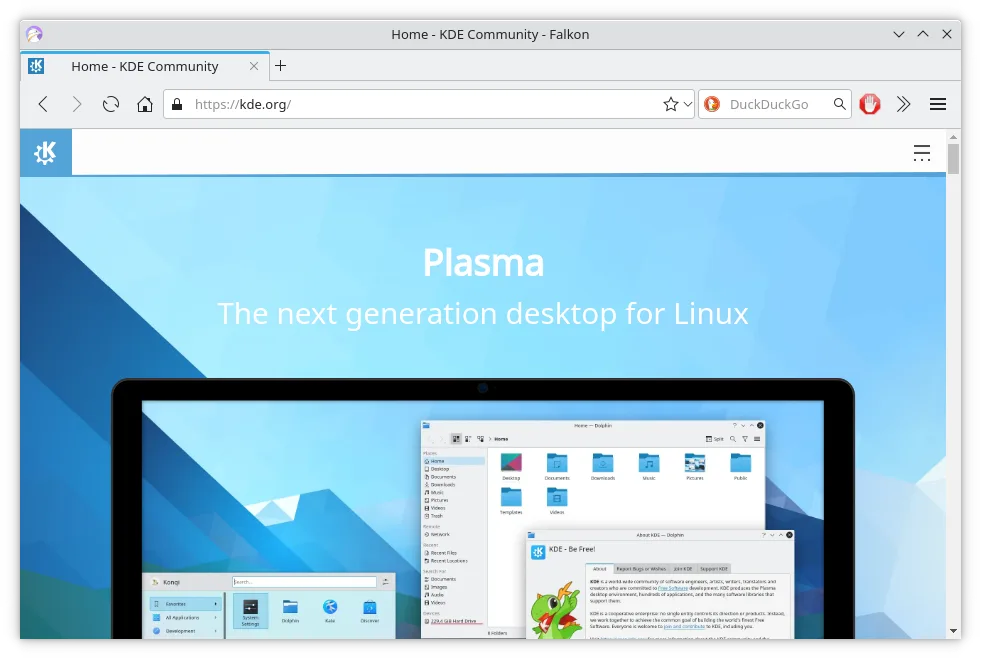
- Fast, low‑memory Qt engine
- Built‑in ad blocker
- Flash blocking via Click2Flash
- RSS reader in sidebar
- SSL certificate manager
- Bookmarks & history in sidebar
- Tab management
How to install Falkon on Linux
flatpak install flathub org.kde.falkonsudo apt install falkonsudo apt install falkonsudo dnf install falkonsudo pacman -S falkonsudo zypper install falkonFrequently asked questions
Can Falkon run Chrome extensions?
No, Falkon uses a Qt engine, not Chromium. It does not support Chrome extensions. You may need to find alternative plugins or use a Chromium-based browser if extensions are critical.
Does Falkon have a built-in email client?
No, Falkon does not include an email client. You will need to use a separate application like Thunderbird or Evolution for email management.
Is Falkon suitable for heavy customization?
Falkon offers basic customization for themes and shortcuts, but it lacks the deep, granular UI control found in Vivaldi. If you rely on complex mouse gestures or extensive interface modifications, Falkon may feel limiting.
5 other alternatives to Vivaldi
 FirefoxFirefox is a fast, private web browser developed by Mozilla.Open sourceFreeFlatpakFirefox vs Vivaldi
 ChromiumChromium is the open-source core behind Chrome and Edge, providing a fast, stable web browser without…Open sourceFreeFlatpakChromium vs Vivaldi
 BraveBrave is a fast, privacy‑focused web browser that blocks ads and trackers by default and offers an optional…Open sourceFreeFlatpakBrave vs Vivaldi
 Google ChromeGoogle Chrome is a proprietary, Chromium-based web browser for Linux that offers a familiar, fast browsing…FreeFlatpakGoogle Chrome vs Vivaldi
 LibreWolfLibreWolf is a privacy-focused, independent fork of Firefox designed to eliminate telemetry and enhance…Open sourceFreeFlatpakLibreWolf vs Vivaldi