
 FreeCADLinux
vs
3D BuilderWindows
FreeCAD as a Linux alternative to 3D Builder
Updated
Our verdict
FreeCAD is a capable replacement for 3D Builder, but it is a heavier tool. If you only need to quickly fix STL files or scale models for printing, FreeCAD feels like overkill. Its parametric nature shines when you need to design parts from scratch or modify complex geometry. For simple mesh repairs, it lacks the dedicated, one-click simplicity of 3D Builder. However, if you want to move beyond basic adjustments into actual CAD design, FreeCAD offers far more power. It is best for users who are willing to learn a steeper learning curve in exchange for professional-grade modeling capabilities and open-source freedom.
- License
- LGPL-2.1
- Price
- Free
- Latest version
- 1.1.4 (September 28, 2026)
- Rating
- —
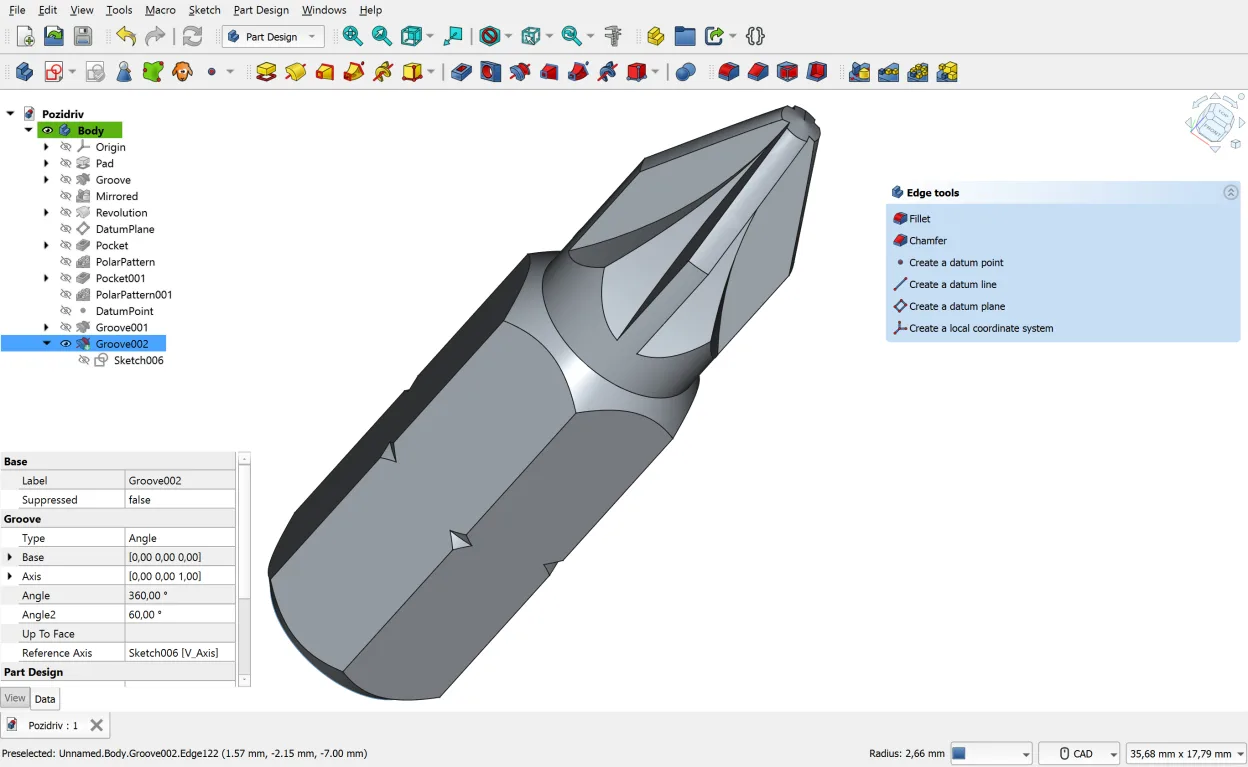
What works the same
- Supports importing and exporting STL and OBJ files
- Allows basic transformations like scaling and rotating objects
- Provides wireframe and solid view modes for inspection
- Open-source and free to use on Linux
What is different
- FreeCAD is parametric CAD, not a dedicated mesh editor
- Lacks simple, one-click non-manifold geometry repair tools found in 3D Builder
- Steeper learning curve due to workbench-based interface
- No built-in slicer or direct 3D print preparation workflow
Opening your 3D Builder files
FreeCAD handles STL and OBJ files well, which are the primary formats used by 3D Builder. You can open these files directly. However, FreeCAD does not natively support 3MF, another common 3D printing format. If you have 3MF files, you will need to convert them to STL or OBJ using an external tool before opening them in FreeCAD. PLY support is less certain in standard distributions, so sticking to STL or OBJ is the safest bet for compatibility.
Switching from 3D Builder to FreeCAD, step by step
- Install FreeCAD via your package manager or Flatpak
- Import your STL or OBJ files into the Part Design or Mesh workbench
- Use the Mesh workbench for basic scaling and rotation if needed
- Check geometry for errors using the mesh analysis tools
- Export the modified model as STL for your slicer
Key features of FreeCAD
- Parametric modeling with history tree
- Support for STEP, IGES, STL, DXF, OBJ, IFC, SVG
- Built‑in 2D sketcher with constraints
- Python scripting for automation
- Workbenches for FEA, BIM, CAM, robot simulation
- Add‑ons and macros from the community
- Cross‑platform installation via Flatpak, AUR, Debian, OpenSUSE
How to install FreeCAD on Linux
flatpak install flathub org.freecad.FreeCADsudo apt install freecadsudo pacman -S freecadsudo zypper install FreeCADFrequently asked questions
Can FreeCAD repair broken meshes as easily as 3D Builder?
No. FreeCAD has mesh analysis tools to identify issues, but it lacks the simple, automated repair buttons that 3D Builder provides. You may need to use external tools like MeshLab for complex repairs.
Is FreeCAD suitable for quick, casual 3D printing tweaks?
It is possible, but inefficient. For quick tweaks, FreeCAD is overkill. It is better suited for designing new parts or making precise parametric changes rather than simple mesh adjustments.
Does FreeCAD support 3MF files?
Not natively in most standard builds. You should convert 3MF files to STL or OBJ before importing them into FreeCAD to ensure compatibility.
4 other alternatives to 3D Builder
 BlenderBlender is a free, open-source 3D suite for modeling, animation, rendering, and video editing.Open sourceFreeFlatpakBlender vs 3D Builder
 MeshLabFree, open-source tool for processing, cleaning, and editing 3D triangular meshes, ideal for 3D printing prep.Open sourceFreeFlatpakMeshLab vs 3D Builder
 Wings 3DWings 3D is an open‑source advanced subdivision modeler for Linux.Open sourceFreeFlatpakWings 3D vs 3D Builder
 Bambu StudioBambu Studio is a free, open‑source 3D slicing application for Linux that lets you prepare models for 3D…Open sourceFreeFlatpakBambu Studio vs 3D Builder