
 GIMPLinux
vs
Adobe ExpressWindows
GIMP as a Linux alternative to Adobe Express
Updated
Our verdict
GIMP is not a direct replacement for Adobe Express. It excels at raster photo editing, digital painting, and complex image manipulation, but it lacks the template‑based social‑media design, built‑in AI, and simple video editing that Adobe Express offers. If you need a free, offline tool for detailed photo retouching or custom graphics, GIMP is a solid choice. For quick, template‑driven posts or short videos, a dedicated design app or cloud service is still preferable.
- License
- GPL-3.0+ AND LGPL-3.0+
- Price
- Free
- Latest version
- 3.2.8 (November 2, 2026)
- Rating
- —
What works the same
- Both run natively on Linux
- Both export to common web formats such as PNG and JPEG
- Both support layering and masks
- Both have a free, open‑source version
- Both allow plug‑in extensions
What is different
- GIMP has no built‑in social‑media templates
- GIMP does not provide AI‑powered design or video editing
- Adobe Express offers cloud storage and collaboration
- GIMP’s interface is more technical and less beginner‑friendly
- Adobe Express includes pre‑made layouts for posts and stories
Opening your Adobe Express files
Adobe Express primarily saves projects in proprietary cloud formats that GIMP cannot open. You can export finished graphics from Express as PNG or JPEG and then edit them in GIMP, but the original Express project files are not compatible with GIMP.
Switching from Adobe Express to GIMP, step by step
- Export your Express design as a PNG or JPEG.
- Open the exported file in GIMP via File → Open.
- Use GIMP’s layers and tools to tweak the image further.
- Save the edited image back to a web format with File → Export As.
- If you need a new design, create a new canvas in GIMP and start from scratch.
Key features of GIMP
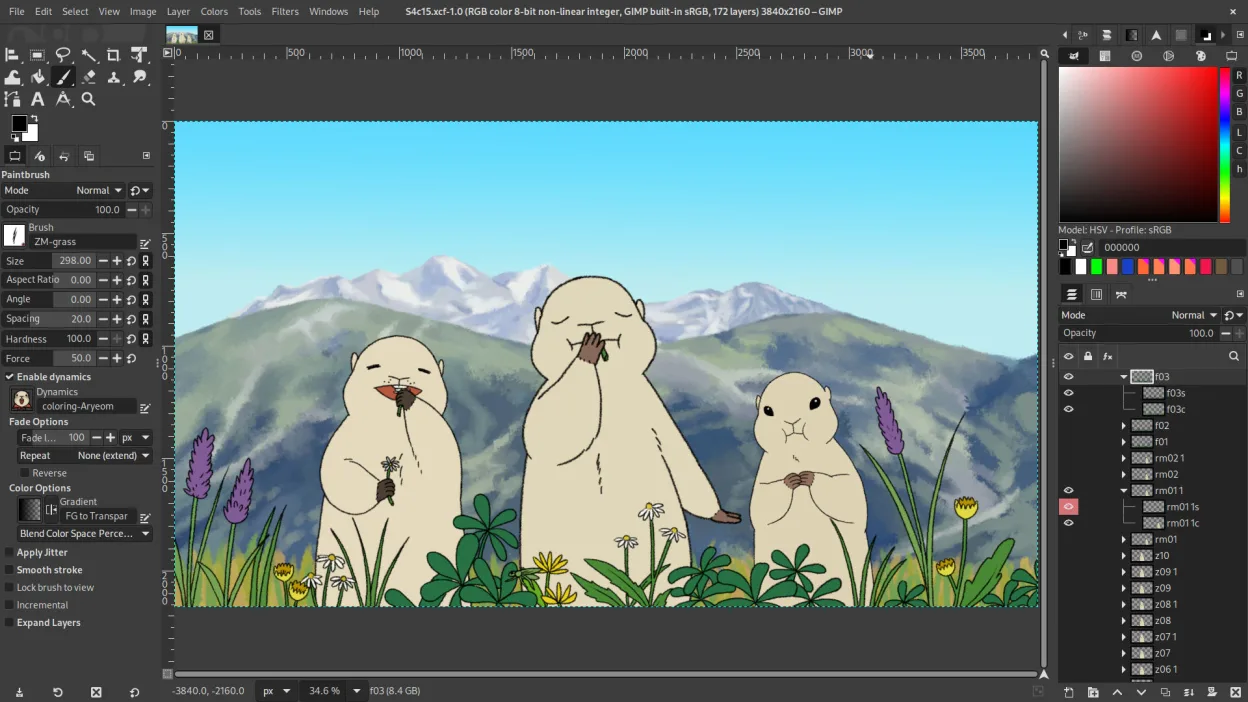
- Layer-based editing with masks, blending modes, and transparency
- Advanced brush engine for digital painting and retouching
- Support for Photoshop-compatible plug-ins (via compatibility layers)
- Batch processing and scripting with Script-Fu, Python, or GEGL
- Non-destructive editing possible through plug-ins like G'MIC
- Extensive format support: PNG, JPEG, TIFF, PSD, WebP, and more
- Customizable interface with dockable panels and themes
- Color management with ICC profile support
How to install GIMP on Linux
flatpak install flathub org.gimp.GIMPsudo apt install gimpsudo apt install gimpsudo dnf install gimpsudo pacman -S gimpsudo zypper install gimpFrequently asked questions
Can I edit an Adobe Express project directly in GIMP?
No. Express projects are stored in a proprietary format that GIMP cannot read. Export the project as a PNG/JPEG first.
Does GIMP support video editing like Express?
GIMP has no native video editing features. You would need separate video tools for that.
Is GIMP suitable for creating social‑media templates?
GIMP can create templates manually, but it lacks the ready‑made, drag‑and‑drop template system that Express provides.

