
Windows · Internet
Best Linux alternatives to Microsoft Teams (old version with full calling features)
Microsoft Teams (legacy desktop app) offered chat, video meetings, and calling; the Linux version lacks full calling and is no longer updated.
Updated
Quick answer
The best Linux alternative to Microsoft Teams (old version with full calling features) is Jami. Other strong options: Element, Mattermost, Jitsi Meet.
4 Linux alternatives to Microsoft Teams (old version with full calling features)
-
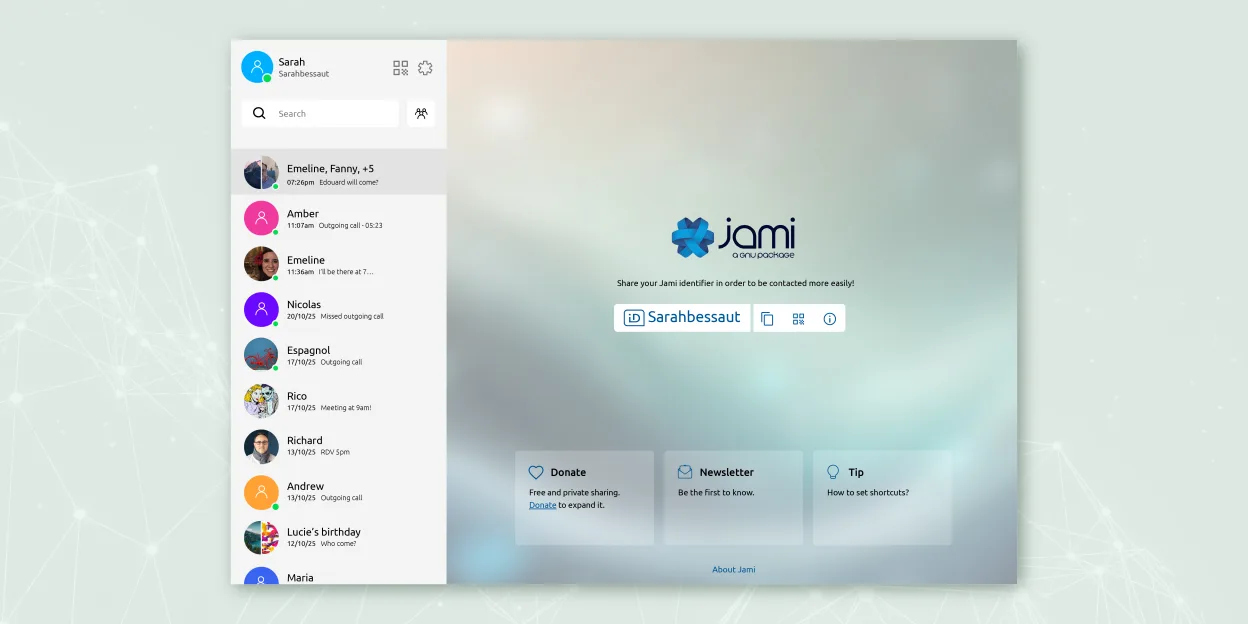
Jami is a free, peer‑to‑peer chat and video‑call client that works without central servers.
Jami is a solid replacement for Microsoft Teams (legacy) if your priority is privacy and decentralized communication, but it lacks key enterprise calling features. It supports chat, video conferencing with screen sharing, voice calls, and file sharing across platforms. However, it does not offer…
Feature parity70% -

Element is an open‑source, matrix‑based chat and video‑conference client for Linux.
Element is a solid replacement for Microsoft Teams (legacy) if you don’t rely on PSTN calling or deep Microsoft 365 integration. It handles chat, video conferencing, screen sharing, and file sharing well, with strong encryption and cross-platform sync. Teams already using Matrix or prioritizing…
Feature parity70% -

Mattermost is an open-source, self-hosted collaboration platform for developer teams, offering a secure alternative to SaaS tools.
Mattermost is a solid replacement for Microsoft Teams (legacy) if your priority is secure, self-hosted team chat and integrations, especially in developer or tech-focused environments. However, it lacks built-in voice and video calling features unless extended with plugins like Zoom or Jitsi. If…
Feature parity65% -

Jitsi Meet is an open-source video conferencing client that connects to any Jitsi server for secure, account-free calls.
Jitsi Meet is a solid replacement for Microsoft Teams (legacy) if your main needs are video conferencing, chat, and screen sharing without dependency on PSTN calling or deep office tool integrations. It excels in simplicity, privacy, and cross-platform access—especially for organizations that…
Feature parity70%



What is Microsoft Teams (old version with full calling features)?
Microsoft Teams was widely used by businesses and teams for workplace communication, combining chat, video conferencing, file sharing, and calling. The legacy desktop app supported full calling features like voicemail, dial pad, and PSTN calling, making it essential for remote work and internal collaboration. Many organizations relied on it for daily operations, especially during the shift to remote work.
The software is proprietary and part of the Microsoft 365 suite, typically requiring a paid subscription. Some features are available for free with limitations, but full calling and enterprise tools demand a business license. Microsoft does not charge separately for the Teams client itself—it's bundled with its broader productivity ecosystem.
Users seek Linux alternatives because the official Linux client for Teams lacks calling features and is no longer actively developed. Microsoft has shifted focus to the web app and newer Teams interface, leaving Linux desktop users without a fully functional native solution. This gap pushes users toward third-party tools that support real-time communication and calling on Linux.
What a replacement for Microsoft Teams (old version with full calling features) must do
- Chat with individuals and groups
- Video conferencing with screen sharing
- Voice calling with microphone and headset support
- Dial pad and PSTN calling support
- File sharing during conversations
- Cross-platform availability
- Integration with calendars or work tools
Can you run Microsoft Teams (old version with full calling features) on Linux?
There is a native Linux client for Microsoft Teams, but it's based on the older Electron app and lacks full calling features like dial pad and voicemail. The web version works in browsers like Chrome and Firefox and supports most features, including calling. It runs under Wine poorly—audio and video often fail. Proton and Bottles don't improve compatibility meaningfully. The web app is currently the most functional option on Linux.
Which alternative should you choose?
For calling and privacy-focused use, Jami works standalone but lacks centralized team management. Element suits teams wanting decentralized, secure chat and video via Matrix. Jitsi Meet is ideal for quick video meetings without accounts. Mattermost replaces Teams' chat and integrates with some calling tools. Franz can unify access to the Teams web app but doesn't add calling features. Choose based on whether you prioritize calling, integration, or self-hosting.
Moving your Microsoft Teams (old version with full calling features) files and habits
You can't directly export Teams chat history or call logs for use in other apps. Conversations and files saved in Teams stay within Microsoft's ecosystem unless manually copied. Most alternatives use different account systems and encryption models, so user migration requires re-onboarding. File sharing is compatible since documents are typically in common formats like PDF or DOCX, but real-time co-editing may not transfer unless the new app supports Office formats.
Side-by-side comparison
| App | License | Flatpak | Latest version | Feature parity | Rating |
|---|---|---|---|---|---|
| Jami | GPL-3.0+ | ✓ | 20260917.0 | 70% | — |
| Element | AGPL-3.0-only OR… | ✓ | 1.12.32 | 70% | — |
| Mattermost | Apache-2.0 | ✓ | 6.3.1 | 65% | — |
| Jitsi Meet | Apache-2.0 | ✓ | 2026.8.0 | 70% | — |
Microsoft Teams (old version with full calling features): frequently asked questions
Can I make phone calls with the Linux Teams client?
No, the native Linux desktop app lacks dial pad and PSTN calling features. Use the web version in a browser for full calling support.
Is the Teams web app secure on Linux?
Yes, the web app runs securely in modern browsers with HTTPS and standard web security. No additional risk compared to other platforms.
Do any Linux apps fully replace Teams calling?
Not perfectly. Jami and Jitsi support calling, but lack direct integration with Microsoft's phone system. Some businesses use them alongside SIP gateways.
Will Microsoft update the Linux desktop app?
No, Microsoft has discontinued active development of the standalone Linux desktop client. The web app is now their recommended solution.
How important is Microsoft Teams (old version with full calling features) to you?
Know a better alternative? Suggest an alternative